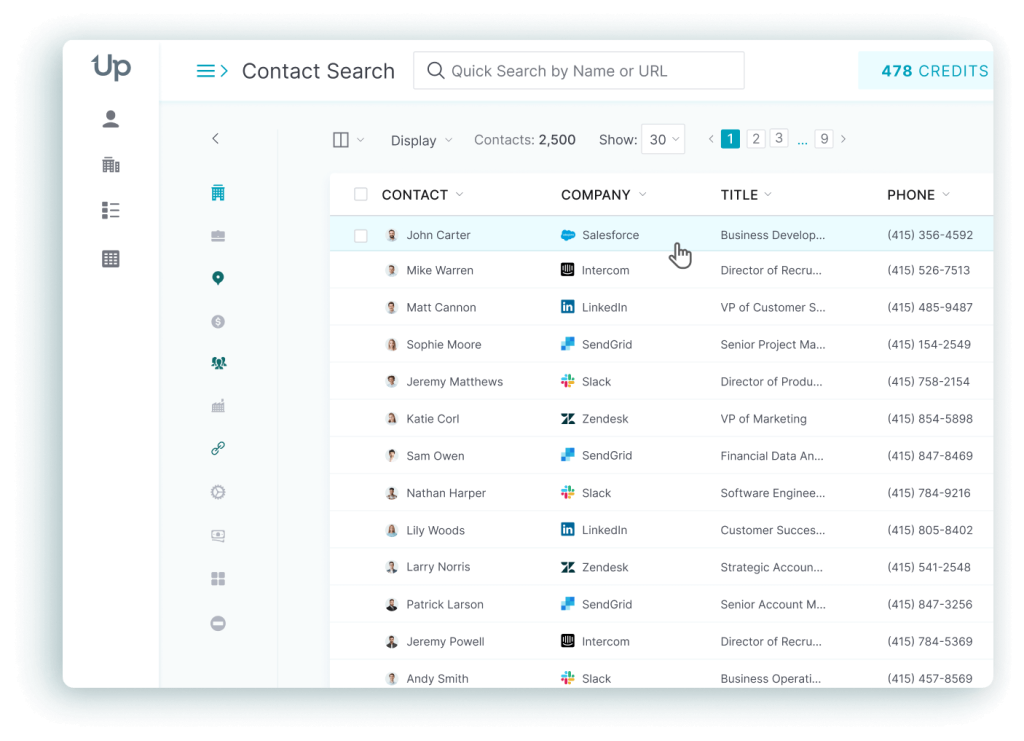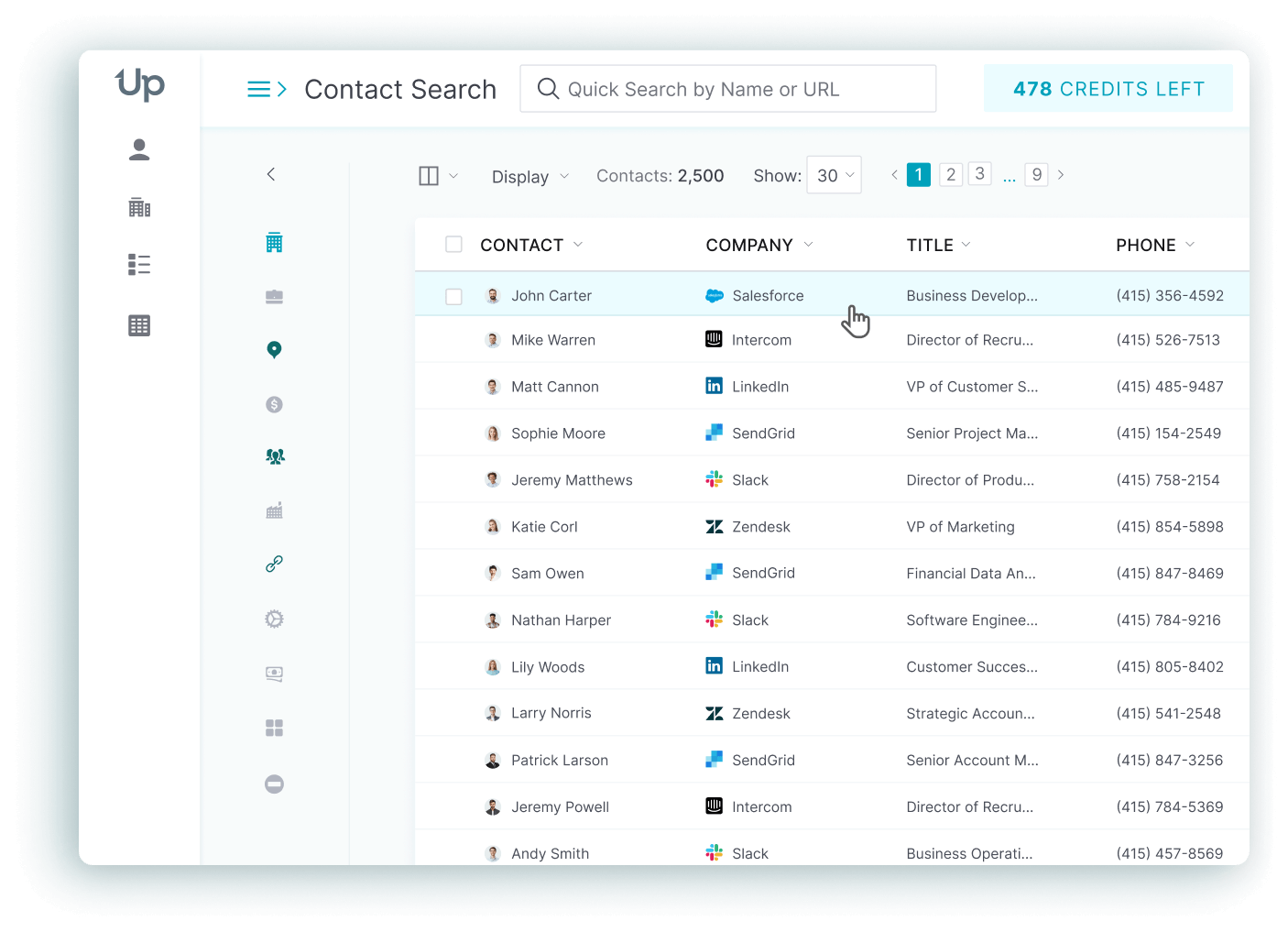



Sales and marketing teams size up UpLead against other B2B contact-data platforms for one simple reason: no single vendor fits every budget, region, or workflow equally well. UpLead is a widely used lead generation platform built around verified contact data and a pay-only-for-valid-emails guarantee, but the right tool for your team still depends on what you actually do day to day.
This guide compares ten UpLead competitors and alternatives on pricing and data accuracy, then digs into the features that separate a general-purpose database from a tool built for one specific job: cold calling into Europe, running outbound sequences, or working leads straight out of LinkedIn.
The UpLead Difference
Data is the foundation of any sales and marketing team’s results. No matter how strong your team or product is, results stall without contact data that reps can trust and act on immediately. To close that gap, many businesses turn to B2B intelligence providers like UpLead. What sets UpLead apart is a simple commitment: accurate data, and a straightforward guarantee that backs it up.
UpLead’s Data
UpLead’s accuracy process is what separates it from older, static databases. Each entry goes through an email validation step before it is added to the system, and UpLead backs every download with a 95% accuracy guarantee: if a contact bounces, you do not pay for it.
It licenses data from trusted third parties and runs the results through AI-driven and rule-based verification before any record reaches a customer. UpLead has over 200 million B2B contact email addresses and more than 19 million company profiles, along with 27,000+ technologies tracked across the web and mobile stack, giving reps more ways to target the right accounts. Real-time email verification runs again at the moment of download, and any record that cannot be verified gets flagged for a manual research pass instead of being shipped as-is.
UpLead Key Features
Sales and marketing teams need clean, current contact data they can act on the same day. UpLead is built to get reps from a target account to a verified contact record quickly, without a separate cleanup pass afterward.
Every unlocked contact goes through real-time verification before it is delivered, and UpLead only charges for valid emails, so invalid contacts do not eat into a plan’s credits. Each contact record carries more than 40 attributes, giving reps enough context to prioritize outreach instead of guessing. Data exports drop into a CSV or sync directly with CRMs like Salesforce and HubSpot through a Bi-Directional CRM Sync, currently built for Salesforce.
Beyond contact data, UpLead layers in technographic detail for every company record, covering the CRM and e-commerce platforms a business already runs. That context shapes messaging before a rep ever picks up the phone.
Other notable features include:
- 27,000+ technographic data points
- Access to company news and buying signals
- Chrome extension for in-browser prospecting
- Intent data
- Advanced search filters
- Team account management
UpLead Integrations
Reps get one integration layer across the CRMs sales teams already run: HubSpot, Zoho, Pipedrive, Salesforce, all kept current without manual updates.
A Zapier integration automates the repetitive parts of the lead generation process, from updating a contact record to creating a new lead the moment a form gets filled out.
Additional notable integrations:
- HubSpot
- Salesforce
- Zoho
- Pipedrive
- Microsoft Dynamics 365

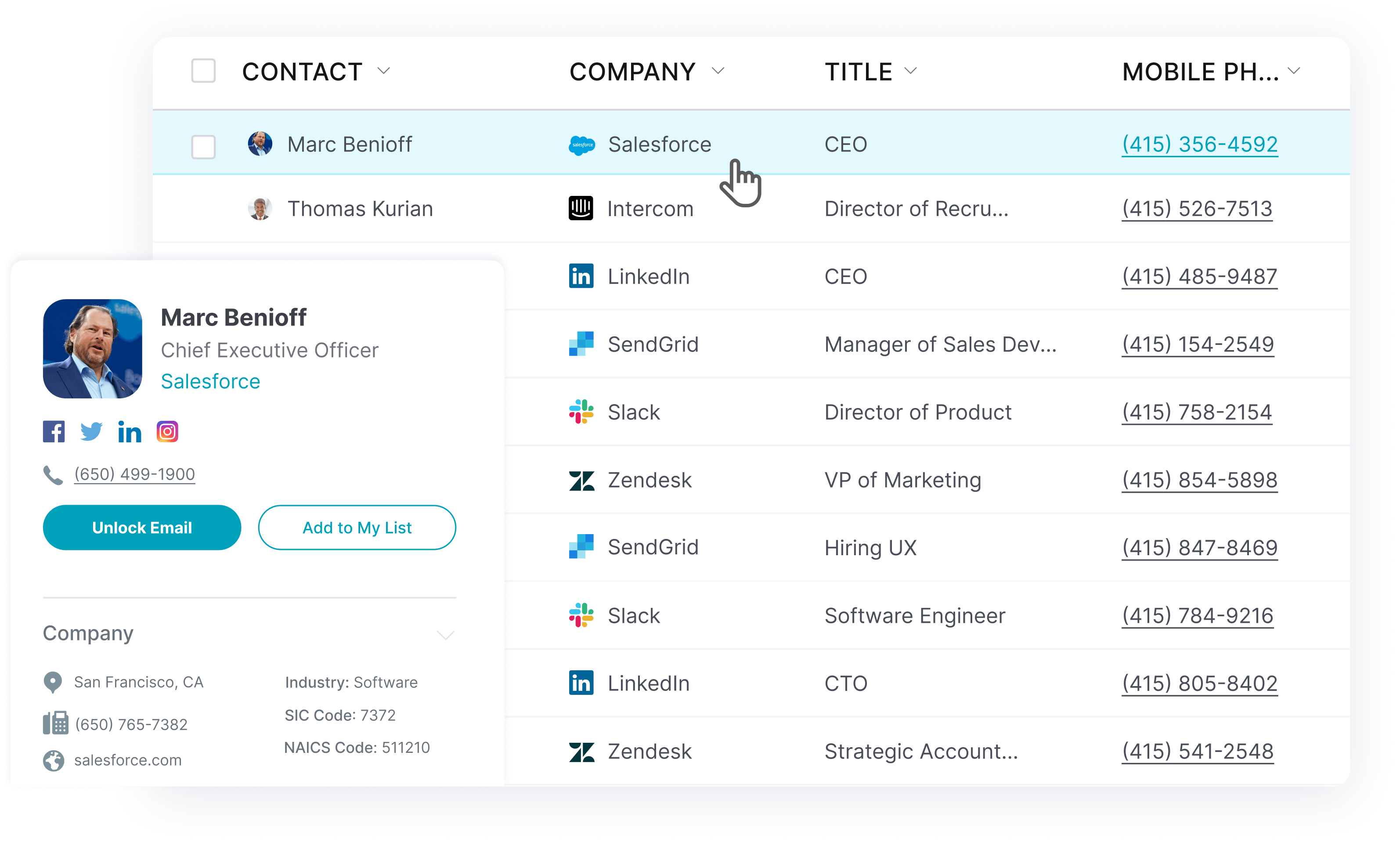
Why Look at UpLead Alternatives?
Most readers on this exact page have one of five needs in mind: regional phone coverage, an all-in-one outbound workspace, a LinkedIn-first workflow, ABM or intent signals, or a specific price point.
1. EMEA calling and compliance needs
Teams cold-calling into the UK and Western Europe often want a vendor built around phone-verified mobile numbers and country-by-country do-not-call screening, which points toward a more regionally specialized database.
2. Sequencing and dialing bundled with data
Some teams want prospecting data and outreach execution in the same login. That trade generally means giving up some data precision for the convenience of one workspace.
3. A LinkedIn-first sales motion
If most of a team’s pipeline already comes from warm LinkedIn introductions, a relationship-mapping tool can matter more than a large verified-email database.
4. ABM and intent-led motions
Account-based teams that prioritize in-market signals over raw contact volume often need buyer-intent data layered on top of, or instead of, a straight contact database.
5. Budget and contract flexibility
Enterprise platforms with five-figure annual minimums do not fit every stage of company. Smaller teams frequently want transparent, published pricing they can test before committing to a year-long contract.
What to Check For in an UpLead Alternative
Nine things separate a tool worth switching to from one that just adds another login: coverage, freshness, verification, filters, CRM fit, outreach support, pricing mechanics, regional strength, plus support quality.
1. Contact coverage inside your ICP
Look at coverage inside your actual target accounts, not total database claims. A smaller, more relevant dataset usually beats a larger one that misses your roles or regions.
2. Data freshness
Stale job titles and dead direct dials create more cleanup work than missing records ever do.
3. Verification quality
If your team sends cold email or relies on direct dials, real-time verification at the point of download matters more than headline database size.
4. Search filters and segmentation
Job title and company size filters determine how quickly a rep can reach the right slice of a large database, alongside region and technographic criteria.
5. CRM and enrichment workflows
Check exactly how a tool writes to Salesforce, HubSpot, or Dynamics 365. A messy sync creates duplicate records and routing errors that RevOps ends up cleaning by hand.
6. Outreach workflow support
Some platforms stop at data. Others add sequencing or a built-in dialer, which changes how many separate tools reps need in their daily stack.
7. Pricing model and credit mechanics
Compare more than the sticker price. Seat minimums and credit caps shape the real monthly cost of a plan, along with gated export limits.
8. Regional strength
Coverage quality varies sharply by geography. A vendor that is excellent in North America can be noticeably weaker across EMEA or APAC, and vice versa.
9. Support and cancellation terms
Read the renewal and cancellation policy before signing. A 60 to 90 day notice window or a mandatory sales call to cancel can matter as much as the sticker price.
10 UpLead Competitors & Alternatives for Your Business
Choosing the right lead-generation platform can reshape a sales and marketing process, from automation depth to the raw accuracy of the contact data underneath it. Ten alternatives are compared below, covering everything from a small team testing its first paid tool to an established enterprise replacing a legacy vendor, so you can weigh each one against your own sales needs.
1. Lead411
Lead411 is built for SMB and mid-market outbound teams that want unlimited-style exports and buyer-intent signals without paying enterprise prices.
Lead411’s database covers 450M+ contacts across 20M companies, and it backs that with a 96% average email deliverability claim from triple-verified data that gets re-checked every 90 days. Bombora-powered intent data on annual plans flags accounts that are actively researching a relevant topic. Growth-intent signals, like a new funding round or a leadership change, give reps a reason to reach out at the right moment.
Where Lead411 loses some goodwill is the shift away from its old “unlimited” pitch. A cluster of 2026 reviews specifically call out the move to a credit-based export system while marketing language still leans on the word unlimited, and reviewers in smaller or niche markets report contact records, phone numbers especially, that lag behind larger databases. (Source: G2)
Top Features
- Reach (a built-in email and SMS sender) lets reps contact prospects without exporting to a separate outreach tool.
- Bombora-powered buyer intent on annual plans surfaces companies already researching your category.
- Growth-intent triggers (funding events, new hires, executive moves) flag accounts entering a buying window.
- An AI-ranked dashboard prioritizes the “hottest” leads instead of forcing manual filter work.
- 25+ CRM integrations (Salesforce and HubSpot among them) push verified contacts straight into existing pipelines.
Pricing
Spark:$49/month, 1,000 exports per month, or$490/yearbilled annually for 12,000 exports.Ignite: starting around$150/month, adds API access; annual billing is required to access Bombora intent data.Blaze: custom pricing with unlimited exports for larger teams.
Pros
- Reviewers point to the high export ceiling and AI-assisted list building as a genuine time saver over manual filtering. (Source: G2)
- Buyer-intent data plus contact accuracy get credited with improving pipeline velocity through better-timed outreach. (Source: G2)
- Multiple reviews describe the day-to-day workflow as smoother thanks to consistently current contact data. (Source: G2)
Cons
- Reaching the unlimited-style tier costs real money, and a few reviewers feel the marketing oversells the entry plans. (Source: G2)
- Phone numbers in smaller or niche markets can lag behind larger competitors like ZoomInfo, Apollo, or Lusha. (Source: G2)
- Some reviewers report stale records, including contacts who left a company more than a year earlier, and call the interface hard to navigate. (Source: G2)
What real users say about Lead411
Lead411 does not currently publish a named case study with a quantified result on its own site (its case-studies URL returns a 404 as of this research), so we are not citing one here rather than repeating an unsourced figure that circulates in secondhand blog posts.
Best For
SMB and mid-market outbound teams that want high export volumes and Bombora intent data without an enterprise contract.
Lead411 vs UpLead
Lead411 wins on export volume and built-in intent data for teams already committed to annual billing. UpLead pulls ahead on a published 95% accuracy guarantee and 200M+ leads, backed by a Bi-Directional CRM Sync that does not require an annual contract to reach the features most teams actually need.
2. ZoomInfo
ZoomInfo is built for enterprise and mid-market go-to-market teams that want contact discovery, account research and intent data under one roof. Teams that want a deeper side-by-side of ZoomInfo against other enterprise databases can read our full ZoomInfo competitors comparison.
Scale is where ZoomInfo makes its case: a G2 Score of 97 in the Sales Intelligence category, and the #1 spot in 142 separate G2 Spring 2026 reports. A Forrester-commissioned Total Economic Impact study credits ZoomInfo with 316% ROI and $7.6M in benefits over three years for enterprise customers, with payback in under six months. (Source: ZoomInfo) That depth is exactly why large GTM orgs shortlist it over smaller point tools.
Friction shows up at renewal time. ZoomInfo still publishes no list pricing, and buyer-side contract data from Vendr puts the median annual deal at roughly $31,875 to $33,500, with a realistic range from about $7,200 for small teams up to $150,000+ for large, multi-product rollouts. (Source: Vendr) Reviewers also flag a 60 to 90 day cancellation window and renewal price increases of 10 to 20%, which explains why ZoomInfo’s G2 rating sits well above its Trustpilot rating.
Top Features
- WebSights intent data surfaces companies actively researching your category before they ever fill out a form.
- The Chrome extension reveals contact data directly on LinkedIn and company websites during research.
- Org charts and hierarchy mapping help reps navigate multi-stakeholder enterprise deals.
- Scoops track funding news and hiring activity, plus leadership changes, as timely outreach triggers.
- Native Salesforce and HubSpot sync keeps CRM records current without manual entry.
Pricing
ZoomInfo does not publish list prices for any plan; every deal is quote-only and sales-led. Based on aggregated buyer contract data, a realistic 2026 range runs from about $7,200/year for a small team to $150,000+/year for a large enterprise rollout, with a median contract around $31,875 to $33,500/year. (Sources: Vendr & CleanList)
Pros
- The database is consistently praised for covering every vertical with real direct-dial numbers and emails. (Source: G2)
- Real-time intent signals on funding and hiring activity, plus leadership changes, get called out as a genuine differentiator. (Source: G2)
- The Chrome extension is described as intuitive, with one reviewer setting it up in about five minutes. (Source: G2)
Cons
- Pricing is a recurring complaint and a real barrier for smaller teams. (Source: G2)
- New users describe a steep learning curve before the platform’s full feature set clicks. (Source: G2)
- Support response times and reaching a live representative come up often in negative reviews. (Source: G2)
What real users say about ZoomInfo
MarketSpark reported 5x growth in marketing- and sales-qualified leads, and 5x more deals in its pipeline, after building its outbound motion on ZoomInfo’s Data Cube. (Source: ZoomInfo)
Best For
Large GTM organizations that need enterprise-scale coverage and can absorb a five-figure annual contract.
ZoomInfo vs UpLead
ZoomInfo offers more enterprise depth and org-chart intelligence than most teams will ever fully use. UpLead offers transparent self-serve pricing, a 95% accuracy guarantee, and 200M+ leads without a five-figure minimum or a 60 to 90 day cancellation window.
3. RocketReach
RocketReach is built for individual recruiters and freelancers, plus small sales teams, who need a quick one-off contact lookup rather than a full platform.
RocketReach’s database spans 700M professionals and 60M companies, and the company claims 98% accuracy on the contacts it surfaces. (Source: RocketReach) A bulk-lookup API and real-time verification, plus a Chrome extension, make it fast to move from a single name to a working email address.
Credit math is where the tradeoff shows up. G2 reviewers consistently mention that credits run out quickly during heavy prospecting, and that some contact details, particularly direct-dial numbers, come back outdated or missing. (Source: G2) RocketReach fits best as a lean, per-seat lookup tool rather than a database a whole revenue team leans on for account intelligence.
Top Features
- Bulk lookup API lets ops teams enrich large lists programmatically instead of one contact at a time.
- The Chrome extension pulls a verified contact straight from a LinkedIn profile while browsing.
- Real-time email verification checks a contact at the moment it is revealed, cutting bounce risk.
- The Company Data API covering
60M+businesses adds firmographic context to existing lead lists. - CRM integrations with Salesforce and HubSpot push found contacts directly into a rep’s pipeline.
Pricing
Essentials:$19/monthor$229/yearbilled annually, email-only outreach.Pro:$52/monthor$619/yearbilled annually, adds direct-dial phone numbers.Ultimate:$115/monthor$1,379/yearbilled annually, built for teams with heavier automation needs.
(Source: RocketReach)
Pros
- Reviewers describe RocketReach as easy to use, with accurate, current information that speeds up finding the right contact. (Source: G2)
- Users highlight how quickly they can pull emails and company details once they know who they are looking for. (Source: G2)
- Individual reviewers cite email and phone accuracy above
98%as a reason they keep renewing. (Source: G2)
Cons
- Contact details can be outdated or missing, especially for smaller or private companies. (Source: G2)
- Credits run out fast during heavy prospecting stretches. (Source: G2)
- Reviewers ask for more advanced filtering, including dark mode and smarter AI-based search. (Source: G2)
What real users say about RocketReach
Yeshiva University’s career services center used RocketReach to source alumni and graduate contact data, reporting 50% more data coverage than prior sources and over 70% reach on international post-graduate surveys. (Source: RocketReach)
Best For
Individual reps and recruiters, plus small teams, who want fast, low-cost lookups rather than a full data platform.
RocketReach vs UpLead
RocketReach is cheaper for a single lookup, but its credit model makes monthly cost hard to predict at volume. UpLead’s flat per-plan pricing and 27,000+ technographic data points give teams a steadier way to budget for ongoing prospecting.
4. Lusha
Lusha is built for individual reps and small teams who want a fast Chrome-extension reveal instead of a full data platform to learn.
Lusha holds a 4.3/5 rating from more than 1,600 G2 reviews, with a 9.2/10 ease-of-use score, and names itself a Leader in six G2 Summer 2026 categories. (Source: Lusha) The Chrome extension reveals a contact’s email or phone number directly on LinkedIn or a company website, and credit-pooling on team plans keeps usage under admin control.
Credit limits are the recurring complaint. Reviewers describe the free and entry plans as restrictive for high-volume prospecting, and phone accuracy drops noticeably for contacts outside North America. (Source: G2)
Top Features
- The Chrome extension reveals decision-maker emails and phone numbers directly from LinkedIn or a website.
- CRM integrations with Salesforce and HubSpot, plus Pipedrive, push contacts straight into an existing pipeline.
- Buying-signal and intent alerts on higher tiers flag accounts that are already in-market.
- Bulk CSV enrichment cleans and updates an existing lead list at scale.
- Team credit pooling on the Premium and Scale plans gives admins control over shared usage.
Pricing
Free:$0, 40 credits per month.Starter:$49.90/month, or$37.45/monthbilled annually, 400 credits per month.Professional:$69.90/month, or$52.45/monthbilled annually, 600 credits per month.Premium:$399.90/month, or$299.95/monthbilled annually, 3,400 credits per month.Scale: custom quote, for teams of five seats or more.
All plans are flat, per-plan pricing with seats bundled rather than a per-user rate. (Source: Lusha)
Pros
- Reviewers praise the quick access to accurate contact and company details straight from LinkedIn or a company site. (Source: G2)
- New users repeatedly call the interface intuitive, with a short ramp-up time. (Source: G2)
- Tight LinkedIn and CRM integrations get credited with cutting manual data entry. (Source: G2)
Cons
- Credit limits feel restrictive for high-volume prospecting. (Source: G2)
- Verified phone numbers get harder to find for contacts outside North America. (Source: G2)
- Data coverage is weaker outside core English-speaking markets. (Source: G2)
What real users say about Lusha
WalkMe hit 120% of its prospecting goals every quarter after adopting Lusha, and cut its email bounce rate by 67%. (Source: Lusha)
Best For
Individual reps and small teams who want a fast, low-friction way to reveal a contact while browsing LinkedIn.
Lusha vs UpLead
Lusha’s flat, bundled pricing is simple to plan around, but its credit pools cap out fast for serious volume, and phone accuracy drops outside North America. UpLead’s 95% accuracy guarantee and 27,000+ technographic data points give more targeting depth at similar price points on the mid tiers.
5. Apollo.io
Apollo.io is built for outbound-focused sales teams that want prospecting data and email sequencing in a single workspace.
Apollo combines 240M+ verified contacts and 30M+ company profiles with more than 65 filters, and it claims 98% email accuracy with under 1% invalid direct-dial numbers. (Source: Apollo.io) A built-in dialer and waterfall enrichment, plus light deal tracking, mean a rep can find a contact, add them to a sequence, and log the call without leaving the app.
That breadth carries a cost in polish. Reviewers report the dialer freezing at times. Data does not always write back to Salesforce cleanly either, and contact coverage outside the US often runs thinner than the headline numbers suggest. Apollo’s 4.7/5 rating across roughly 9,690 reviews shows most teams accept that tradeoff for the convenience of one workspace. (Source: G2)
Top Features
- A database of
240M+contacts and30M+companies is the core reason budget-conscious teams shortlist Apollo. - Built-in email sequencing moves a rep from discovery to outreach without switching tools.
- A native dialer lets reps call prospects directly from the platform, though reliability varies by review.
- Waterfall enrichment chains multiple data sources to fill gaps a single provider would miss.
- More than
65filters and intent topics help teams find the right persona quickly.
Pricing
Free:$0, 900 credits per seat per year, granted monthly.Basic:$49/seat/monthbilled annually, 30,000 credits per seat per year.Professional:$79/seat/monthbilled annually, 48,000 credits per seat per year.Organization:$119/seat/monthbilled annually, minimum 3 seats, 72,000 credits per seat per year.
(Source: Apollo.io)
Pros
- Reviewers highlight finding leads and enriching data, then running sequences, all without bouncing between separate tools. (Source: G2)
- The depth of search filters gets credited with helping teams drill into very specific niches. (Source: G2)
- Per-user pricing is called out as transparent and easy to scale for a small team. (Source: G2)
Cons
- Entry-plan credit limits feel tight, and large exports can slow the platform down. (Source: G2)
- Data accuracy is inconsistent in some searches, particularly outdated contact information. (Source: G2)
- Reviewers report dialer glitches and data that does not always sync back to Salesforce reliably. (Source: G2)
What real users say about Apollo.io
Ashby used Apollo to rebuild its outbound process and saw meetings booked increase 4x, inbox placement climb from 62% to 96%, and reply rate rise from 1.5% to 8.4%. (Source: Apollo.io)
Best For
Budget-conscious outbound teams that want prospecting data and sequencing bundled into one workspace.
Apollo.io vs UpLead
Apollo bundles sequencing and a dialer that UpLead does not try to replicate, but that breadth comes with more UI complexity and the sync bugs reviewers report. UpLead stays focused on accurate data plus a native, Salesforce-based Bi-Directional CRM Sync for teams that already own their outreach stack.
6. LinkedIn Sales Navigator
LinkedIn Sales Navigator is built for reps who prospect and warm up relationships directly inside LinkedIn’s own network instead of pulling verified emails from a separate database.
Its own network is the product: 860M+ members and 60M+ companies across 200 countries and regions, filtered through more than 50 advanced search criteria. (Source: LinkedIn) AI-generated Account IQ and Lead IQ summaries now surface a company’s recent developments automatically, and Relationship Explorer maps warm-intro paths through a rep’s existing network.
Cost is the top complaint in reviews, alongside InMail credits that run out fast on the cheaper tiers. (Source: G2) The bigger structural gap is that Sales Navigator will not hand a rep a verified email or direct phone number; it stops at the LinkedIn relationship layer.
Top Features
- 50+ advanced search filters and Recommended Leads pinpoint the right people across LinkedIn’s full network.
- Real-time alerts flag job changes and account activity so outreach timing improves.
- Relationship Explorer and TeamLink surface warm-intro paths through a rep’s or team’s network.
- AI-generated Account IQ and Lead IQ summaries condense a company’s recent activity into a quick brief.
- InMail messaging, 50 per month with a 90-day rollover, reaches people outside a rep’s direct network.
- CRM sync on Advanced and Advanced Plus imports book-of-business data from Salesforce, Dynamics 365, or HubSpot.
Pricing
Core:$119.99/month, or$1,079.88/yearbilled annually.Advanced:$159.99/month, or$1,799.88/yearbilled annually.Advanced Plus: custom pricing, sold through a sales demo.
(Source: LinkedIn)
Pros
- Reviewers value having advanced filters and lead recommendations, plus real-time updates and InMail, all in one place. (Source: G2)
- The AI summaries that condense a company’s recent developments get praised for saving research time. (Source: G2)
- Persona building and role-based sorting make it easy to target specific companies and decision-makers. (Source: G2)
Cons
- Reviewers call it expensive for small businesses and startups, with InMail credits that run out fast on cheaper plans. (Source: G2)
- Message-credit tracking adds friction, and the price is not cheap relative to the value some teams get from it. (Source: G2)
- Reviewers ask for more direct contact information for prospects, since Sales Navigator stops at the LinkedIn layer. (Source: G2)
What real users say about LinkedIn Sales Navigator
Eftsure, a fintech company serving more than 3,500 customers, grew deal size by 126% using Sales Navigator’s Relationship Map and Key Decisionmaker Alerts, according to CRO Sam Rahmanian. (Source: LinkedIn)
Best For
Reps whose pipeline runs through LinkedIn relationships and warm introductions rather than cold email or phone.
LinkedIn Sales Navigator vs UpLead
Sales Navigator gives reps relationship intelligence inside LinkedIn’s own network, but it does not hand over a verified email or phone number. UpLead’s 200M+ leads at 95% accuracy fills exactly the gap reviewers name when they ask for more direct contact information.
7. Cognism
Cognism is built for EMEA-focused sales teams that rely on cold calling and need phone-verified mobile numbers plus a strong compliance story.
Cognism holds a 4.6/5 rating from more than 2,400 G2 reviews, and its core “Diamond Data” promise is phone-verified mobile numbers with connect rates users describe as 2 to 3x higher than competing databases in UK and Western European markets. (Source: G2) A compliance layer that screens against 15+ country do-not-call lists is a real differentiator for teams facing GDPR exposure.
US coverage is the acknowledged weak spot, and reviewers name native sequencing and intent data as gaps compared to broader platforms. Cognism also applies a fair-use cap of roughly 2,000 records per user per month even on its “unrestricted” access plans, which heavy prospectors can hit before the month is over.
Top Features
- Diamond Data phone-verified mobiles drive higher connect rates for outbound-heavy teams.
- Compliance screening against 15+ country do-not-call lists reduces regulatory risk for EMEA calling programs. See our full Cognism alternative breakdown for a closer look at how the two platforms compare.
- Firmographic and technographic filters, plus signal-based data, help teams build precise target lists.
- A Chrome extension and CRM enrichment tools keep records current without manual research.
- Data-as-a-Service delivery supports teams that want a bulk feed instead of seat-by-seat lookups.
Pricing
No list prices are published; every plan (Standard and Pro) is quote-only and sales-led, with no free plan, only a sales-arranged trial. Aggregated buyer data puts a 5-seat deal around $22,500 to $37,500/year, and a 10-rep team on the higher Pro tier near $40,000 to $50,000/year. (Sources: Cognism & Salesmotion)
Pros
- UK and Western European phone data is repeatedly called out as top-tier compared to competitors. (Source: G2)
- Email accuracy above 90% in core EMEA markets earns consistent praise in reviews. (Source: G2)
- The GDPR-focused compliance tooling is called a meaningful risk reducer for regulated industries. (Source: G2)
Cons
- US data coverage lags behind the platform’s EMEA strength. (Source: G2)
- Pricing transparency is a common complaint, since every deal requires a sales conversation. (Source: G2)
- Annual contract terms and strict auto-renewal clauses make small-team deployments feel expensive relative to usage. (Source: G2)
What real users say about Cognism
AVEVA accelerated its outbound pipeline by 40% after adopting Cognism, according to Cognism’s published case study. (Source: Cognism)
Best For
EMEA-focused outbound teams that need phone-verified mobile numbers and a documented compliance process.
Cognism vs UpLead
Cognism wins for teams calling into the UK and Western Europe who need documented compliance and phone-verified mobiles. UpLead is the better fit for teams that want self-serve, published pricing rather than a sales-led annual contract, plus a 95% accuracy guarantee that works across all regions, not only EMEA.
8. Hunter.io
Hunter.io is built for outbound reps and recruiters, plus founders, who need to find and verify one specific person’s email fast, without a full firmographic database.
Hunter says it is trusted by more than 7 million users, and it holds a 4.4/5 rating across 656 G2 reviews. (Source: Hunter.io) Domain Search finds a verified email from just a company name. Bulk Email Finder and Bulk Verifier handle large lists at once, and every paid tier includes automatic verification before a campaign goes out.
Credits are the recurring friction point. Reviewers say they burn fast on larger campaigns and costs climb quickly as usage grows, alongside occasional outdated or incorrect addresses. (Source: G2)
Top Features
- Domain Search and Email Finder return a verified email from just a company name or domain.
- Bulk Email Finder and Bulk Verifier process large prospect lists in one pass instead of one at a time.
- Automatic verification on every paid tier checks each address before a campaign sends.
- An AI Writing Assistant on paid tiers drafts and personalizes cold outreach copy inside the tool.
- Discover, an ICP-based company search, finds target companies before finding people at them.
Pricing
Free:$0, 50 credits per month.Starter:$49/month, or$34/monthbilled annually, 2,000 credits per month.Growth:$149/month, or$104/monthbilled annually, 10,000 credits per month.Scale:$299/month, or$209/monthbilled annually, 25,000 credits per month.Enterprise: custom pricing.
(Source: Hunter.io)
Pros
- Reviewers call the email accuracy exceptional, with verification that keeps most contacts active and usable. (Source: G2)
- The Domain Search tool gets described as a real time-saver for sourcing new contacts. (Source: G2)
- Reviewers appreciate the confidence scores attached to each result, which speed up quality checks. (Source: G2)
Cons
- Audience filter tags are described as too generic, forcing manual sorting after export. (Source: G2)
- The credit system feels restrictive on larger campaigns, and costs rise quickly with usage. (Source: G2)
- A minority of reviewers report a low usable-result rate on bulk uploads. (Source: G2)
What real users say about Hunter.io
3D visualization company 7CGI used Hunter’s Bulk Email Finder and Bulk Verifier and improved its email deliverability rate to over 95%, reduced bounce rates significantly, and increased response rates by roughly 25%. (Source: Hunter.io)
Best For
Small teams and founders who need fast, verified email lookups without paying for a full sales intelligence platform.
Hunter.io vs UpLead
Hunter is fast and cheap for one-off email lookups, but it has no firmographic or technographic database and no native CRM sync. UpLead’s 27,000+ technographic data points and Bi-Directional CRM Sync let a rep prospect and enrich in one platform instead of pairing Hunter with a separate data tool.
9. Clearbit (now HubSpot Breeze Intelligence)
Clearbit is no longer a standalone tool. HubSpot acquired the company, retired the independent Clearbit brand and self-serve checkout, and relaunched the technology as Breeze Intelligence, an add-on built for existing HubSpot customers.
Breeze Intelligence draws from over 200 million company and buyer profiles, according to HubSpot’s own product page, and it auto-enriches CRM records plus scores buyer intent directly inside HubSpot’s Smart CRM. (Source: HubSpot) Legacy Clearbit still holds a 4.4/5 rating from 633 G2 reviews under its old product listing.
Access, not just price, is the real tradeoff. Breeze Intelligence is not purchasable on its own; it only runs as a credit-based add-on on top of an active paid HubSpot Marketing or Sales Hub subscription. Legacy Clearbit reviewers already flagged thinner coverage for smaller companies before the rebrand. (Source: G2)
Top Features
- Data enrichment on form-fill or CRM sync auto-fills firmographic and contact fields so reps skip manual research.
- Buyer intent tracking can auto-add high-intent companies and trigger outbound sequences inside HubSpot.
- Form shortening uses already-known enrichment data to cut form fields and reduce conversion friction.
- Native Smart CRM integration removes the need for a separate login, at the cost of portability outside HubSpot.
Pricing
There is no standalone Clearbit plan to buy anymore. Breeze Intelligence is sold only as a credit-based add-on on top of an active paid HubSpot Marketing or Sales Hub subscription. Legacy free Clearbit tools, including the free platform and the weekly visitor report, were discontinued on April 30, 2025. (Source: HubSpot)
Pros
- Legacy reviewers described setup as intuitive and quick to get running. (Source: G2)
- Company-level firmographic accuracy earned consistent praise before the HubSpot rebrand. (Source: G2)
- Identifying anonymous website visitors was called genuinely useful when paired with other tools. (Source: G2)
Cons
- Database coverage was already weaker for smaller companies before the rebrand. (Source: G2)
- Legacy reviewers considered pricing high relative to competitors, and the product now requires an active HubSpot subscription just to buy in. (Source: G2)
- Enrichment needs a valid business email domain, so it does little for contacts on consumer domains. (Source: G2)
What real users say about Clearbit / Breeze Intelligence
Phocas Software’s RevOps manager Josh Ames reports that Breeze Intelligence’s buyer-intent auto-add-companies feature produced 5+ opportunities worth over $10,000 within 30 days, and reached 92% coverage of new properties across its CRM database. (Source: HubSpot)
Best For
Teams already paying for HubSpot Marketing or Sales Hub who want enrichment and buyer-intent scoring inside the CRM they already use.
Clearbit / Breeze Intelligence vs UpLead
By contrast, UpLead is a standalone prospecting platform any team can subscribe to directly, with 200M+ leads, 95% accuracy, and 27,000+ technographic data points. Breeze Intelligence is not purchasable on its own at all; it only works as an enrichment layer bolted onto an existing HubSpot subscription.
10. Seamless.AI
This real-time contact search engine is built for sales teams that want live results instead of a static, pre-built database.
Its own homepage claims 1.8B+ verified business emails and 414M+ phone numbers, though other pages on the same site cite different totals ranging from 1.3B to 1.9B contacts, so treat any single figure as approximate rather than fixed. (Source: vendor’s site) The tool holds a 4.4/5 rating from 5,277 G2 reviews, and it crawls live rather than serving a cached database, which is the core pitch against staler competitors.
Bounce rate is the recurring complaint. One G2 reviewer measured a 7 to 9% bounce rate against a marketed accuracy figure much closer to 98%, and had to layer a third-party verification step on top to reach deliverable rates. (Source: G2) Canceling also requires booking a call rather than a self-serve option.
Top Features
- A Chrome extension for LinkedIn pulls verified contact data while browsing, cutting tab-switching.
- Real-time search crawls live sources instead of serving a static, cached database.
- 100% Credit Back protection automatically refunds credits spent on an invalid email.
- AI Assistant and Autopilot add-ons on the Pro tier bundle outreach automation on top of contact search.
- Unlimited exports on Pro and Enterprise remove the caps that free and basic users hit quickly.
Pricing
Free:$0, 1 user, 50 lifetime credits.Pro: custom, sold through a sales call, annual credit packages starting near 10,000 credits per year, unlimited exports.Enterprise: custom, unlimited users, custom credit packages, dedicated success manager.
No exact dollar figures for Pro or Enterprise are published. (Source: vendor’s site)
Pros
- Reviewers describe lead generation speed as a standout, with fast results once a search runs. (Source: G2)
- The browser extension gets a strong feature score for pulling contacts directly off LinkedIn. (Source: G2)
- The sheer claimed database size is called useful for high-volume prospecting. (Source: G2)
Cons
- Bounce rates run well above the marketed accuracy figure for some users. (Source: G2)
- Pricing above the free tier is opaque, with no published dollar amounts. (Source: G2)
- Cancellation requires a call with support rather than a self-serve option. (Source: G2)
What real users say about Seamless.AI
We could not verify a named customer case study with a quantified result on the company’s own site after a genuine search, so we are not citing one here rather than repeating an unsourced figure from a secondhand blog post.
Best For
Teams that want a live, crawl-based search engine and are comfortable verifying results before sending them.
Seamless.AI vs UpLead
By comparison, UpLead publishes one consistent accuracy figure, 95%, plus a clear 27,000+ technographic data-point count and a native Bi-Directional CRM Sync. The real-time crawl approach can turn up fresher records, but the inconsistent database-size claims and above-market bounce reports mean each list still needs a verification pass before it reaches a sequence.
FAQs About UpLead Competitors
Below are a few common questions about UpLead alternatives.
A 95% accuracy guarantee backs every contact UpLead delivers. Every dataset runs through AI-driven verification and real-time email checks at the moment of download, so customers only pay for contacts that actually work.
Yes, UpLead credits roll over each month, and plans do not require an annual commitment, so customers keep the value they have already paid for instead of losing unused credits at the end of a billing cycle.
Marketing and sales teams use UpLead to build qualified lead lists with email recognition and contact verification, layer on technographic filters, then enrich or export records into a CRM through a Bi-Directional Sync.
UpLead is headquartered in California, with a satellite office in Romania.
UpLead licenses data from trusted third-party sources and runs each record through a verification pipeline before it reaches a customer, including real-time email checks at the point of download.
For teams cold-calling into the UK and Western Europe, Cognism is the strongest fit, thanks to phone-verified mobile numbers and compliance screening against 15+ country do-not-call lists.
Apollo.io, Lusha, and Hunter.io each offer a free plan or trial, and so does the real-time search engine covered near the end of this list, though every one of them caps credits, exports, or contacts well below what a working sales team needs on an ongoing basis.
Lusha and Hunter.io are the easiest to test and adopt for a small team, since both offer transparent, published pricing and a usable free tier before any purchase decision.
What You Need to Remember About UpLead Competitors
There is no single best UpLead alternative for every team. ZoomInfo and Cognism fit enterprise depth and EMEA compliance. Apollo.io fits an all-in-one outbound workflow, and the real-time, crawl-based option covered above suits teams that want live results over a static database. LinkedIn Sales Navigator fits a relationship-led motion, while Lead411, RocketReach, Lusha, and Hunter.io fit lighter, budget-conscious prospecting.
Accuracy, transparent pricing, and a Bi-Directional CRM Sync are where UpLead remains a strong default, especially when they matter more than any single specialized feature. Keep your team’s actual workflow in mind, run a real pilot before committing, and pick the platform that removes friction from your specific sales process rather than the one with the longest feature list.