



Trying to find emails from LinkedIn? In this article, we’ll go through various strategies you can use to find an email address on LinkedIn. You’ll learn practical ways to try to find an email on LinkedIn and what LinkedIn will and won’t show.
Let’s get started.
Quick tip: need verified B2B emails fast? Try UpLead.
LinkedIn only shows an email if a member chooses to display it in Contact info. You won’t see private emails.
Ways to find emails from LinkedIn
Below, you’ll find the 8 best ways to get someone’s email address from LinkedIn.
Don’t use tools that scrape or automate LinkedIn. LinkedIn’s Terms ban bots, scrapers, and unauthorized extensions.
Use a Chrome Extension
Some email tools have Chrome extensions. Use tools that source data from public and commercial databases, not by scraping LinkedIn pages.
Google Chrome extensions are apps from the Chrome Web Store that you can add to your browser. They’re part of an email finder tool suite, which is why they still require a Google account. Some tools, however, are Chrome extensions.
Here are the best options available:
- UpLead
- SalesQL
- Skrapp
- AeroLeads
UpLead
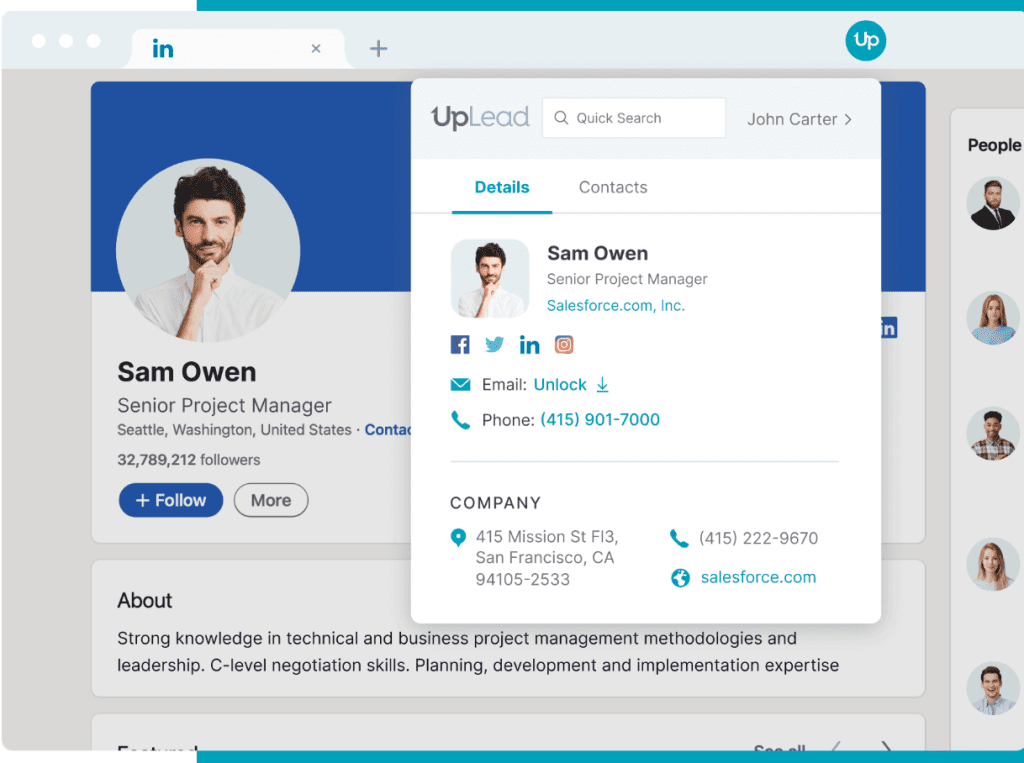
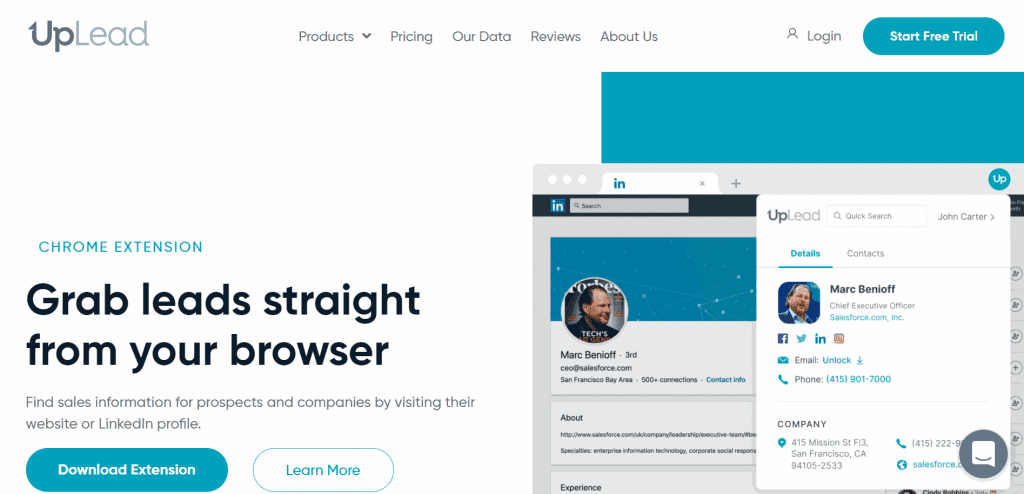
The UpLead Chrome Extension is a B2B sales prospecting tool that helps you find email addresses on LinkedIn. It is used by Fortune 500 companies such as Amazon, Salesforce, Facebook, and Apple and has a 200+ million B2B contact database.
Using the power of account-based marketing, you can uncover fields such as work email, phone, title, company, industry, employee count, and tech stack.
UpLead verifies emails in real time before you export. Thanks to technographic data, company contact lists can also be created based on the technology stacks used.
A competitor intelligence feature allows you to discover who an organization is competing against.
The only downside is that it’s a paid tool. However, there is a 7-day trial that can act as a temporary free LinkedIn email finder.
SalesQL
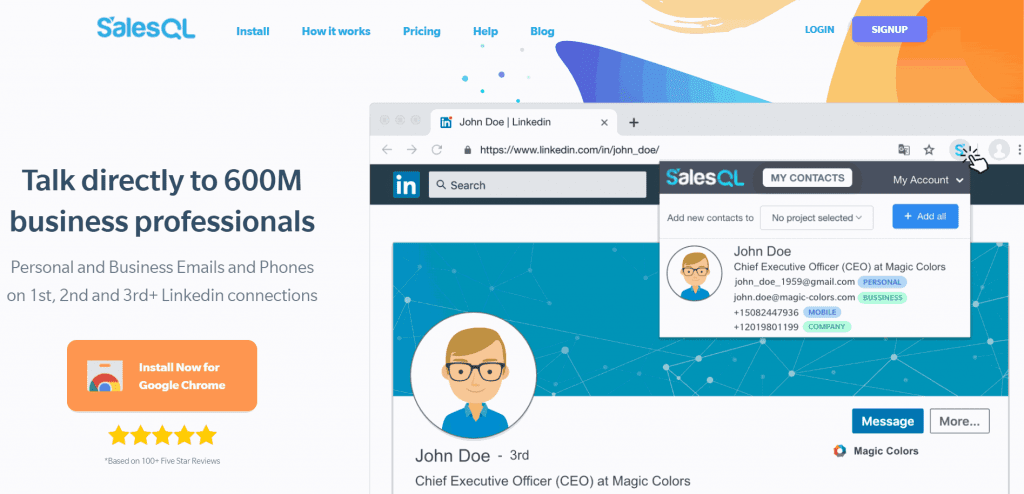
SalesQL is a LinkedIn email lookup tool that can surface publicly available and data-source emails. It does not reveal hidden LinkedIn emails. You can uncover emails from LinkedIn profiles or LinkedIn search results.
The Chrome extension finds email addresses of 1st, 2nd, and 3rd+ LinkedIn connections.
Despite SalesQL having a free plan, it does have some drawbacks. First, you’re limited to 100 “credits” per month, which you can use each time you perform an email lookup and find a valid email address. So, you can find 100 potential emails every month.
You’re also limited to only personal and business emails. You won’t receive phone numbers like with other Chrome extension tools. You also can’t export your uncovered contacts list into a CSV or Excel format. If you want more, you’ll need to upgrade your plan.
Skrapp
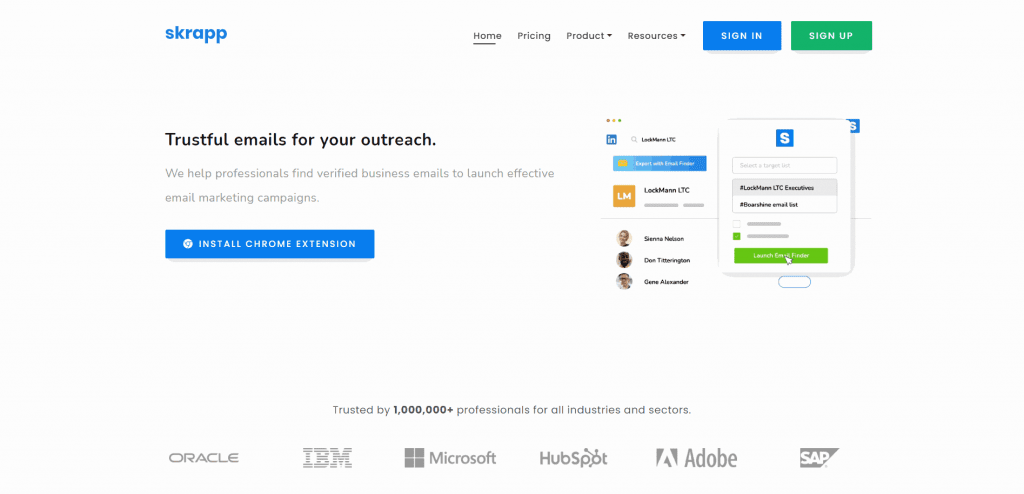
The Skrapp Chrome Extension is an email-finding tool that helps you find email addresses on LinkedIn. It integrates with your account on the platform, allowing you to uncover email addresses from profile pages and search results.
Contacts can be added in bulk and saved to a dashboard, where they can be downloaded as a CSV or Excel. It’s also easy to export to a CRM or ESP.
The downside to the Skrapp Chrome Extension is that it requires a Skrapp account. The free plan comes with 150 email addresses per month. You’ll need to purchase a paid plan if you require anything beyond that.
AeroLeads
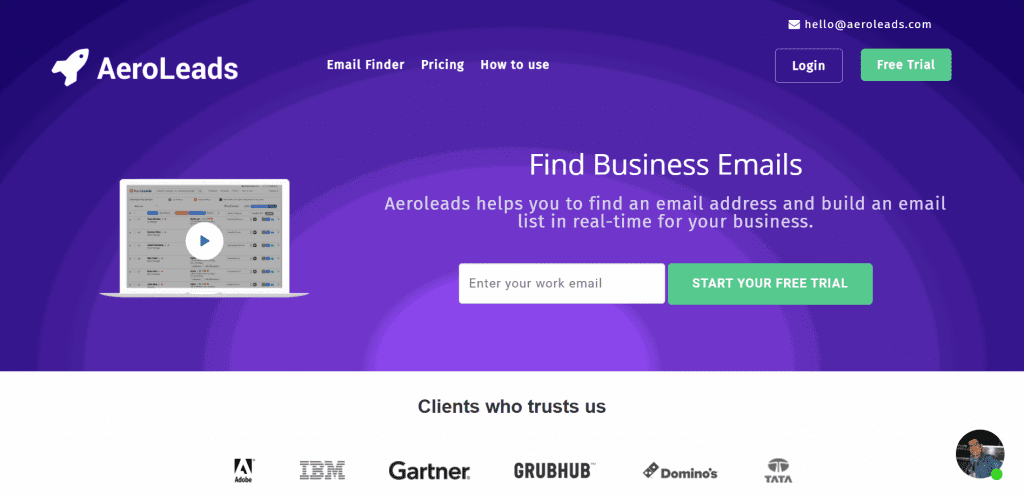
The AeroLeads Chrome Extension tool helps uncover emails from LinkedIn and multiple other platforms. You can find an email address even if it’s not in a LinkedIn profile.
All emails are verified and can be added in bulk and exported as CSV or Excel.
The extension requires an AeroLeads account, which requires payment. However, a free trial allows you to discover 10 email addresses.
Get the Email From Their LinkedIn profile
The easiest way to find a person’s email address on LinkedIn is to send them a connection request to their LinkedIn profile. It’s common for people to accept your request, even if they don’t know you. Once they’ve accepted and you’re a first-degree connection, you can browse their profile to find their email address.
Open the profile and select Contact info. If they listed an email, you will see it.
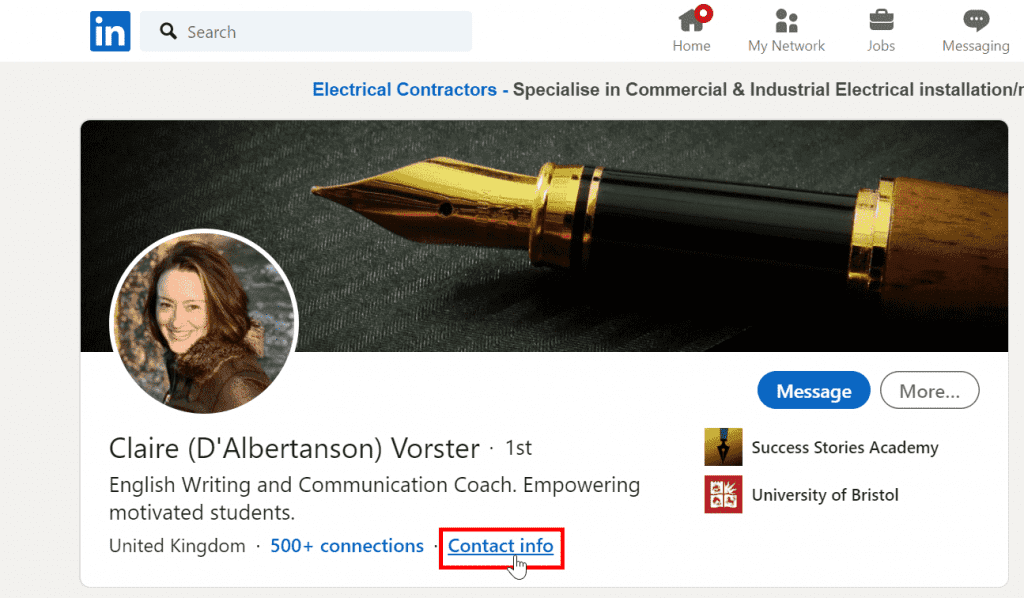
You’ll find their email if they chose to display it. They chose to make it visible.
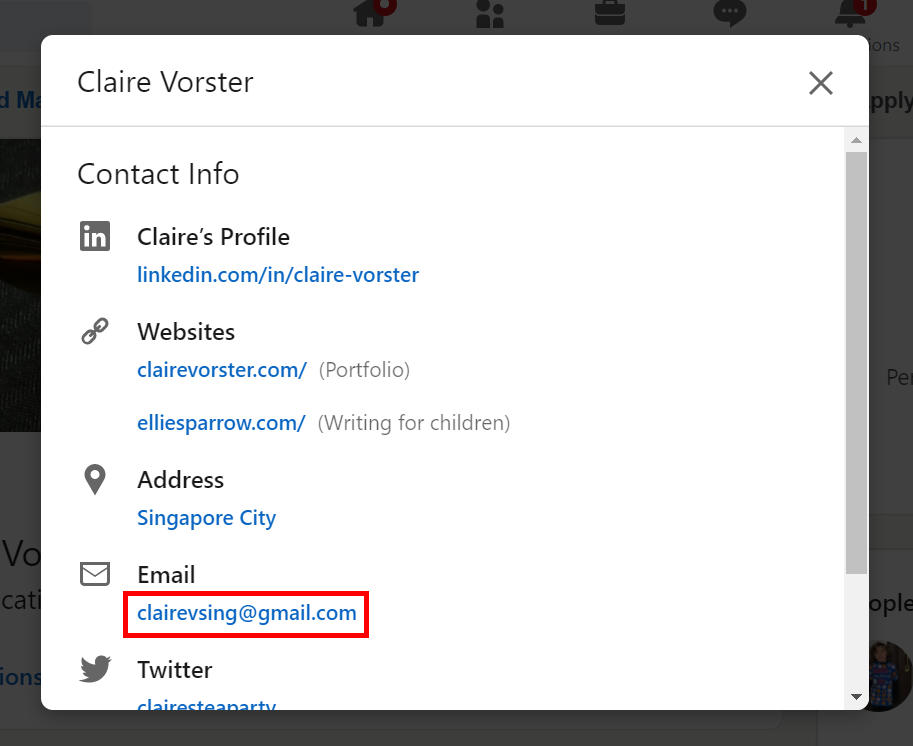
Some people also put their email addresses in their profile bio or banner image. Make sure to look at a person’s profile too.
Although this is the most common way to get someone’s email address on LinkedIn, it does have some drawbacks. For one, not everyone on the platform lists their email address on their profile. Secondly, searching each individual’s page takes time and effort.
Use an Email Finder Tool
Another way to find someone’s emails from LinkedIn is to use an email finder tool. These web apps are designed to locate and identify emails from the LinkedIn social platform.
These are some of the best email finder tools available:
- UpLead
- Hunter
UpLead
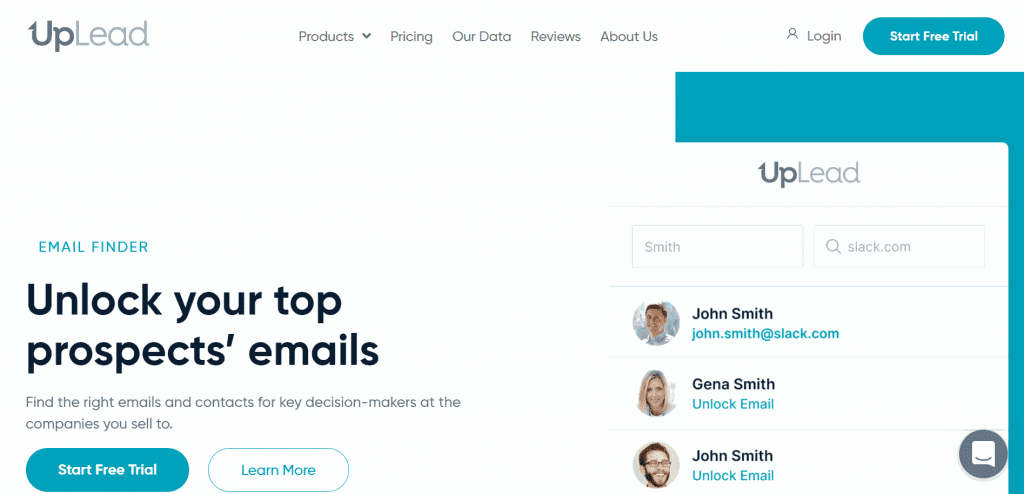
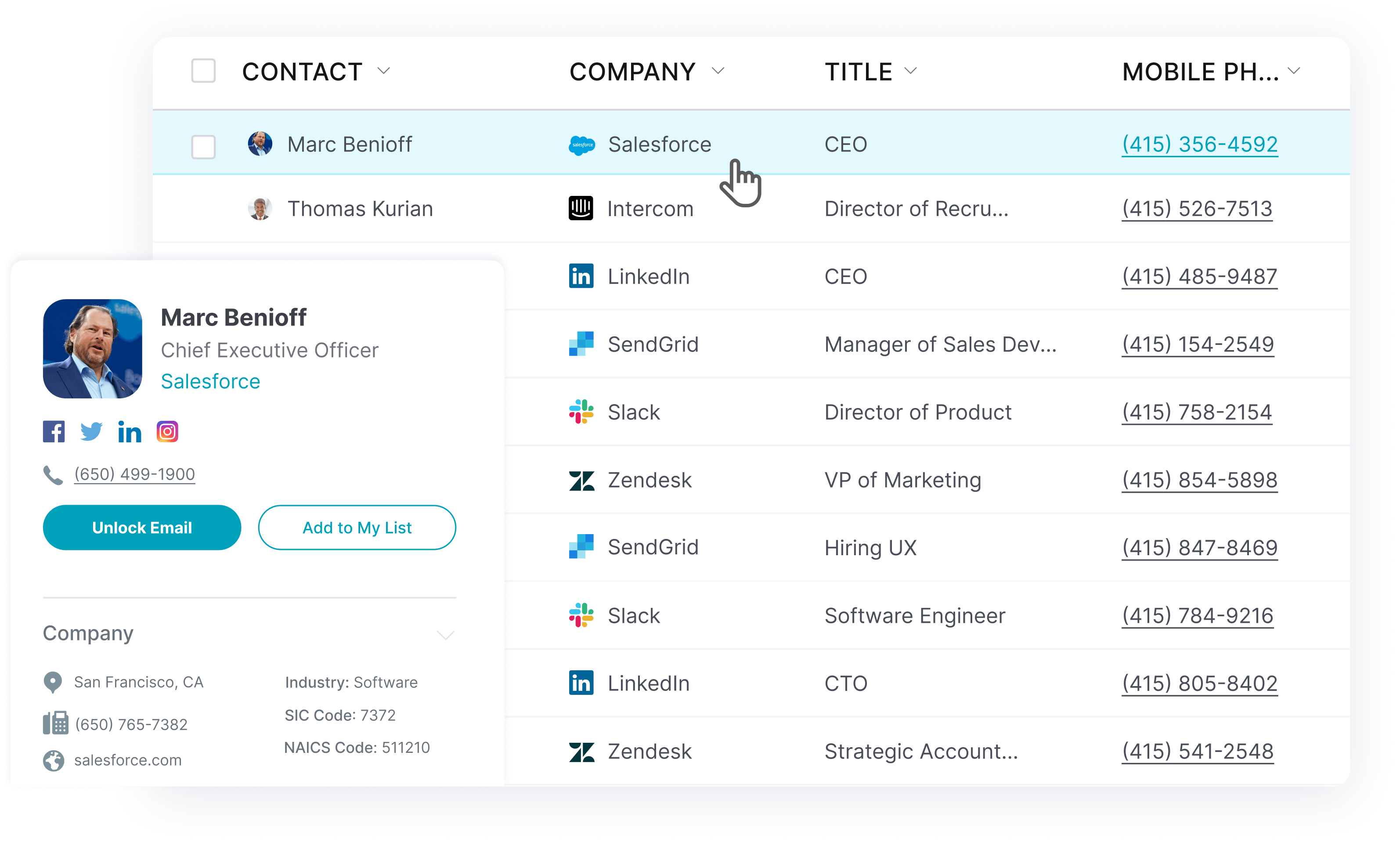
UpLead’s Email Finder is a B2B sales prospecting app that uncovers email addresses on the LinkedIn platform. Global brands like Facebook, Apple, Amazon, and Salesforce use it.
Sporting a 200+ million B2B contact database, the tool uses account-based marketing to uncover fields of data. You can determine an individual’s email address and find their phone number, LinkedIn profile, and other job-related details.
This makes it easy to build complete and extensive company contact lists. Technographic data can also be used to learn what technology stacks organizations use.
UpLead verifies emails in real time before you export. Thanks to technographic data, company contact lists can also be created based on what technology stacks are used.
There’s also a competitor intelligence feature. It identifies a company’s direct competitors. This is information for anyone trying to create an outreach campaign.
The only potential negative is that UpLead is a paid tool featuring three different pricing plans:
- Essentials: from $74 per month (2,040 credits annually)
- Plus: from $149 per month (4,800 credits annually)
- Professional: custom pricing
However, there is a free 7-day trial.

Hunter
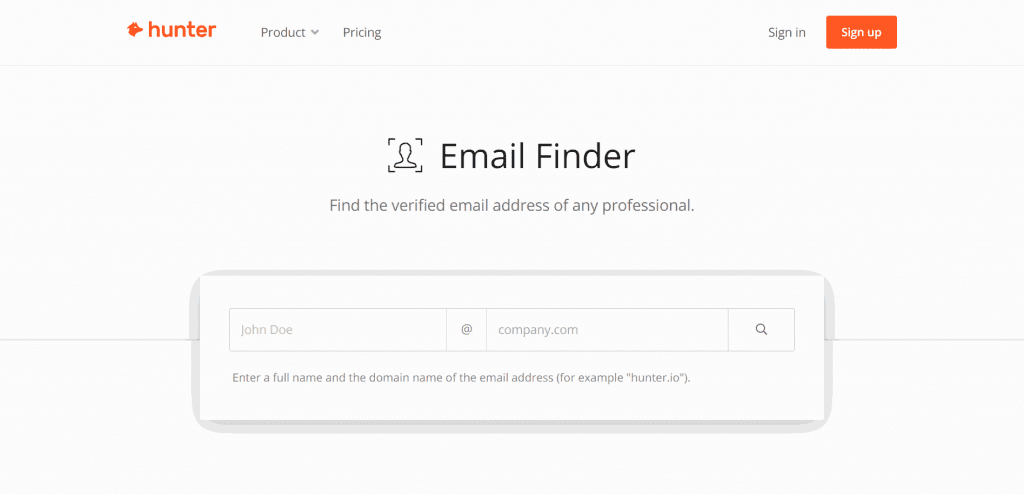
The Hunter Email Finder Tool allows you to identify the email addresses of individuals on various platforms, such as LinkedIn. All you do is enter the individual’s full name and the company’s domain. It will spit out a potential email address if one is publicly available.
What makes it useful is that a free plan gives you 25 searches and 50 verifications per month. For most small operations, this will suffice.
On the downside, that amount isn’t enough for large outreach campaigns. You’ll need to purchase one of the paid plans, which range from $49 per month to $399 per month. If you’re looking for a Hunter alternative, try us!
Ask For Their Email Via Private Message
If none of these strategies work, you can send a private message to someone on LinkedIn. Although you’re unlikely to get their email address, it is possible, with the right message.
Try to incentivize the message by showing interest in them and offering value. Look at their likes and the groups they’re in on LinkedIn. Be formal, use their name, and end the message as you would a closing email.
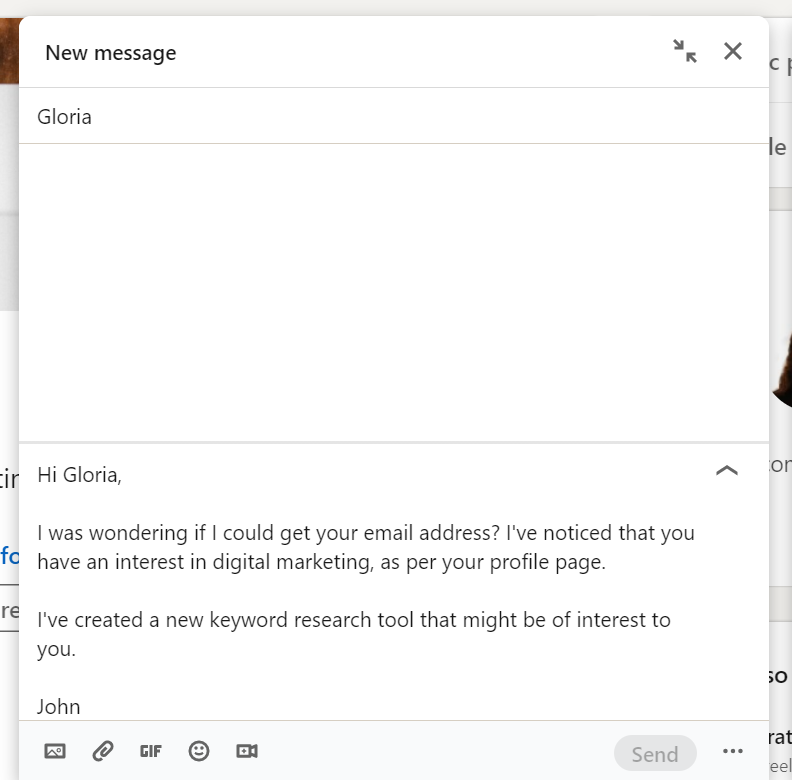
However, even if you put together the best possible message, you may not get a reply. Keep the message short and clear.
Try common email formats
If all else fails, you can try to guess. This isn’t recommended, as at least one of the 7 other strategies should work. If these strategies aren’t effective, it may be because they don’t have an email address.
You may find an email with their name and company domain, but it does not work for everyone. Enter your guesses into Hunter’s Email Verifier to check if it’s correct.
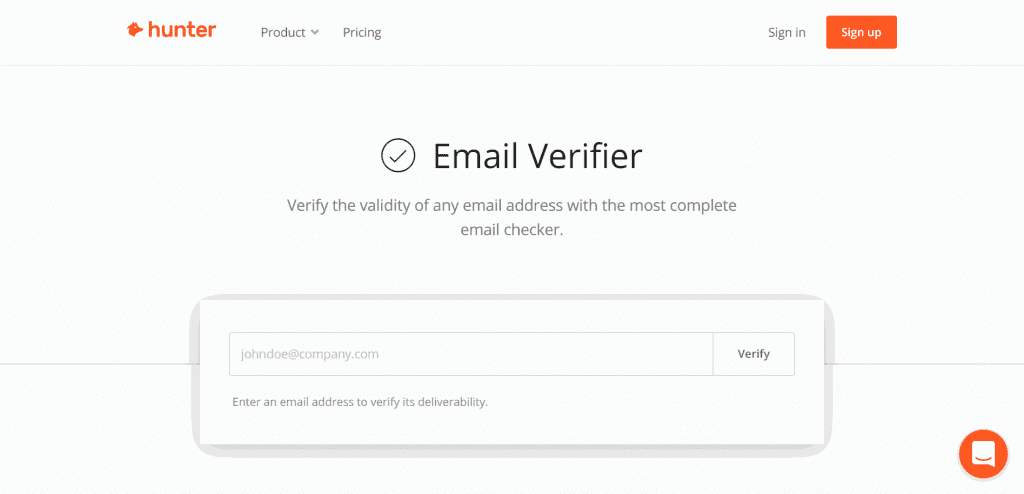
It will come up with an analysis and determine whether or not it’s a legitimate email address.
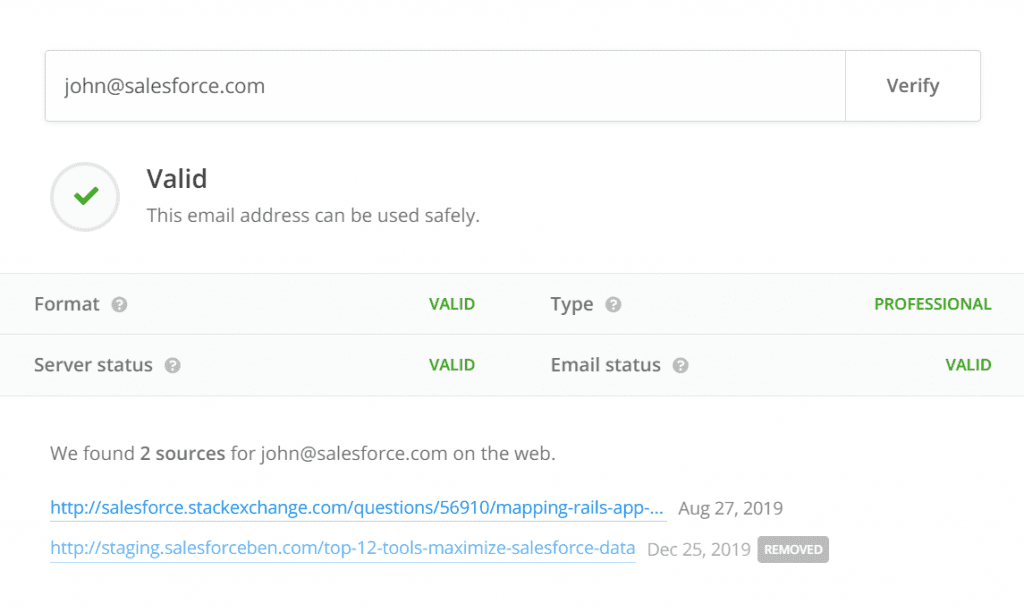
But if you use this method, you might as well use the Google strategy further below.
Look It Up in LinkedIn Sales Navigator
LinkedIn Sales Navigator allows you to access additional information about LinkedIn profiles you aren’t connected with. It will tell you the name of the company they work for, which, along with their name, is all you need to get emails from LinkedIn.
LinkedIn Sales Navigator is a lead generation tool that allows you to perform targeted LinkedIn searches. It won’t give you email addresses, but it acts as a lead provider, finding prospects.
The first step to uncovering a person’s email address is to perform a LinkedIn Sales Navigator search. Make sure you target the right people with the right keywords.
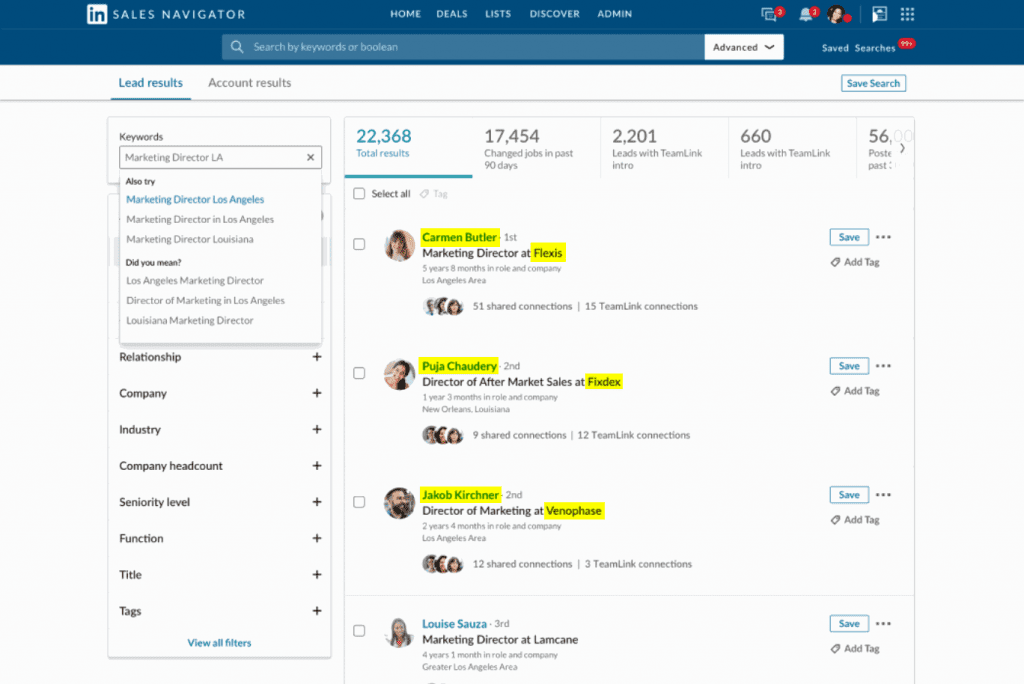
The search result will give you their full name and the company name they work for. With this information, there are many ways you can proceed. You can use the Google strategy below this heading or a LinkedIn extractor tool like Wiza or its alternatives.
You should try this method if you have access to LinkedIn Sales Navigator. It will give you a lot of leads, which, when emails are identified, will help your outbound campaign.
This method isn’t accessible to everyone, as LinkedIn Sales Navigator is a paid tool. Sales Navigator Core starts at US$119.99 per month or US$1,079.88 per year. Prices vary by currency and billing. Here are other Navigator alternatives that might fit your budget.
Combine Google and LinkedIn to Find Their Email
If you’re not a first-, second-, or third-degree connection to someone’s LinkedIn profile, you probably won’t be able to get their emails from LinkedIn. However, you can try to find a public work email address on Google using the person’s name and company. Verify any result before use. The person’s name and the name of the company they work for are all you need.
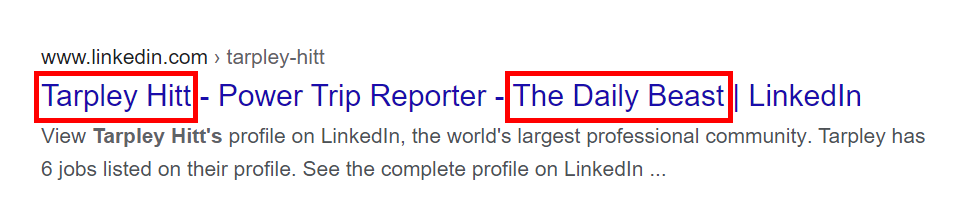
First, use the name of the company to find its website. This shouldn’t be too hard. Just search on Google.
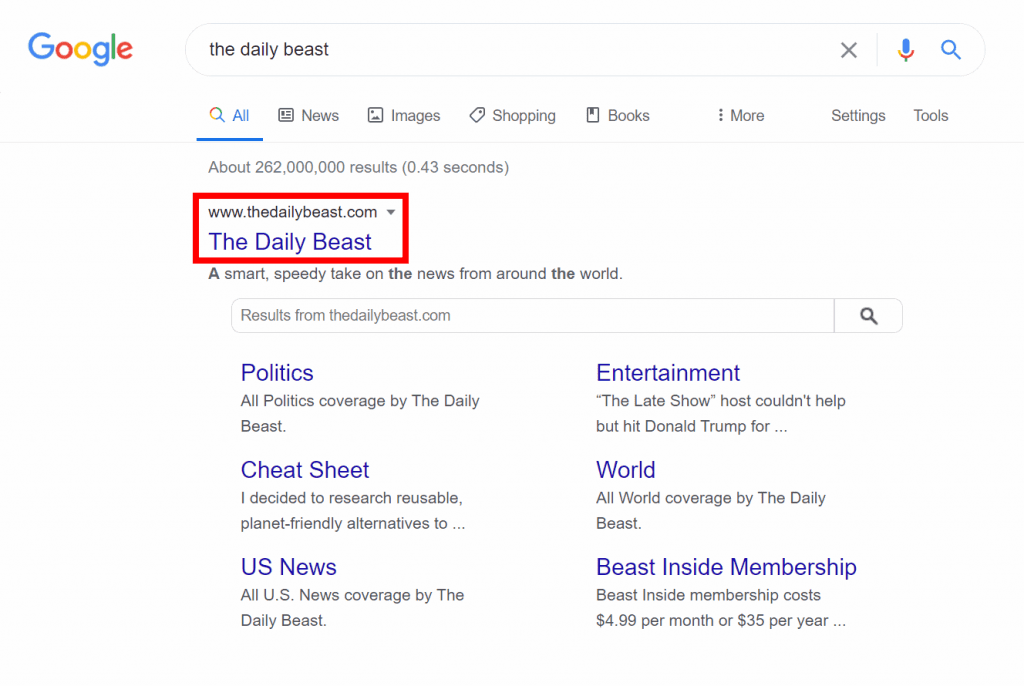
Now that you have the company website, search for the individual’s name and the company domain. Do it in the style of an email address. For example, in the image above, this is what the search might look like:
You can also try using the “site” search command to search the company website. Add “site:thedailybeast.com” to the search. Here’s how it might look for the examples above:
- [email protected] site:thedailybeast.com
- [email protected] site:thedailybeast.com
- [email protected] site:thedailybeast.com
- [email protected] site:thedailybeast.com
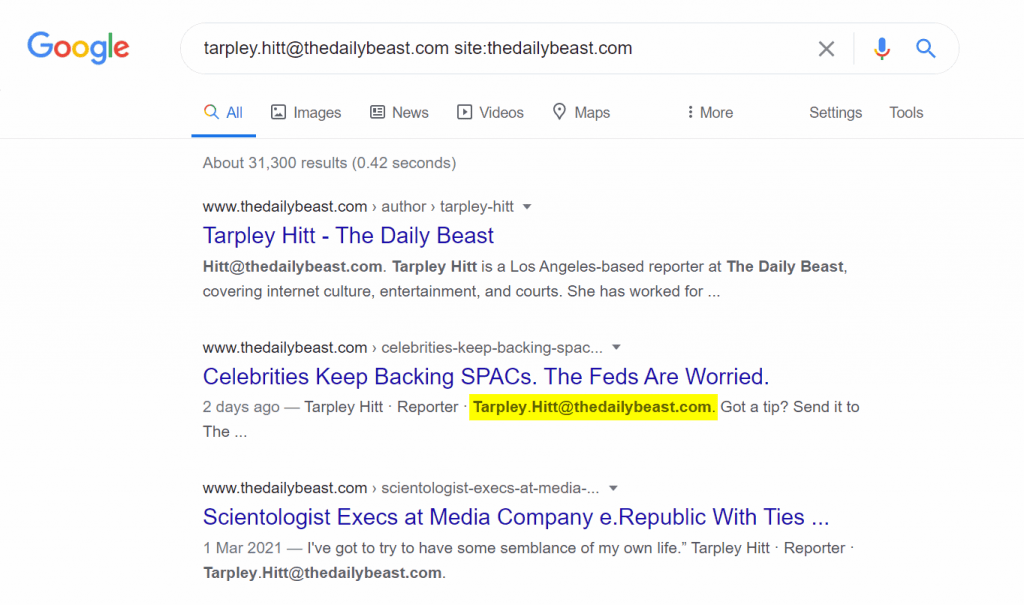
Once you find a convincing result, run the email through an email verification tool to ensure it’s legitimate.
You can try this method if all others come up short, but don’t expect it to work for everyone. Not everyone has their email address listed online.
Export data for your first-degree connections
You can export a list of your first-degree connections. An email is included only if that connection allows their email to be downloaded in settings.
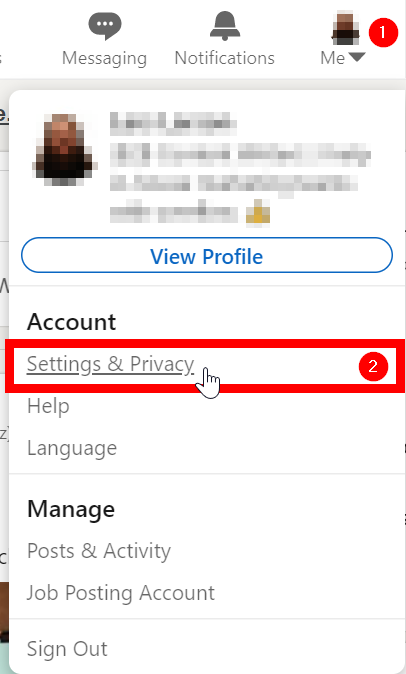
To utilize this LinkedIn feature, click on the Me icon and select Settings & Privacy from the dropdown menu.
On the next page, click Data Privacy from the menu bar on the left. Then, select How LinkedIn uses your data from the dropdown menu. Lastly, click Get a copy of your data.
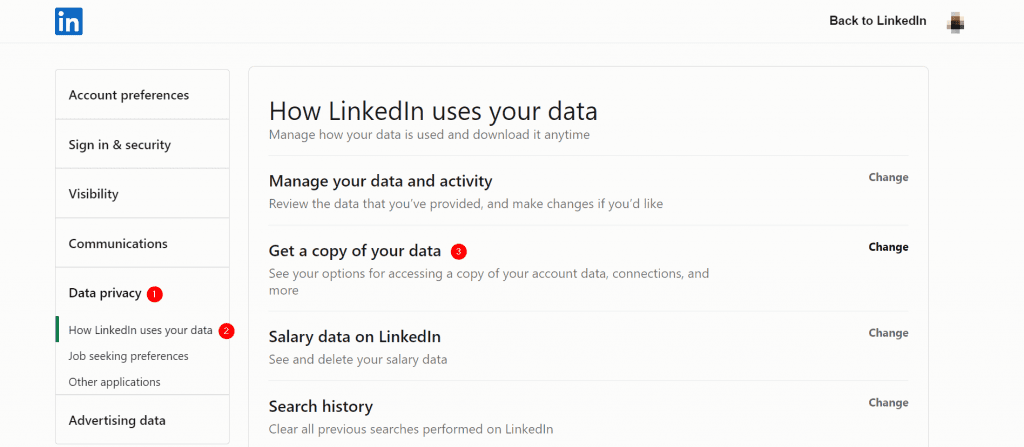
Go to Settings & Privacy, then Data privacy, then Get a copy of your data. Choose Connections and request the archive. LinkedIn emails you a download link. Only connections that allow downloading of their email will have an email in the file.
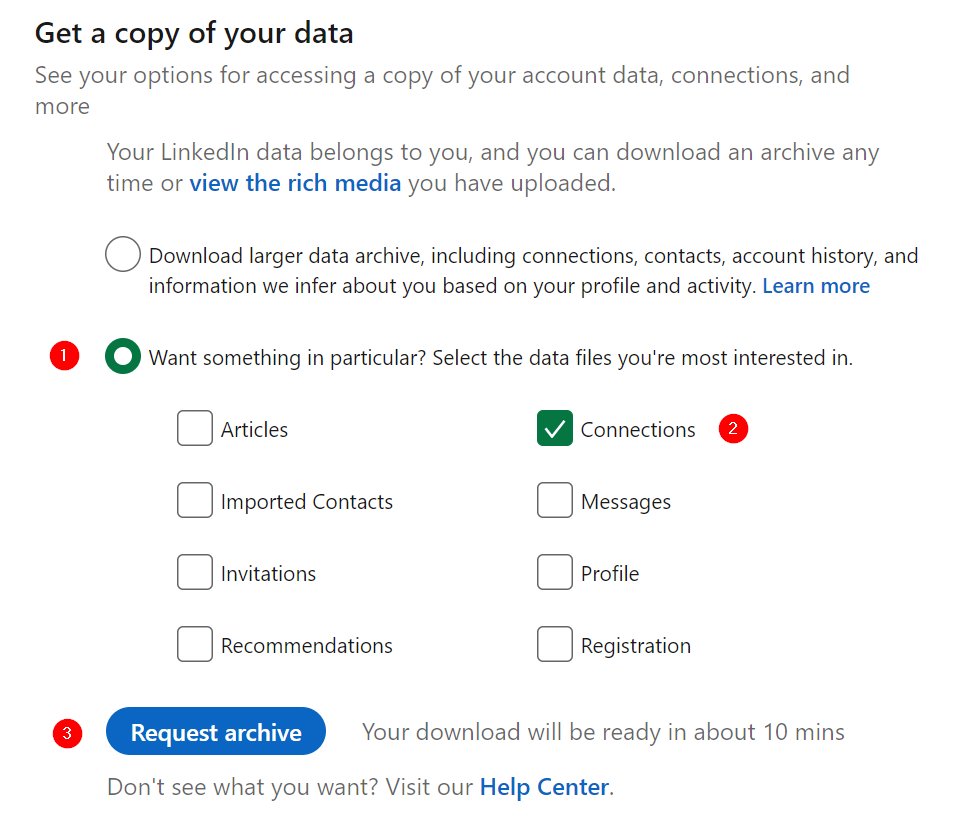
It’s also important to note that LinkedIn users select whether or not they want their email addresses to be accessible. This means you’re not likely to get the contacts of all of your first-degree connections.
How to Find Emails on LinkedIn: FAQ
Below, you’ll find 4 frequently asked questions about how to find email addresses on LinkedIn.
As we have outlined in this post, there are many ways to find someone’s email on LinkedIn. The 8 methods detailed include:
– Asking for their email via a private message
– Using the contact’s name to guess
-Using LinkedIn Sales Navigator
-Using Google Search in combination with LinkedIn
–Extracting emails from your first-degree connections
– Using a Chrome Extension
Don’t scrape LinkedIn. Use LinkedIn’s built-in export and tools that comply with LinkedIn’s Terms.
You can look at a person’s profile page to find emails from LinkedIn based on the name. Look at their contact info, bio, or banner. This only works if you have a first-degree connection with them. You can also export what LinkedIn provides to you of all your first-degree connections at once. You need to go to your Data privacy settings, where you can create a report that will be emailed to you. You can also find an email address on LinkedIn by searching an individual’s name and the company they work for on Google.
Yes, it’s legal to obtain email addresses from LinkedIn. Email addresses can only be obtained if a LinkedIn user makes this information visible. Their email address may only be visible to first-degree connections, first and second-degree connections, or anyone on LinkedIn. Email finders use public email addresses from LinkedIn users’ email visibility settings. LinkedIn attempted to take HiQ Labs, an HR data science startup, to court for using LinkedIn user data. Courts issued mixed rulings. In 2022, a federal court found that hiQ breached LinkedIn’s User Agreement, and the parties later entered into a consent judgment and a permanent injunction.
A LinkedIn email address is the contact email that appears on a LinkedIn profile for professional communication.
Don’t scrape LinkedIn. Use LinkedIn’s built-in export and tools that comply with LinkedIn’s Terms.
You can export what LinkedIn provides to you if you use the export feature and use compliant tools that don’t scrape LinkedIn.
You can get an email ID from LinkedIn by inspecting the public contact details on profiles or using trusted email-finding tools.
Use trusted Chrome extensions and data export options to get emails from LinkedIn.
Find emails from LinkedIn
Use the methods above. If you need verified B2B email addresses and CRM exports, try UpLead.
Unlock your prospects’ verified email addresses and phone numbers straight from LinkedIn. See everything you need to know about them without opening a new tab. You can then push them to your CRM or download them as a CSV file in a few clicks.





