

Lusha works well for a rep who needs a quick contact lookup inside LinkedIn. It gets harder to defend once a team scales outreach, sells outside North America, or wants to call more than it emails. Lusha’s credit system charges roughly ten times more for a phone reveal than an email reveal after its 2026 repricing, and G2 reviewers describe contacts who changed jobs six to twelve months ago but still show up at the old company.
The short answer: UpLead is the strongest overall pick for teams that want verified data without enterprise pricing, Apollo.io pairs data with built-in outreach and a dialer, ZoomInfo covers the deepest enterprise accounts, and Cognism leads on GDPR-first European coverage. Below are 13 real Lusha alternatives. Each entry includes sourced pricing and G2-backed pros and cons. A named customer result appears too, where one exists.
Top Lusha Alternatives: Quick Picks
| Tool | Best For | Data Accuracy | Starting Price (Annual) | Free Plan |
|---|---|---|---|---|
| UpLead | Guaranteed data accuracy | 95% guarantee | $74/month | 7-day trial, 5 credits |
| Apollo.io | All-in-one data plus outreach | ~88% US, lower abroad | $49/user/month | Yes, limited credits |
| ZoomInfo | Enterprise account intelligence | Up to 95% claimed | ~$14,995/year | No |
| Cognism | GDPR-compliant EU outbound | 98% claimed (Diamond Data) | Quote-only, ~$36,000/year median | No |
| RocketReach | High-volume bulk lookups | 75-92% independent | $19/user/month | No |
| Hunter.io | Affordable email finding | ~90% reviewer-cited | €34/month | Yes, 50 credits/month |
| Kaspr | LinkedIn-native EU prospecting | 50-65% phone, 75-80% email | $49/month | Yes, permanent free tier |
| Wiza | Sales Navigator exports | 99%+ deliverability claimed | $83/user/month | Yes, 20 emails/5 phones |
| LeadIQ | Job-change tracking | ~85% global match rate | Custom, from Free tier | Yes, ~50 credits/month |
| Snov.io | Find, verify, send | 75-80% independent | $39/month | Yes, 50 credits/month |
| ContactOut | Recruiter-style LinkedIn lookup | 75-85% independent | ~$79/month | Yes, limited credits |
| Clay | Custom multi-source enrichment | Inherits source accuracy | $167/month | Yes, 100 data credits |
| Swordfish AI | Personal mobile numbers | 82% first-dial, 95% overall claimed | $99/month | 10 credits, no card |
Why Sales Teams Look for a Lusha Alternative
Lusha carries a 4.3-out-of-5 rating on G2 from more than 1,660 paying customers, so this is not a case of a broken product. The pressure to switch comes from specific, recurring friction that shows up once a team’s outreach volume grows.
- Phone credits cost far more than email credits. Lusha’s 2026 credit repricing pushed a phone-number reveal to roughly ten times the cost of an email reveal, so reps hesitate before revealing a direct dial even when a call would close faster than another email. (Source: G2)
- A bad contact still spends the credit. G2 reviewers report no automatic refund when a revealed email bounces or a phone number is disconnected, so a wrong record costs the same as a correct one. (Source: G2)
- Records go stale between refreshes. Multiple reviewers describe prospects who changed employers six to twelve months earlier but still show up under the old company in Lusha’s database. (Source: G2)
- Coverage thins outside the US, UK and Canada. Teams selling into continental Europe, APAC or Latin America report a lower hit rate than teams working North American accounts. (Source: SyncGTM)
- Annual credits do not roll over. Monthly plans carry unused credits forward up to twice the monthly limit, but annual plans reset unused credits at renewal, so a slow month is simply gone. (Source: UpLead’s Lusha pricing breakdown)
- Support is hard to reach for account and data-removal requests. Reviewers name slow or indirect support, which matters more for a data vendor than for typical software because it is also how a team resolves a compliance or opt-out request. (Source: G2)
- The G2 and Trustpilot ratings tell different stories. Lusha sits at 4.3 out of 5 on G2 but closer to 1.3 out of 5 on Trustpilot, where most complaints come from people whose own data appeared without consent. Buyers researching alternatives cite that gap as a reason to look further before committing. (Source: Trustpilot)
Features to Check for in a Lusha Alternative
Every tool on this list can find a contact. The differences that affect a sales team’s day show up in these ten areas.
- Verified versus predicted emails. A tool that verifies an address before delivering it protects sender reputation better than one that guesses a pattern and lets an outreach tool discover the bounce later.
- Direct-dial phone coverage. Mobile and direct-dial numbers connect at a much higher rate than switchboard numbers, and coverage varies widely by vendor and region.
- Credit refund or replacement policy. Check whether a bounced email or disconnected number returns your credit automatically, requires a support ticket, or is simply lost.
- Credit rollover rules. Monthly rollover caps and annual reset policies differ by vendor and change the real cost of a slow month.
- GDPR and CCPA posture. This covers how a vendor sources its data and how easy it is for a prospect, or your own team, to file an opt-out or deletion request.
- Data refresh cadence. Ask how often records get re-verified, not just how large the total database is. A large, stale database creates more cleanup work than a smaller, current one.
- CRM integration depth. A one-way CSV export is not the same as a two-way sync that updates Salesforce or HubSpot fields and screens out duplicate records.
- Chrome extension quality. Most reps prospect from LinkedIn or a company website first, so an extension that reveals verified data on the page matters more than a separate tool they have to remember to open.
- API access. Teams that enrich inbound leads or route records automatically need a real API, not a manual export button.
- Intent data and buying signals. For account-based teams, knowing which accounts are researching a category right now can matter more than the size of the contact list itself.
The 13 Best Lusha Alternatives
Here are 13 tools that stand in for Lusha’s core job: finding and verifying business contact data. Each one was tested against pricing and review evidence, along with a real customer result where one is available.
1. UpLead: Best for Guaranteed Data Accuracy
UpLead is built for cost-conscious B2B sales and marketing teams that want verified contact data without an enterprise-level contract.
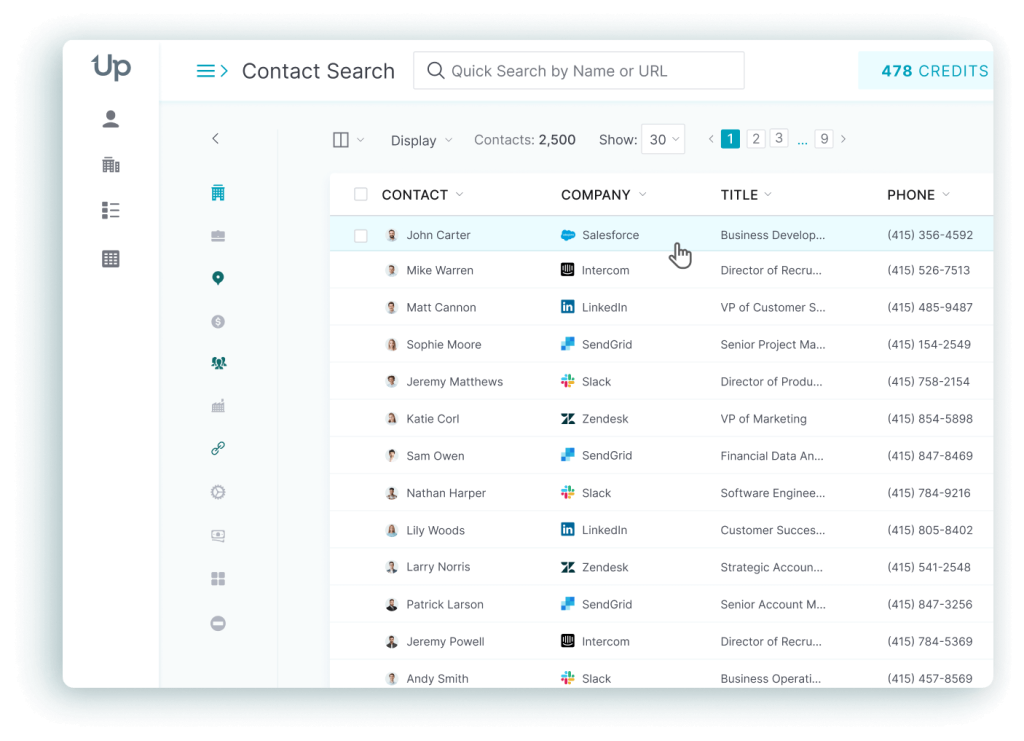
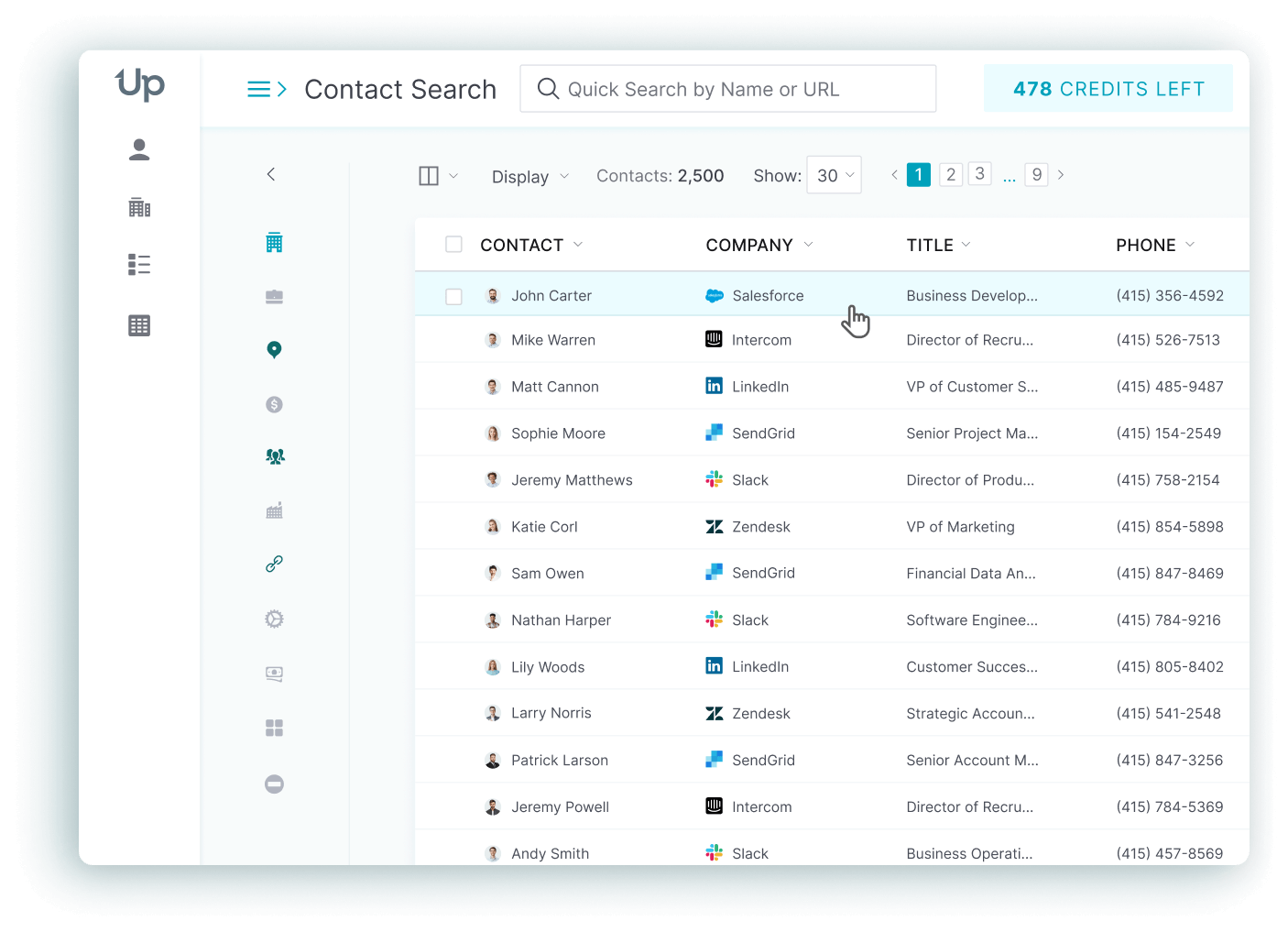
UpLead gives teams access to more than 200M B2B contacts and 19M company profiles, tracked against more than 27,000 technologies. It also ships over 50 search filters covering firmographics and technographics; intent data is covered too. Every email is verified in real time at the moment of export, backed by a 95% accuracy guarantee with credit refunds for invalid contacts. (Source: UpLead)
The give-up is coverage of very small or brand-new companies: a G2 reviewer notes thinner data on businesses under 10 employees and $5 million in revenue. Mobile phone accuracy also trails email accuracy and sits outside the guarantee. (Source: G2)
Top Features
- Real-time email verification checks every address at export, which is why UpLead’s usable hit rate holds up better than a database that only verifies on a fixed schedule.
- 50+ search filters let reps narrow by role and seniority. Industry and revenue band get covered too; so do location and tech stack, instead of manually cleaning a broad list afterward.
- Mobile direct dials give phone-first teams a faster path to a decision-maker than an email-only database.
- Bi-directional CRM sync on the Professional tier keeps Salesforce or HubSpot records current without a manual re-export.
- Buyer intent data on the Professional tier flags accounts already researching a relevant category, so reps prioritize live interest over a cold list.
- API access lets teams route or enrich records inside their own systems instead of exporting CSV files by hand.
Pricing
Free trial:$0for 7 days with 5 credits.Essentials:$99/monthbilled monthly, or$74/monthbilled annually (2,040 credits/year).Plus:$199/monthbilled monthly, or$149/monthbilled annually (4,800 credits/year).Professional: custom annual pricing with full API access and intent data.
(Sources: UpLead)
Pros
- Real-time verification keeps bounce rates well below industry norms, and reviewers cite this as UpLead’s strongest trait. (Source: G2)
- Reviewers describe the interface as easy to learn. Lists get built and exported in minutes without formal training. (Source: G2)
- Buyers repeatedly call out the price-to-quality ratio against larger platforms, describing UpLead as close to a third of the cost for comparable accuracy. (Source: G2)
Cons
- Advanced features such as intent data and full API access sit behind the Professional tier. (Source: G2)
- Smaller and newer companies are sometimes missing from the database. (Source: G2)
- UpLead covers business email addresses only and does not offer personal email lookups. (Source: G2)
What real users say about UpLead
Kyber Security, a managed security provider, built $400,000 in open pipeline and closed $50,000 within seven months of switching to UpLead, cutting prospecting time for 500 contacts from 20 hours to 2. The switch away from ZoomInfo also saved the company $14,000 a year, about 8% of its marketing budget, for a calculated 1,800% return. National account manager Mike Giuffrida put it simply: prospecting had been unpredictable, and UpLead turned it into a machine that keeps generating business. (Source: UpLead Case Study)
Best For
Teams that put data accuracy and export-time verification ahead of raw database size.
UpLead vs Lusha
Lusha’s credit model punishes phone lookups and offers no refund for a bad contact. UpLead verifies every email at export and backs the claim with a written accuracy guarantee, which matters more once a team is paying for volume rather than the occasional lookup.
2. Apollo.io: Best All-in-One Platform
Apollo.io is built for startups and mid-market revenue teams. It packs contact data, email sequencing and a dialer inside a single subscription instead of stitching three tools together.
Apollo lists more than 240M contacts and 30M companies with over 65 filters. Job-change and funding-round triggers are both included. The vendor claims 98% accuracy, though independent reviewers report closer to 88% in the US and a noticeably lower rate outside North America. (Source: Apollo.io)
Accuracy is where the tradeoff shows up, specifically outside the US. G2 reviewers report outdated job titles and invalid phone numbers concentrated in APAC and Latin American records, and several describe the credit system as hard to predict during a high-volume sprint. Apollo trades a single-source accuracy edge for breadth and built-in outreach tooling.
Top Features
- Unified data, sequencing and a dialer replace three or four separate subscriptions with one price. That single bill is the main reason smaller teams standardize on Apollo.
- Built-in email warmup protects sender reputation without a separate deliverability tool.
- 65+ filters include job-change and funding signals, which help reps time outreach around a real trigger instead of a cold list.
- AI research assistant automates account research that a rep would otherwise do by hand before every call.
- 200+ native integrations fit Apollo into an existing CRM or martech stack instead of forcing a rebuild.
- A/B testing on sequences, available on the Professional plan, lets teams improve messaging with real data instead of guesswork.
Pricing
Free:$0/user/month with basic filters and limited credits.Basic:$49/user/month billed annually.Professional:$79/user/month billed annually. Adds the dialer plus workflow and AI research tools.Organization:$119/user/month billed annually, minimum 3 seats. Adds SSO and an international dialer.
(Sources: Apollo.io)
Pros
- Filtering by industry and size, or by title and tech stack, cuts list-building from half a day down to about 20 minutes, according to reviewers. (Source: G2)
- Consolidating several point tools into Apollo saves smaller teams thousands of dollars a year. (Source: G2)
- Reviewers describe it as easier to learn than heavier enterprise platforms such as ZoomInfo. (Source: G2)
Cons
- Real-world US accuracy runs closer to 88%, dropping to roughly 60% outside North America. (Source: G2)
- APAC and Latin American data is the weakest part of the database. Outdated titles and bad phone numbers show up most in those regions. (Source: G2)
- Customer support is Apollo’s lowest-rated category on G2. (Source: G2)
What real users say about Apollo.io
Customer.io replaced a manual Close CRM and ZoomInfo workflow with Apollo and grew its sales-qualified leads by 70% while scaling the sales team from 12 to 29 people. SDR manager Kaleb Batman credited the change with saving clicks and time and making sequences possible for the first time. (Source: Apollo.io Customer Story)
Best For
Startups and mid-market teams that want data, sequencing and a dialer combined in one platform.
Apollo.io vs Lusha
Lusha is a lookup tool that pairs with a separate outreach platform. Apollo bundles the lookup with the sequence and the dialer. That fits a team that would otherwise be paying for two or three subscriptions to do the same job.
3. ZoomInfo: Best for Enterprise Account Intelligence
Large revenue organizations use ZoomInfo when they need account-level intelligence, not just a contact list, to coordinate sales, marketing and recruiting against the same data.
ZoomInfo reports more than 500M contacts and 100M companies, plus 135M verified phone numbers. The dataset refreshes through more than 1.5 billion daily signals, with accuracy claimed up to 95%. (Source: ZoomInfo)
Cost and contract terms are the real tradeoff. ZoomInfo does not publish pricing, and buyers describe annual contracts with a narrow 60 to 90 day cancellation window; missing it locks in another year, often with a 10 to 20% increase. For a team that only needs a few hundred lookups a month, that is a lot of process for the job.
Top Features
- The largest database on this list matters for enterprise teams that need near-total market coverage rather than a niche slice.
- Intent data and buying signals help prioritize accounts already researching a relevant topic instead of working a flat list.
- WebSights website visitor identification turns anonymous site traffic into named accounts a rep can act on.
- Org charts support multi-threading complex deals with several stakeholders instead of guessing at reporting lines.
- Deep CRM and marketing automation integrations embed the data directly into existing Salesforce or HubSpot workflows.
- ZoomInfo Copilot surfaces which accounts to prioritize instead of leaving that research to the rep.
Pricing
ZoomInfo does not publish list prices; every quote is custom. Third-party trackers estimate Professional around $14,995/year, Advanced around $24,995 to $29,995/year, and Elite from $35,995/year, with a median actual contract of $31,875/year across more than 1,300 verified 2026 purchases. Real-world totals often land between $30,000 and $60,000/year once seats and overages are folded in, plus any add-ons. (Sources: Vendr)
Pros
- Reviewers cite accurate contact data and useful company insights. Many also call the sales intelligence layer genuinely helpful. (Source: G2)
- Integration coverage across CRMs and email platforms is broader than most competitors, and marketing automation tools are covered too. (Source: G2)
- Teams report meaningfully less time spent on manual account research. (Source: G2)
Cons
- The database struggles with career-change churn, occasionally surfacing prospects who left a company years earlier. (Source: G2)
- Mobile accuracy drops noticeably in EMEA and APAC. Other niche regional markets see the same drop. (Source: G2)
- Configuration and full CRM integration can require dedicated technical resources, and cost climbs quickly for smaller teams. (Source: G2)
What real users say about ZoomInfo
MarketSpark combined ZoomInfo’s Company Data Cube with FCC decommissioning data to target 6 million at-risk US commercial buildings, identifying 30,000 qualified prospect companies. Chief growth officer Robert Kulewicz credited the approach with a 5x increase across marketing-qualified leads, sales-qualified leads, even pipeline deals. (Source: ZoomInfo Case Study)
Best For
Enterprise revenue teams that need the deepest data footprint and can support a five-figure annual contract.
ZoomInfo vs Lusha
A lean team that mostly needs contact lookups is better served by Lusha’s simpler model. A larger organization that wants account intelligence and intent data layered on top of the contact record gets more from ZoomInfo, at a price that reflects the extra depth.
4. Cognism: Best for GDPR-Compliant European Outbound
European and UK-focused B2B sales teams turn to Cognism when they need GDPR-compliant, phone-verified mobile numbers for cold outbound.
More than 400M contacts sit in Cognism’s global database, including 10M+ phone-verified numbers through its Diamond Data product, which the company claims reaches 98% accuracy. Email accuracy is reported separately at 83%. (Source: Cognism)
Coverage outside its core market is the tradeoff: reviewers report gaps in US small-business data and in APAC records, and Cognism’s own terms decline to warrant the accuracy of the data it sells. Buyers pick this platform for European calling, not for a global, US-weighted database.
Top Features
- Diamond Data phone-verified mobiles raise cold-call connect rates specifically in Europe, where most competitors’ mobile coverage is thin.
- AI Search with natural-language prompts builds a compliant, filtered list in seconds instead of chaining Boolean filters by hand.
- Sales Companion overlays phone-verified data and intent signals on LinkedIn and company sites, cutting down on tool switching.
- Built-in Do-Not-Call and GDPR checks lower legal risk for teams calling into the EU, a real differentiator against US-first competitors.
- Bombora intent integration prioritizes accounts already showing buying signals instead of a full cold list.
- CRM enrichment keeps records current over time instead of decaying after a one-time pull.
Pricing
Cognism sells two named tiers, Standard and Pro. Both are quote-only and credit-based, where one credit reveals one contact, and both sit behind a sales call. No list price is published. Third-party trackers report a median actual annual contract of $36,000, with a base platform fee of $15,000 to $25,000/year plus $1,500 to $2,500 per user, and renewal increases of 10 to 15%. (Sources: Cognism, Vendr)
Pros
- Diamond Data connection rates make a measurable difference in European cold-calling results. (Source: G2)
- Verified direct dials save prospecting time by cutting down on dead numbers. (Source: G2)
- Compliance-conscious EU teams value the fully GDPR-aligned sourcing. (Source: G2)
Cons
- US small-business data has real gaps compared to the European dataset. (Source: G2)
- Pricing is never published, and the annual-contract-only model is difficult for smaller teams to justify. (Source: G2)
- Outdated records and incorrect phone numbers rank among the top complaints. (Source: G2)
What real users say about Cognism
A London-based EdTech company ran a single call-out day using Diamond Data and booked 30 new-business meetings, a third of them with C-suite executives, generating £5.8 million in pipeline that day against a prior record of 26 meetings. Its sales operations executive said the team generated that pipeline value in one day of calling. (Source: Cognism Case Study)
Best For
Sales teams of 5 or more reps selling into Europe who need GDPR-compliant, phone-verified mobile data.
Cognism vs Lusha
Coverage thins outside North America for Lusha, right where Cognism concentrates its verification effort. Teams calling into Europe generally get a better connect rate from the latter, at a much higher, quote-only price.
5. RocketReach: Best for High-Volume Bulk Lookups
Budget-conscious sales, recruiting and research teams pick RocketReach when they need to pull large batches of contacts fast, without an enterprise price tag.
RocketReach lists more than 700M profiles across roughly 35M to 60M companies. More than 100 filters cover title and seniority, location and revenue band, plus technographics. The vendor claims 98% accuracy, but independent testing puts real-world email accuracy closer to 75 to 92% and phone accuracy at only 55 to 65%. (Source: RocketReach)
Marketed accuracy and reviewer-reported results do not line up, and that gap is the main complaint, alongside a real-world bounce rate near 20 to 30% that raises the true cost per usable contact. Every paid plan also requires annual billing, and several reviewers describe difficulty canceling before renewal.
Top Features
- 100+ search filters build a specific segment by technographics and revenue, or by intent, instead of a broad, low-quality list.
- Bulk export up to 20,000 contacts a year on the top tier saves hours compared with copying records one at a time.
- Unlimited lookups with credit-capped exports let reps confirm fit before spending an export credit.
- Combined email and phone data with social profile matching reduces the need to stitch together separate point tools for one contact.
- API access supports teams that embed lookups directly inside their own tools or CRM.
Pricing
Essentials(email only):$19/user/month billed annually.Pro(email plus phone):$52/user/month billed annually.Ultimate(highest limits):$115/user/month billed annually.Custom: enterprise pricing from roughly$6,000/year, negotiable.
(Sources: UpLead’s RocketReach pricing breakdown, citing RocketReach’s own pricing page)
Pros
- Reviewers describe the tool as easy to use, with accurate, current information that speeds up finding the right contact. (Source: G2)
- Pricing lands below several competing platforms, especially on the phone-included Pro tier. (Source: G2)
- Bulk export saves real time versus copying contacts one by one when building a prospect list. (Source: G2)
Cons
- More reviewers cite inaccurate or outdated contacts than praise the data quality. (Source: G2)
- Missing information is one of the most frequently flagged issues in reviews. (Source: G2)
- Annual billing with auto-renewal creates cancellation friction that shows up repeatedly in complaints. (Source: G2)
What real users say about RocketReach
Yeshiva University’s Shevet Glaubach Center used RocketReach to reconnect with graduates for outcome reporting and recorded a 70% increase in contact accuracy and 50% more data coverage, reaching more than 70% of international students for post-graduate surveys. This is a career-services result rather than a sales deal, but it is a genuine, named, quantified outcome. (Source: RocketReach Customer Story)
Best For
Teams that need broad filters and high-volume export at a lower price than enterprise platforms.
RocketReach vs Lusha
Trading Lusha’s credit-anxiety pricing model for a bigger database and higher export caps costs a required annual contract and a wider gap between claimed and real-world accuracy.
6. Hunter.io: Best Affordable Email Finder
Solo SDRs, founders and small teams pick Hunter.io when they want email finding and verification, plus outreach sending, combined in one lightweight, affordable tool.
Hunter indexes more than 150M professional emails drawn from over 650 million public sources, crawling 30M web pages a day, with reviewers citing roughly 90% correct results. Its Discover tool adds more than 10 company-level filters plus role and seniority filters on the people side. (Source: Hunter.io)
Depth is the tradeoff. Reviewers describe Hunter’s data as too surface-level for multi-step outreach, org mapping or SDR-precision prospecting at real volume, and some report being charged credits for queries that return no usable result.
Top Features
- Domain Search with pattern confidence scoring finds every email tied to a company domain instead of leaving reps to guess at formats.
- Discover builds lead lists from firmographic and role filters rather than one company at a time.
- Email Verifier checks deliverability before send, protecting sender reputation instead of just relying on list size.
- Built-in campaigns send sequences from the same tool that sourced the lead, cutting out a separate outreach platform.
- AI writing assistant drafts personalized outreach copy, reducing manual writing time per prospect.
- API and MCP integrations connect Hunter to existing research and AI workflows instead of a standalone lookup step.
Pricing
Free: €0, 50 credits/month, 1 email account.Starter: €34/month billed annually, 2,000 credits/month, 3 email accounts.Growth: €104/month billed annually, 10,000 credits/month, 10 email accounts.Scale: €209/month billed annually, 25,000 credits/month, a dedicated account manager.
(Sources: Hunter.io)
Pros
- Reviewers call the interface intuitive, with search results they trust as accurate and reliable. (Source: G2)
- Bulk domain search is fast and saves real time on large lookup batches. (Source: G2)
- The free plan gives startups meaningful access before any spend. (Source: G2)
Cons
- Data feels too surface-level for multi-step outreach or org mapping at scale. (Source: G2)
- Credits burn quickly, and some users are billed for queries that return an unusable result. (Source: G2)
- There is no native phone number data, and coverage of small companies is weaker than larger ones. (Source: G2)
What real users say about Hunter.io
Aroview, a co-marketing partnerships company, cut its end-to-end process time, from research to outreach, by more than 30% after adopting Hunter, while lowering a bounce rate that had previously run between 30 and 50%. (Source: Hunter.io Case Study)
Best For
Solo SDRs and founders, plus small teams that want finding, verifying and sending in one lightweight tool.
Hunter.io vs Lusha
Hunter skips phone data entirely and stays focused on email, which sidesteps Lusha’s phone-credit pricing problem completely but leaves phone-first teams needing a second tool.
7. Kaspr: Best LinkedIn-Native Tool for Europe
Individual reps and small teams, plus recruiters doing LinkedIn-centric prospecting, use Kaspr when they want a fast Chrome-extension reveal, especially for European targets.
Kaspr, part of the Cognism Group since a 2022 acquisition but marketed as a separate product, reports more than 200M profiles. Its permanent free plan gives 15 B2B email credits a month, along with 5 phone credits and 5 direct email credits. (Source: Kaspr)
Accuracy is the honest tradeoff: independent estimates put phone accuracy around 50 to 65%, stronger in Europe than in North America, and reviewers occasionally report a personal number surfacing where a work number was expected. Kaspr wins on speed and price, not on data precision.
Top Features
- LinkedIn and Sales Navigator Chrome extension reveals a phone or email directly on a profile, skipping a separate list-building step.
- A permanent free tier lets a rep test data quality before committing any spend, unusual among competitors that gate everything behind a demo.
- Unlimited B2B email credits on paid plans remove the most common bottleneck in entry-tier competitors.
- CSV enrichment bulk-processes an existing lead list instead of one-by-one LinkedIn lookups.
- LinkedIn workflow automation handles connection requests and follow-up sequencing to cut manual admin.
Pricing
Free:$0/month. 15 B2B email credits, 5 phone credits, plus 5 direct email credits.Starter:$49/month, unlimited B2B email, 100 phone credits/month, Sales Navigator access.Business:$79/month, 200 phone credits/month, 200 direct email credits/month, API access.Enterprise: custom pricing with unlimited credits and SSO.
(Sources: Kaspr)
Pros
- The extension is fast and simple, integrating directly into a LinkedIn browsing session. (Source: G2)
- The free tier is genuinely usable every month, not a one-time trial. (Source: G2)
- Reviewers describe quick, efficient access to work emails and phone numbers that speeds up early-stage list building. (Source: G2)
Cons
- Incorrect phone numbers show up at times, including personal numbers instead of work numbers. (Source: G2)
- North American coverage is noticeably weaker than European coverage. (Source: G2)
- The credit structure feels confusing to some reviewers, since a full profile can cost several credits at once. (Source: G2)
What real users say about Kaspr
Markentive, a French B2B marketing agency, closed more than 20% of its deals using contacts sourced through Kaspr across its inbound and outbound sales motion, according to founder Christian Neff. (Source: Kaspr Customer Story)
Best For
European sales teams and recruiters that want a LinkedIn-native lookup tool with a real free tier.
Kaspr vs Lusha
Both tools work from LinkedIn, but Kaspr’s unlimited email credits remove the anxiety Lusha’s per-reveal pricing creates, while Lusha still edges ahead on North American coverage.
8. Wiza: Best for Sales Navigator Exports
Sales reps, recruiters and agencies whose prospecting starts inside LinkedIn or Sales Navigator turn to Wiza when they want a verified export in one click.
Wiza’s database covers more than 850M contacts, including 665M+ work emails and 180M+ mobile numbers, verified at the moment of export through SMTP and MX checks rather than served from a static list. The company claims 99%+ deliverability, with bounce rates typically under 1%. (Source: Wiza)
Plan naming is where the catch sits: annual “unlimited” tiers actually cap exports at 2,500 a month, a limit that is not prominently disclosed at purchase and is the most consistent complaint in recent reviews. Full functionality also assumes a separately paid LinkedIn Sales Navigator subscription.
Top Features
- One-click LinkedIn and Sales Navigator export pulls verified contact data straight from a search, ending manual copy-paste prospecting.
- Real-time verification at export cuts bounce risk compared with tools that rely on a stale, pre-verified database.
- Wiza Prospect searches a standalone database when a target is not surfaced through LinkedIn.
- AI Research automates account and prospect research to speed up personalization.
- API access on the Team tier lets agencies automate list building at scale instead of manual pulls.
Pricing
Free:$0, 20 valid emails, 5 phone numbers.Starter:$49/monthper user. 100 emails plus 100 phone numbers a month.Email:$99/monthper user, or$83/monthbilled annually, unlimited email reveals capped at 2,500 exports/month.Email + Phone:$199/monthper user, or$166/monthbilled annually, same 2,500 export cap.Team: custom, 3+ users, annual only, adds API access.
(Sources: Wiza)
Pros
- The tool turns LinkedIn searches into verified, ready-to-use contact data quickly. (Source: G2)
- The Chrome extension makes pulling contacts while browsing Sales Navigator simple. (Source: G2)
- Real-time verification gives reps confidence the data is current, not stale. (Source: G2)
Cons
- Accuracy is inconsistent for niche verticals, with thinner direct-dial coverage than some competitors. (Source: G2)
- Credits are spent even on partial-match contacts that do not fully fit the search. (Source: G2)
- The 2,500-export cap on “unlimited” annual plans is not made obvious before purchase. (Source: G2)
What real users say about Wiza
David Lindner, an enterprise field sales rep at IT services company RapidScale, closed a $735,000 enterprise deal after a $249 total spend on Wiza, sourcing the deal’s key stakeholders through the platform. He said his outreach became significantly more effective and the rest of his team wanted to adopt the tool. (Source: Wiza Customer Story)
Best For
Reps and agencies whose prospecting starts in LinkedIn Sales Navigator and want real-time-verified exports.
Wiza vs Lusha
Wiza verifies at the point of export rather than serving a static database, which tends to produce a cleaner list than Lusha’s model for a team that already lives inside Sales Navigator.
9. LeadIQ: Best for Job-Change Tracking
LeadIQ is built for outbound SDR and BDR teams that live in LinkedIn Sales Navigator and want job-change tracking layered on top of a CRM-native workflow.
LeadIQ maintains a live dataset of more than 750M professional profiles, refreshed monthly, with up to 200M records re-verified as people change roles. The company claims 90%+ accuracy overall, while independent estimates put the global match rate closer to 85%, dropping to about 70% in EMEA. (Source: LeadIQ)
Phone number quality is the most repeated complaint across more than 1,160 G2 reviews. Several features, including AI account prospecting and SSO, also sit behind the Enterprise tier only.
Top Features
- Champion Tracking alerts a rep in real time when a past contact changes jobs, since a warm relationship usually converts better than a cold one and would otherwise go stale unnoticed.
- Chrome extension for LinkedIn capture adds a verified contact to a sequence straight from a profile.
- CRM enrichment for Salesforce and HubSpot keeps records current automatically instead of relying on manual entry.
- AI account prospecting, on the Enterprise tier, surfaces ICP-fit accounts instead of manual list building.
- Confidence-scored verification tells a rep how fresh a record is before they send or dial.
Pricing
Free:$0/month, roughly 50 credits, 1 user.Pro: roughly$79 to $89per user/month billed annually, up to 5 users, adds CRM sync.Enterprise: custom pricing with AI account prospecting. Governance controls and SSO are included too.
(Sources: LeadIQ)
Pros
- Accurate numbers and contact data eliminate a lot of manual cleanup and guesswork. (Source: G2)
- The interface is described as clean and easy to navigate. (Source: G2)
- The Chrome extension captures leads from Sales Navigator quickly, including handling a contact tied to multiple listed companies. (Source: G2)
Cons
- Database depth limits usefulness for large-enterprise prospecting compared with bigger competitors. (Source: G2)
- Several valuable features are gated to the Enterprise tier only. (Source: G2)
- Phone number quality is the single most-repeated complaint in reviews. (Source: G2)
What real users say about LeadIQ
Optimizely’s North American SDR team booked nearly $2 million in pipeline sourced directly through LeadIQ in one year, driven by more accurate emails and mobile numbers plus less manual data entry. (Source: LeadIQ Success Story)
Best For
Outbound SDR and BDR teams that need job-change tracking and tight CRM sync more than raw database size.
LeadIQ vs Lusha
Tracking a past contact’s job change is not something Lusha does. LeadIQ’s Champion Tracking turns an old warm relationship back into an active opportunity, which matters more for a team that reuses its network than one doing purely cold outreach.
10. Snov.io: Best for Finding, Verifying, Sending
Small-to-mid sales teams reach for Snov.io when they want lead finding and email verification, warmup, and multichannel outreach in a single subscription rather than several point tools.
Snov.io reports more than 500M verified leads across 60M+ companies, used by 400,000+ people across 180 countries. The company claims 98% accuracy with a 1.72% bounce rate, though independent reviewers report real-world accuracy closer to 75 to 80%. (Source: Snov.io)
LinkedIn automation is the notable exclusion: it is not bundled into any core plan and costs an extra $62 to $69 a month per seat. Some reviewers also describe a slower interface and tighter credit limits on the entry tiers.
Top Features
- AI-powered lead search turns a plain-language description of an ideal customer into a matched list instead of a manual Boolean query.
- Seven-tier email verification with SMTP and catch-all detection directly reduces bounce rate.
- Built-in email warmup addresses deliverability before a cold campaign even launches.
- Multichannel campaigns combine email and LinkedIn in one workflow instead of stitching a finder to a separate sequencer.
- 3,000+ integrations include Salesforce and HubSpot, plus Pipedrive, fitting an existing stack without a rebuild.
Pricing
Trial:$0, 50 credits, 100 recipients.Starter:$39/month, 1,000 credits, 5,000 recipients.Pro S:$99/month, 5,000 credits, 25,000 recipients.Pro MthroughUltra:$189to$738/month, scaling to 100,000 credits.- LinkedIn automation:
+$62 to $69/monthper seat, not included by default.
(Sources: Snov.io)
Pros
- Combining finding and verification with outreach automation removes the need for several separate tools. (Source: G2)
- Seven-tier verification noticeably lowers bounce rates for reviewers who track that metric. (Source: G2)
- The warmup feature reports meaningful deliverability gains, with unlimited campaigns on paid plans. (Source: G2)
Cons
- The interface can run slow, and credit limits on lower plans feel restrictive. (Source: G2)
- New users report a real learning curve figuring out where to start. (Source: G2)
- LinkedIn automation is not part of any core plan by default. (Source: G2)
What real users say about Snov.io
Populus Sales, run by CEO Luiz Octavio Maule Reis, prospected 1,200 companies and sent more than 6 million cold emails through Snov.io, reporting a 110% increase in revenue company-wide. One tracked campaign targeting commercial managers hit a 54% open rate, a 15% response rate and 3 closed deals at a $19,000 average ticket. (Source: Snov.io Case Study)
Best For
Small-to-mid teams that want finding and verifying, warming up, then sending, all handled by one subscription.
Snov.io vs Lusha
Stopping at the contact reveal is where Lusha’s job ends. Snov.io adds verification and warmup, then a sending layer on top, which suits a team that wants the whole outbound motion under one login.
11. ContactOut: Best for Recruiter-Style LinkedIn Lookup
ContactOut is built primarily for recruiters and sales reps who prospect off LinkedIn and want personal emails and phone numbers, not just business addresses.
ContactOut’s own homepage claims 350M professionals across 40M companies, though other pages on its own site cite different figures ranging from 200M emails to 800M total profiles, an inconsistency worth flagging rather than resolving. Independent reviewers report business email accuracy around 75 to 85% for US contacts and phone accuracy notably lower, near 50 to 60%. (Source: ContactOut)
“Unlimited” plans are capped in practice: the terms of service limit paid accounts to roughly 2,000 email and 1,000 phone credits a month, billed per seat, so a small team ends up paying more than the headline price implies.
Top Features
- Chrome extension for in-LinkedIn lookup surfaces contact info without leaving the profile page, where most recruiter prospecting already happens.
- Personal email and phone discovery targets addresses outside the corporate inbox, useful for passive-candidate outreach that bypasses work spam filters.
- A search portal with 20+ filters builds targeted lists without the extension, for bulk sourcing.
- API access pipes contact data directly into an ATS or CRM instead of a manual export.
- A cloud phone dialer keeps the calling step inside the same tool as the lookup.
Pricing
Free:$0, a handful of email credits, Chrome extension only.Sales/Email: roughly$79 to $99/monthbilled annually, capped near 2,000 email credits/month in practice.Email + Phone: roughly$199/monthbilled annually, capped near 2,000 email and 1,000 phone credits/month.Team/API: custom, per-seat quote.
(Sources: Leadhaste, Tomba, cross-checked against public pricing trackers since ContactOut’s own pricing page renders its figures through JavaScript)
Pros
- Long-term users report consistent email accuracy across years of use. (Source: G2)
- The LinkedIn integration reveals verified details with a single click from a profile. (Source: G2)
- Recruiters and reps describe meaningful time savings once contact details surface instantly. (Source: G2)
Cons
- Monthly credits are limiting for anything beyond light outreach or sequencing. (Source: G2)
- The Chrome extension sometimes slows down or fails to load on certain LinkedIn profiles. (Source: G2)
- Some leads come back unverified, unreliable or outdated despite the marketed accuracy. (Source: G2)
What real users say about ContactOut
BDEX, a 10-person business development team, switched to ContactOut and roughly doubled its output. The tool helped secure named accounts including Amazon and Estee Lauder, plus CitiBank, with the CitiBank deal closing within weeks of a re-contact through a found work email. VP of business development Brian Hathway said the team now considers ContactOut essential. (Source: ContactOut Case Study)
Best For
Recruiters and reps doing high-volume LinkedIn prospecting who need a personal email or phone, not just a work address.
ContactOut vs Lusha
Business contact details are where Lusha stays focused. ContactOut adds personal emails and phone numbers, which matters for recruiting outreach that needs to reach a candidate outside a corporate inbox.
12. Clay: Best for Custom Multi-Source Enrichment
GTM and RevOps teams reach for Clay when they want to build custom, signal-triggered enrichment plus outbound workflows, not a single-click lookup.
Clay is not a static contact database. It pulls and waterfalls data across more than 200 providers, including Apollo and Clearbit, plus Hunter and its own Claygent AI research agents. The company reports more than 500,000 GTM teams on the platform. Because accuracy is inherited from whichever underlying provider fills a given record, Clay does not publish a single accuracy percentage, which is a real category difference from a standalone database. (Source: Clay)
Complexity is the tradeoff. Clay behaves more like a workflow builder than a search tool, with a genuine learning curve. Its two separate metered systems, Data Credits and Actions, can compound into unpredictable spend at scale.
Top Features
- Multi-provider waterfall enrichment automatically falls through to the next source when the first misses, raising match rates above any single-source tool.
- Claygent AI research agents automate open-ended lookups, such as a company’s funding stage, that would otherwise take a human hours to research.
- Signal and intent tracking on job changes and promotions, or custom triggers, times outbound to a real event instead of a static list.
- An HTTP API with native integrations turns Clay into a hub that feeds a CRM or sequencer instead of a dead-end export.
- Ad audience sync across LinkedIn and Meta, plus Google, extends an enriched segment into paid media.
Pricing
Free:$0, 500 Actions, 100 Data Credits/month, 200-row tables, no phone enrichment.Launch: from$167/monthbilled annually. 15,000 Actions and 3,000 Data Credits, plus phone enrichment and job-change signals.Growth: from$446/monthbilled annually, 40,000 Actions, CRM auto-sync, HTTP API, unlimited ad audiences.Enterprise: custom, real-world contracts reported between$12,000 and $154,000/year.
(Sources: Clay)
Pros
- Aggregating data from 100+ providers builds a more complete prospect profile than any single source. (Source: G2)
- Claygent automates research tasks that would otherwise take hours per prospect. (Source: G2)
- The platform is flexible enough to connect with most of an existing sales and marketing stack. (Source: G2)
Cons
- New users face a real learning curve, since Clay behaves more like a workflow builder than a lookup tool. (Source: G2)
- Cost climbs quickly at scale as the two credit systems compound. (Source: G2)
- Certain sync options and CRM integrations sit behind higher-tier plans. (Source: G2)
What real users say about Clay
Oyster, a global employment platform, automated an intent-based outbound program in Clay by combining signals from G2 and Clearbit, plus Salesforce and HubSpot. The setup generated more than $34,000 in new pipeline within one month from accounts the team had not previously prioritized, while saving about 40 hours a month per rep. (Source: Clay Case Study)
Best For
GTM and RevOps teams building custom, signal-triggered enrichment across multiple data providers.
Clay vs Lusha
A single-source lookup tool is what Lusha stays. Clay is a workflow layer that can call Lusha-style providers alongside a dozen others, which fits a team building automation rather than one just wanting a fast manual reveal.
13. Swordfish AI: Best for Personal Mobile Numbers
Individual sales reps and recruiters, plus investigative professionals, use Swordfish AI when they need hard-to-find personal mobile numbers and personal emails, not broad firmographic data.
Swordfish cross-verifies more than 3.5 billion data points across 200+ data partners, claiming 82% first-dial accuracy and 95% overall accuracy, with reverse search reaching 95 to 98%. Its Chrome extension overlays verified numbers directly on LinkedIn and Facebook, along with GitHub and other profile pages. (Source: independent review of Swordfish AI)
Fine print is where the real friction lives: the Solo plan markets “unlimited” lookups, but user reports place the actual fair-use cap around 150 to 200 contacts a day. A phone reveal also costs roughly 10 times an email reveal, so a phone-heavy workflow hits that real ceiling much faster than the marketing implies.
Top Features
- A Chrome extension overlay pulls a verified mobile number or email directly onto a LinkedIn, Facebook or GitHub profile, cutting out a separate export step.
- A real-time validation engine checks deliverability and line activity at the moment of lookup rather than serving a stale batch.
- Bulk CSV enrichment on the Teams plan charges only for matches, useful for cleaning an existing CRM list.
- Reverse search turns a single phone number, email or social URL into a full profile for investigative or recruiting use.
- Bombora intent integration adds company-level buying signals on top of the contact record.
Pricing
Free trial: 10 credits, no card required.Solo:$99/month($1,188/year), 1 user, lookups subject to an undisclosed fair-use cap.Teams: roughly$599/monthequivalent, billed annually only ($7,188/year), adds API access and CSV enrichment.
(Sources: third-party pricing trackers FullEnrich and SyncGTM, since Swordfish AI’s own pricing page blocks automated access; confirm the current figures directly on swordfish.ai before relying on them for a purchase decision)
Pros
- Reviewers point to the tool’s simplicity and the accuracy of its mobile data as its strongest traits. (Source: G2)
- Speed and accuracy stand out specifically for finding cell phone numbers. (Source: G2)
- Support and ease of use score well, and the tool extracts contacts from platforms beyond LinkedIn. (Source: Capterra)
Cons
- The “unlimited” label hides a real fair-use cap that is not clearly disclosed upfront. (Source: G2)
- There is no job-change monitoring, so a record is a point-in-time snapshot rather than a tracked contact. (Source: G2)
- Mobile hit rates are inconsistent outside the US, and coverage internationally is weak. (Source: G2)
What real users say about Swordfish AI
No verified case study with a named customer and a quantified business result turned up for Swordfish AI, after checking its own site, G2 and Trustpilot, along with a general web search. The testimonials available are unattributed snippets without a company name or a measurable outcome, so none are cited here as a substitute.
Best For
Individual reps and recruiters, plus investigators who need a personal mobile number through a lightweight Chrome extension.
Swordfish AI vs Lusha
Both tools work through a Chrome extension, but Swordfish leans harder into personal mobile and email discovery, while Lusha stays centered on standard business contact data.
FAQ About Lusha Alternatives
What is the best Lusha alternative overall?
For most teams, UpLead is the strongest all-around pick, pairing real-time email verification and a published 95% accuracy guarantee with transparent, self-serve pricing. Apollo.io fits better for a team that also wants built-in sequencing and a dialer, while Cognism fits better for GDPR-first European outbound.
Is there a free Lusha alternative?
Full free replacement at real prospecting volume is not available from any tool on this list, but several offer a genuinely usable free tier to test data quality first. Kaspr gives 15 email and 5 phone credits every month permanently, Hunter.io offers 50 credits a month, and Wiza and Snov.io both include a working free plan.
Which Lusha alternative is best for Europe?
Cognism is built specifically for GDPR-compliant EU and UK outbound, backed by phone-verified Diamond Data and Do-Not-Call screening. Kaspr is a lighter, LinkedIn-native option for European teams on a smaller budget.
Which Lusha alternative is best for phone numbers?
Cognism’s Diamond Data claims the highest connection rate in this list at 98% for verified mobiles, concentrated in Europe. Swordfish AI focuses specifically on personal mobile discovery in the US, while RocketReach offers phone data at a lower price than Lusha’s per-credit model, though at a lower reported accuracy.
Is Apollo.io better than Lusha?
Apollo bundles data with sequencing and a dialer at a transparent per-seat price, including a real free tier, while Lusha stays a lookup tool without built-in outreach. Apollo suits a team that wants one platform for finding and reaching contacts; Lusha still holds a slight edge in North American contact freshness for some verticals.
How accurate is Lusha compared to its alternatives?
Lusha’s own accuracy claims sit around 81%, close to the 75 to 85% range most competitors in this category report independently, rather than a clear leader or laggard. UpLead is the one alternative on this list backing its number with a written 95% guarantee and credit refunds for bad contacts, which is a stronger commitment than a marketed percentage alone.
Why do people switch away from Lusha?
The most common reasons are the roughly tenfold cost difference between a phone credit and an email credit, no refund path for a bad contact, and coverage that thins outside North America. Teams that need built-in outreach, GDPR-first sourcing, or a bigger enterprise database also tend to outgrow Lusha’s category entirely.