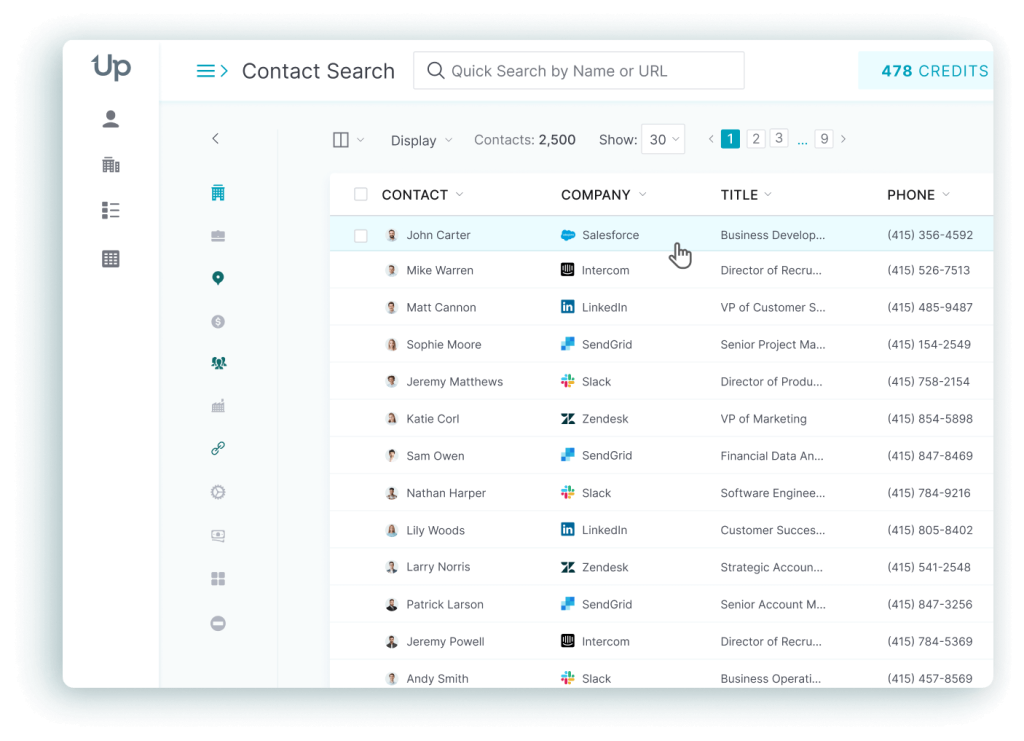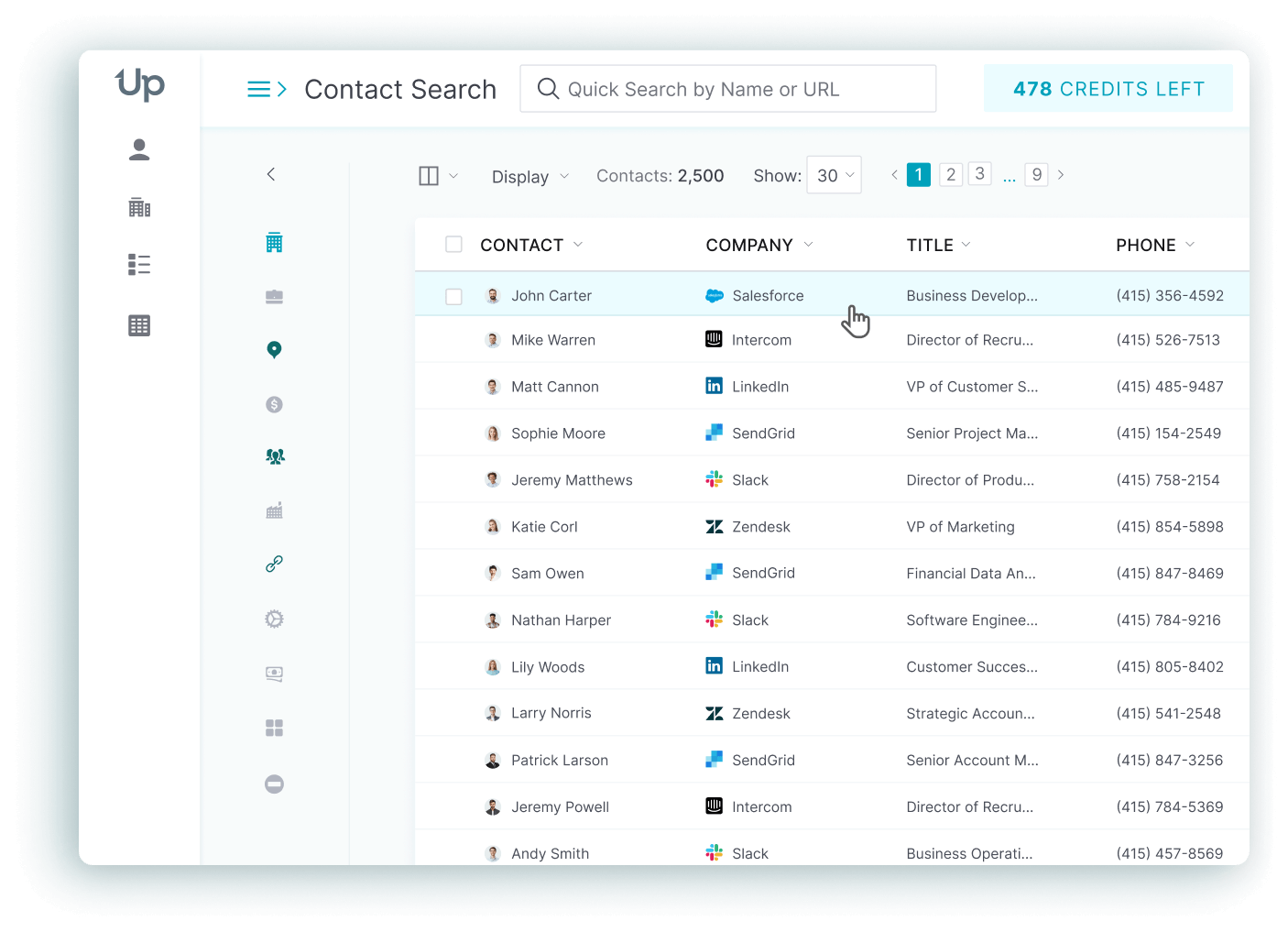



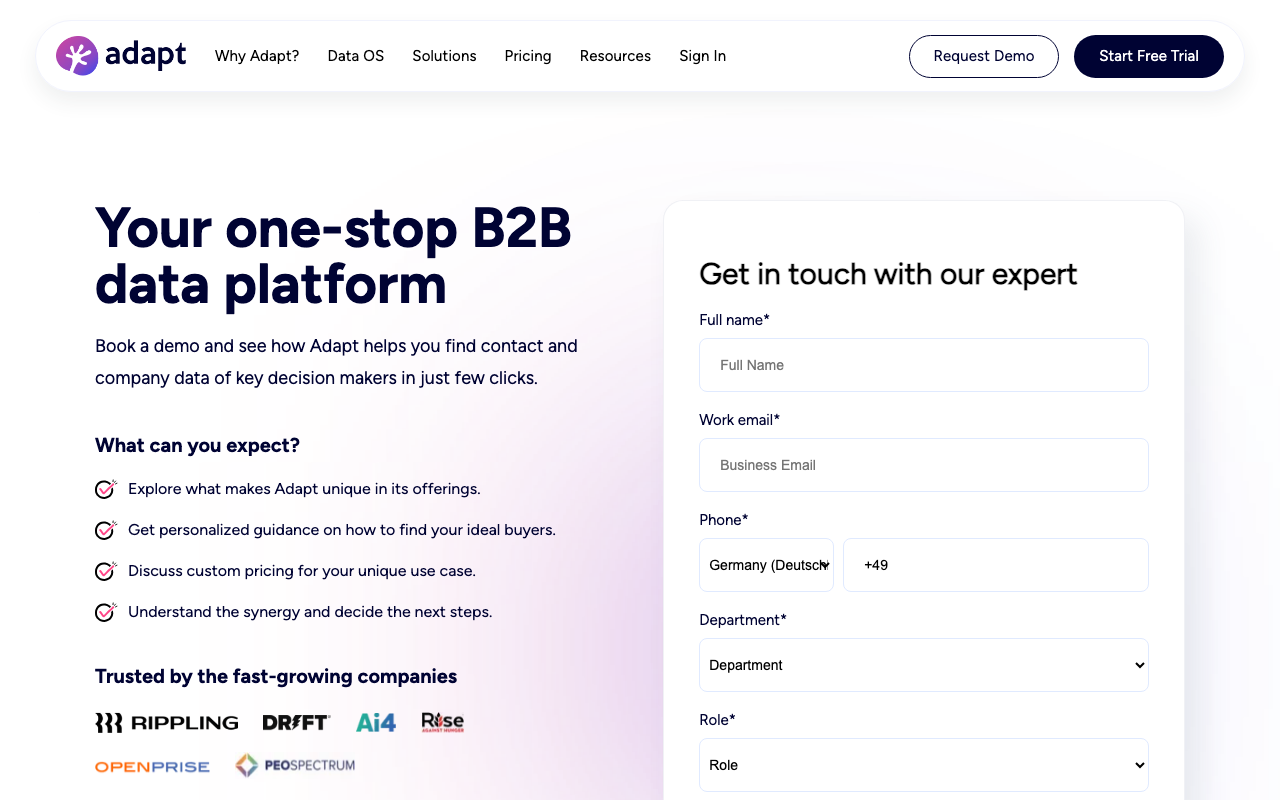
Adapt.io built a following among lean sales teams that wanted a credit-based B2B contact database without an enterprise contract. Lead Builder handles list building, Prospector runs as a Chrome extension for LinkedIn-based enrichment, and the entry pricing starts at zero. For a small SaaS team, that combination still works well. Teams that need broader industry coverage, more phone data, or non-US coverage hit Adapt.io’s credit limits fast, and the coverage gaps follow soon after.
This guide compares the eight platforms teams actually switch to when Adapt.io stops fitting: UpLead, ZoomInfo, Apollo.io, Cognism, Lusha, RocketReach, Lead411, LeadIQ. Every pricing figure and database claim below is sourced to the vendor’s own site or a named review platform. The same goes for every pro or con. Where a vendor did not have a real, quantified customer case study to cite, that gap is called out directly rather than papered over.
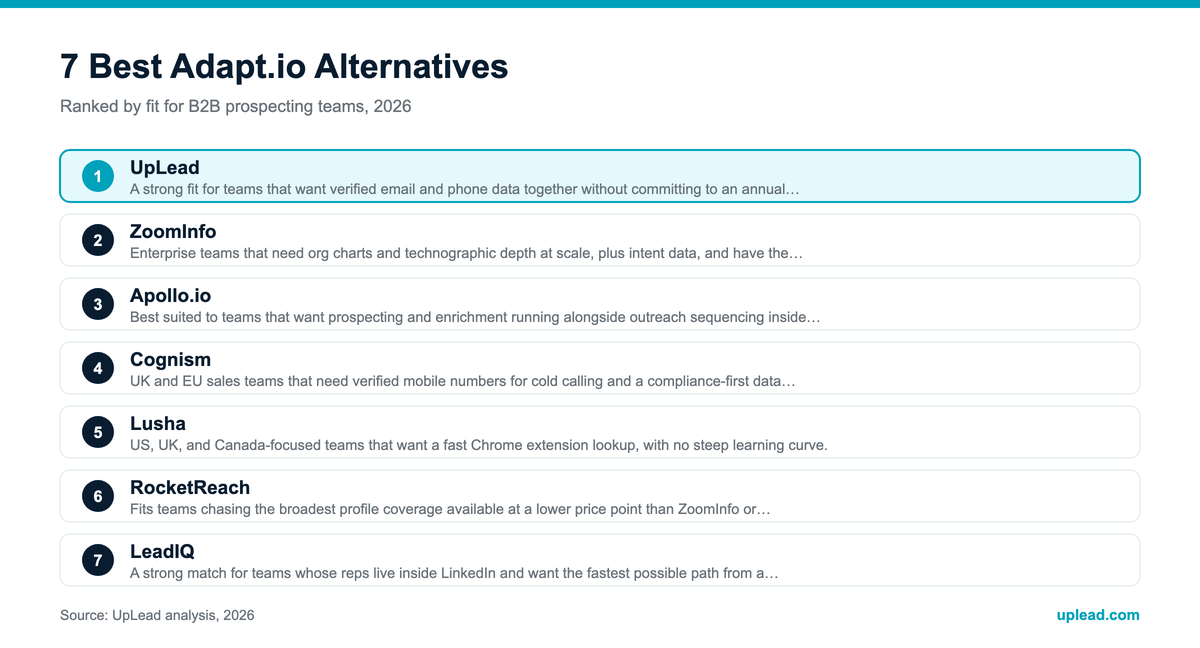
Quick answer: UpLead is the best overall Adapt.io alternative for teams that want verified emails and phone numbers together without an annual contract. ZoomInfo fits enterprise teams that need org charts and intent data at scale. Cognism leads on verified mobile numbers for UK and EU cold calling. Apollo.io suits teams that want prospecting bundled with enrichment and outreach sequencing in a single subscription. Lusha and RocketReach both work as fast, lower-cost Chrome extension lookups. Lead411 and LeadIQ round out the list for teams prioritizing growth-intent signals and one-click CRM capture.
Why Look for an Adapt.io Alternative
Adapt.io’s own G2 reviews point to three recurring reasons teams start shopping for something else. One structural gap shows up in Adapt.io’s own policy pages rather than in reviews.
- Credit limits run out fast. More than 34 reviews on G2 specifically flag limited credits as a problem. The free tier caps at 25 credits monthly; Starter caps at 500. A team running consistent outbound can burn through a Starter plan’s allotment in under two weeks.
- Coverage thins out beyond US SaaS. Adapt.io states 90%+ accuracy on its contact data, and that number holds up well for large and mid-market US software companies. Accuracy and record depth both drop outside core US SaaS accounts. Healthcare, manufacturing, and European markets see the steepest declines, per the same review base.
- There is no built-in engagement layer. Lead Builder and Prospector handle list building and enrichment, but neither product runs sequences, dials calls, or tracks buying intent signals the way a full sales intelligence platform does. Teams that outgrow simple list building end up buying a second tool anyway.
- Compliance tooling is lighter-weight than enterprise vendors offer. Adapt.io’s privacy policy states it does not sell customer data, but it never names CCPA specifically and does not describe a formal, automated opt-out-of-sale flow the way larger competitors do with dedicated GDPR/CCPA rights-request portals. Teams selling into the EU or California that need documented, self-service compliance tooling count this among their reasons for looking elsewhere.
None of this makes Adapt.io a bad product for what it was built to do. It just means the market has several platforms built specifically to close these four gaps, and the right one depends on what a team is missing most.
What to Look for in an Adapt.io Alternative
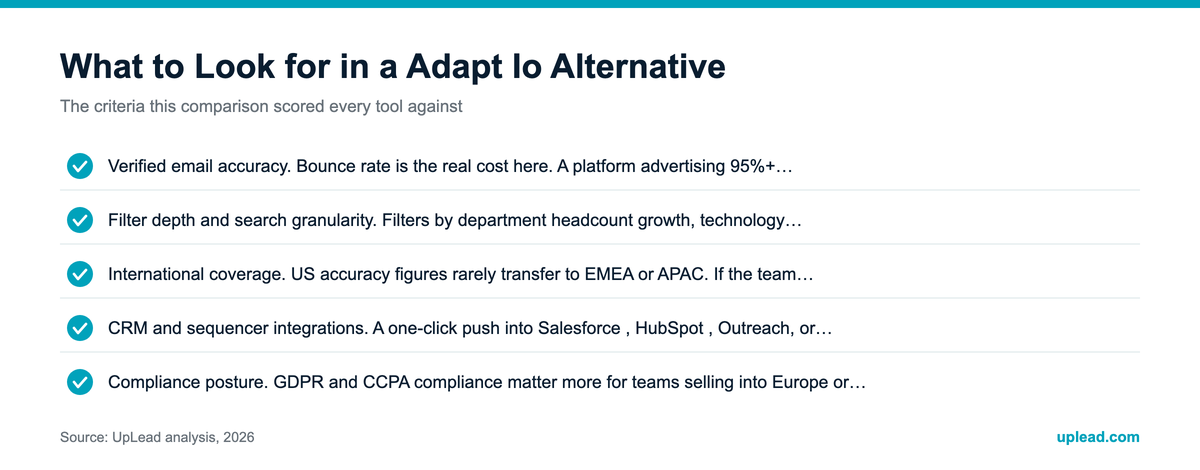
Database size gets quoted the loudest in every vendor’s marketing, but the real evaluation should run wider than a single headline number. Use these criteria to compare platforms on what actually affects a rep’s day-to-day prospecting.
- Database size and refresh rate. A big number on a homepage means little if the records behind it go stale. Ask how often the platform re-verifies existing contacts, not just how many contacts it lists.
- Verified email accuracy. Bounce rate is the real cost here. A platform advertising 95%+ accuracy should be able to point to a named source for that number, not just a marketing claim.
- Direct-dial phone coverage. Mobile and direct-dial numbers vary more between vendors than email data does. Confirm the accuracy figure applies to phone data specifically, since some platforms report a blended average across contact types.
- Filter depth and search granularity. Filters by department headcount growth, technology stack, or funding stage separate a serious sales intelligence platform from a basic contact lookup tool.
- International coverage. US accuracy figures rarely transfer to EMEA or APAC. If the team sells outside North America, check region-specific accuracy claims before signing.
- CRM and sequencer integrations. A one-click push into Salesforce, HubSpot, Outreach, or Salesloft saves real time over manual CSV exports and field mapping.
- Pricing model fit. Credit-based pricing punishes teams that search often but reveal few contacts. Seat-based pricing punishes small teams that need occasional bulk exports. Match the billing model to actual usage patterns.
- Compliance posture. GDPR and CCPA compliance matter more for teams selling into Europe or California. Ask how the vendor sources and consents its data, not just whether it claims compliance.
- Buying-intent and trigger signals. Some platforms layer intent data or job-change alerts on top of contact records. That layer is worth paying for if a team’s process depends on timing outreach around active buying signals.
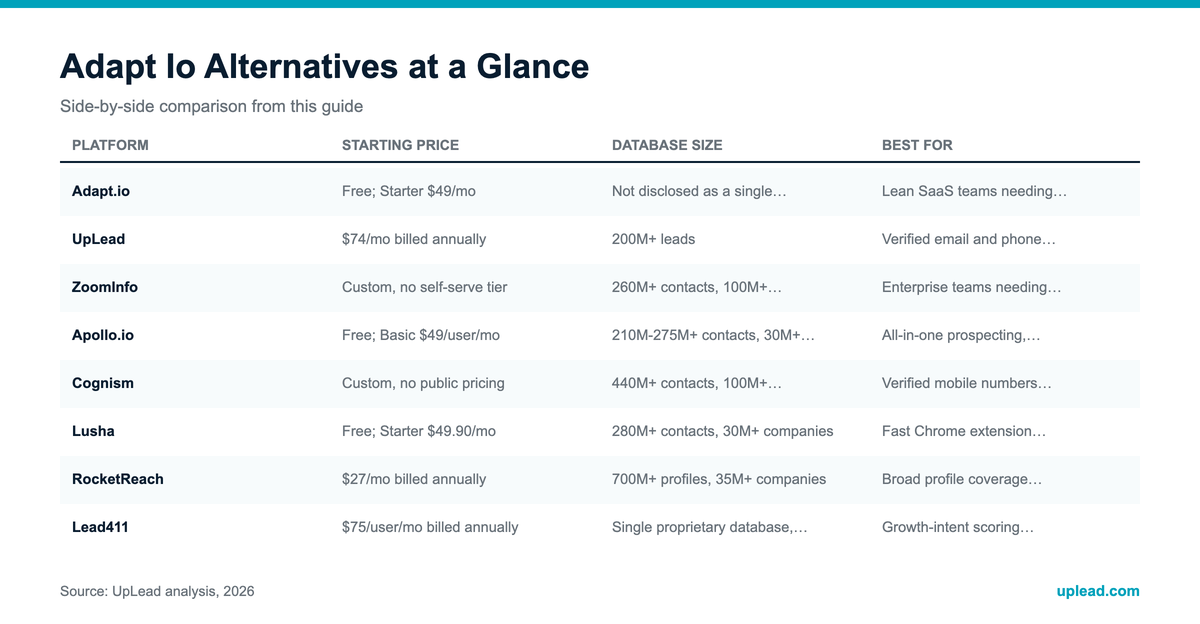
Adapt.io Alternatives Compared at a Glance
| Platform | Starting Price | Database Size | Best For |
|---|---|---|---|
| Adapt.io | Free; Starter $49/mo | Not disclosed as a single figure | Lean SaaS teams needing credit-based list building |
| UpLead | $74/mo billed annually | 200M+ leads | Verified email and phone data without an annual contract |
| ZoomInfo | Custom, no self-serve tier | 260M+ contacts, 100M+ companies | Enterprise teams needing org charts and intent data |
| Apollo.io | Free; Basic $49/user/mo | 240M+ contacts, 30M+ companies | All-in-one prospecting, enrichment, and sequencing |
| Cognism | Custom, no public pricing | 440M+ contacts, 100M+ companies | Verified mobile numbers for UK and EU cold calling |
| Lusha | Free; Starter $49.90/mo | 280M+ contacts, 30M+ companies | Fast Chrome extension lookups in the US, UK, and Canada |
| RocketReach | $27/mo billed annually | 700M+ profiles, 35M+ companies | Broad profile coverage at a lower price point |
| Lead411 | $75/user/mo billed annually | Single proprietary database, no waterfall fallback | Growth-intent scoring and trigger alerts on a mid-market budget |
| LeadIQ | Free; Pro from $200/mo (up to 5 users) | 600M-749M+ contacts | One-click Chrome-to-CRM capture and job-change tracking |
Pricing and database figures change often. Confirm current numbers on each vendor’s own site before committing to a plan; see UpLead’s full breakdown of Adapt.io’s pricing tiers for more detail on where Adapt.io itself fits.
UpLead
UpLead is built for revenue teams that want verified email and phone data confirmed at the moment of search, without locking into an annual contract to get started.
UpLead maintains a database of 200M+ leads with a claimed 95% email accuracy rate, verified in real time rather than pulled from a static list that goes stale between refreshes. Every paid plan includes verified phone numbers alongside email, and technographic filters cover more than 27,000 tracked technologies for finding companies running specific software stacks. The tradeoff shows up in filter access: advanced search filters and the full technographic filter set are locked to the Plus and Professional tiers, so teams on the entry Essentials plan get verified data but a narrower slice of the filtering power that separates a serious sales intelligence platform from a basic lookup tool.
Top Features
- Real-time email and phone verification confirms each contact at the point of search instead of serving a cached record that may have gone stale.
- 27,000+ tracked technologies let reps filter prospects by the exact software stack a target company runs.
- Buyer intent data, available on the Professional tier, flags accounts actively researching a given product category before a rep reaches out.
- Direct CRM sync with Salesforce and HubSpot pushes clean records into the pipeline without a manual CSV export.
- Company news alerts, bundled with annual Essentials billing, surface funding rounds as well as leadership changes that double as outreach triggers.
Pricing
- Free trial: $0 for 7 days, 5 credits.
- Essentials: $99/month, or $74/month billed annually (2,040 credits/year).
- Plus: $199/month, or $149/month billed annually (4,800 credits/year), adds data enrichment and advanced filters.
- Professional: custom pricing, adds buyer intent data, full API access, a dedicated account manager.
(Sources: UpLead)
Pros
- Verified phone numbers ship on every paid tier instead of being gated to the top plan (Source: G2).
- Real-time verification at the point of search keeps bounce rates low compared to static-list competitors (Source: G2).
- Responsive support gets cited repeatedly as a reason customers stay past the trial period (Source: G2).
Cons
- Advanced filters and the full technographic set are locked to the Plus and Professional tiers, so Essentials users get a narrower slice of the platform (Source: UpLead).
- Buyer intent data only ships on the custom Professional plan, not the self-serve tiers (Source: UpLead).
- Credit-based pricing can feel restrictive for teams that search heavily but only convert a small share of results (Source: G2).
What real users say about UpLead
Kyber Security used UpLead to build targeted prospect lists and generated $400,000 in pipeline with a reported 1,800% ROI on the platform (Source: UpLead). Separately, Code Red Safety closed $150,000 in new business within 60 days of adopting UpLead for prospecting (Source: UpLead).
Best For
A strong fit for teams that want verified email and phone data together without committing to an annual enterprise contract.
UpLead vs Adapt.io
UpLead matches Adapt.io’s entry-level accessibility but adds verified phone data on every paid tier and skips the annual-only Professional gate that Adapt.io applies to its own custom plan.
ZoomInfo
ZoomInfo is built for enterprise revenue teams that need org charts and technographic profiles layered on top of contact data, not just a name and an email address. Buying-intent signals sit on top of both.
ZoomInfo’s database covers 260M+ contacts and 100M+ companies, supported by more than 25,000 tracked products and 20,000+ intent topics that flag accounts actively researching a given category. ZoomInfo holds the #1 ranking on G2 across 142 Spring 2026 category reports, the widest review footprint of any platform in this comparison. That scale comes at a real cost: ZoomInfo does not publish self-serve pricing, and the median reported Year-1 spend sits around $31,875, with most 10-seat deployments landing in the $30,000 to $60,000 range including 10-20% annual price increases baked into standard renewal terms.
Top Features
- Org chart mapping shows reporting lines inside target accounts so reps can identify the actual decision maker instead of guessing from a title.
- 25,000+ tracked products and 20,000+ intent topics surface accounts showing active buying signals before a competitor reaches them.
- Automatic CRM enrichment and deduplication keeps existing Salesforce or HubSpot records current without manual cleanup.
- A Chrome extension pulls contact and company data directly from LinkedIn without switching tabs.
- Multi-product suite (Sales, Marketing, Operations, Talent) lets larger orgs run one data layer across several teams.
Pricing
- No public self-serve tier; pricing is quote-based.
- Median reported Year-1 spend: approximately $31,875.
- Typical 10-seat deployments: $30,000-$60,000 all-in annually, with 10-20% price increases common at renewal.
(Sources: Warmly.ai, Forrester TEI study)
Pros
- Reduces manual research time by pulling company insights and contact details together with intent signals in one interface (Source: G2).
- Ease of use draws consistent praise even from reviewers who criticize the pricing (Source: G2).
- Automatic data enrichment and deduplication keep CRM records cleaner without extra headcount (Source: G2).
Cons
- Data accuracy issues surface in reviews, including prospects listed at companies they left years earlier (Source: G2).
- EMEA accuracy drops significantly outside the UK and Germany, a real gap for teams selling across Europe (Source: G2).
- 10-20% annual price increases combined with 60-90 day cancellation windows frustrate customers at renewal time (Source: G2).
What real users say about ZoomInfo
MarketSpark used ZoomInfo’s Data Cube to identify new revenue opportunities and reported a 5x increase in both MQLs and SQLs, with 5x the deals in the pipeline as a direct result (Source: ZoomInfo).
Best For
Enterprise teams that need org charts and technographic depth at scale with intent data on top, and have the budget for a five-figure annual contract.
ZoomInfo vs Adapt.io
ZoomInfo operates at a completely different scale and price point than Adapt.io. Teams outgrowing Adapt.io’s credit limits and needing enterprise-grade intent data are the right fit; teams just wanting more credits at a similar price point are not.
Apollo.io
Apollo.io is built for teams that want prospecting and data enrichment running alongside outreach sequencing inside one subscription instead of stitching together separate tools.
Apollo advertises 240M+ contacts and 30M+ companies on its own homepage, and the platform holds a 4.7/5 rating from more than 9,000 G2 reviews, enough volume to make it the most-reviewed platform in this comparison alongside UpLead. The catch sits in what that raw count delivers. Not every record ships with a verified email, so a rep who filters for verified addresses only works from a much smaller pool than the headline number suggests, and G2 reviewers repeatedly flag weaker accuracy on contacts outside the US.
Top Features
- An all-in-one workflow moves a contact from search to enrichment to sequence to dialer without exporting to a separate platform.
- A 240M+ contact database with more than 65 filter combinations supports building highly targeted lists quickly.
- A built-in dialer and email sequencer run sales engagement directly inside the same tool used for prospecting.
- AI-assisted email drafting helps reps personalize outreach at scale inside the sequencer.
- A generous free tier (100 credits/month) gives smaller teams real usage before any payment is required.
Pricing
- Free: $0/month, 100 credits/month.
- Basic: $49/user/month.
- Professional: $79/user/month.
- Organization: $119/user/month, with a 3-user minimum, which puts the effective entry cost at roughly $4,284/year even though the per-user sticker price looks close to Basic.
(Sources: Apollo.io, Salesmotion, verified 2026-08-21)
Pros
- Genuinely all-in-one; the workflow from finding a lead to launching a sequence happens without exporting data anywhere (Source: G2).
- The 240M+ contact database with deep filtering draws consistent praise for building targeted lists fast (Source: G2).
- A verified G2 reviewer in RevOps reported prospecting efficiency roughly doubled and conversion rates rose about 30% after adopting Apollo (Source: G2).
Cons
- Credits burn fast, including on bad data; phone numbers cost 8 credits versus 1 for an email, and enrichment runs 1-9 credits per record (Source: G2).
- Filtering for verified emails cuts the usable pool well below the 240M+ headline count, because many records ship unverified (Source: G2).
- Contact accuracy outside the US draws repeated complaints, and Apollo publishes no regional accuracy breakdown of its own (Source: G2).
What real users say about Apollo.io
Smartling used Apollo’s AI-assisted research prompts to fuel a prioritized pipeline and reported a 10x increase in BDR productivity as a result (Source: Apollo.io).
Best For
Best suited to teams that want prospecting and enrichment running alongside outreach sequencing inside a single platform rather than three separate tools.
Apollo.io vs Adapt.io
Apollo.io covers the engagement layer that Adapt.io skips entirely (dialing and sequencing), at a similar starting price point, which makes it the more direct like-for-like upgrade for teams that outgrew Lead Builder’s list-only workflow.
Cognism
Cognism is built for UK and EU sales teams that need verified mobile numbers for cold calling, backed by a compliance posture built specifically around GDPR and CCPA.
Cognism’s database covers 440M+ contacts across 100M+ companies, and its Diamond Data verified mobile numbers report roughly 98% accuracy with connect rates 2-3x higher than standard databases, according to customer reviews. Read the accuracy claim carefully, though: that 98% figure applies only to the Diamond Data verified subset, which covers an estimated 10M of the 440M total records, or about 2.3% of the full database. The rest of the database carries the accuracy profile of a standard, unverified contact record.
Top Features
- Diamond Data verified mobile numbers report 2-3x higher connect rates than standard databases for cold-calling teams.
- GDPR and CCPA-first compliance design matters directly for teams selling into Europe or California, not just as a checkbox claim.
- A Chrome extension and direct dialer integration bring verified numbers into the calling workflow without manual lookup.
- Intent data layered on top of contact records flags accounts showing active buying signals.
- CRM integrations with Salesforce, HubSpot, and Outreach push verified records into existing pipelines.
Pricing
- No public pricing; entry-level contracts are estimated around EUR 15,000-25,000/year, plus per-user fees.
(Sources: Salesmotion)
Pros
- Verified phone numbers and emails deliver connect rates 2-3x higher than previous data providers, according to customer reports (Source: G2).
- Strong GDPR and CCPA compliance posture stands out compared to competitors that treat compliance as an afterthought (Source: G2).
- UK and EMEA data quality earns repeated praise, ahead of most US-built competitors in this comparison (Source: G2).
Cons
- Pricing is not published anywhere on the site, and entry contracts run into five figures before per-user fees (Source: G2).
- Coverage and accuracy weaken outside EMEA, with more limited depth reported in North America and APAC (Source: G2).
- The 98% Diamond Data accuracy claim covers only the phone-verified subset. Cognism’s own Diamond Data page sizes that subset at over 10 million contacts, a sliver of the 440M-record database (Source: Cognism).
What real users say about Cognism
A fast-growing EdTech company used Cognism’s data to generate £5.8 million of sales pipeline in a single day (Source: Cognism).
Best For
UK and EU sales teams that need verified mobile numbers for cold calling and a compliance-first data sourcing model.
Cognism vs Adapt.io
Cognism solves the international coverage gap that shows up most in Adapt.io reviews, at a materially higher price point that only makes sense once EMEA calling volume justifies it.
Lusha
Lusha is built for reps who want a fast, no-training Chrome extension that reveals a prospect’s contact details from a LinkedIn profile in one click. Coverage is strongest across the US, UK, and Canada.
Lusha’s database covers 280M+ contacts, including 152M+ verified emails and 280M+ direct dials, across 30M+ company profiles. G2 reviewers consistently praise the Chrome extension and US/UK contact accuracy, and the free tier includes 40 credits a month with no training required to get started. Coverage drops off outside the US, UK, and Canada. Stale records carry a real cost too: when a revealed contact turns out to be wrong (wrong company, wrong number, a contact who has since left the role), Lusha does not refund the credit spent revealing it.
Top Features
- A one-click Chrome extension reveals contact details directly from a LinkedIn profile with no separate search step.
- 280M+ direct dials give phone-first teams a larger dedicated phone dataset than several competitors in this comparison.
- A prospecting API supports developers building custom workflows around Lusha’s contact data.
- Credit-based pricing with a free tier (40 credits/month) lets small teams test data quality before paying.
- Buying-intent signals, available on higher tiers, flag accounts showing active research behavior.
Pricing
- Free: $0/month, 40 credits/month.
- Starter: $49.90/month billed monthly, or $37.45/month on annual billing.
- Pro: $69.90/month billed monthly, or $52.45/month on annual billing.
- Premium: $399.90/month billed monthly, or $299.95/month on annual billing.
(Sources: Salesmotion)
Pros
- The Chrome extension requires no training; contact reveals start within minutes of installing it (Source: G2).
- US and UK contact accuracy earns consistent praise across reviews (Source: G2).
- 280M+ direct dials give phone-first teams a genuinely large dedicated phone dataset (Source: Lusha).
Cons
- Revealed credits are not refunded when the data turns out stale, including contacts who changed companies months earlier but still show at the old employer (Source: G2).
- Coverage drops significantly outside the core US, UK and Canada markets (Source: G2).
- Credit limits on lower tiers run out quickly for teams doing high-volume prospecting (Source: G2).
What real users say about Lusha
insightsoftware used Lusha to improve EMEA contact data and reported doubling pipeline ROI within two weeks, alongside onboarding more than 25 users in under an hour (Source: Demand Gen Report).
Best For
US, UK, and Canada-focused teams that want a fast Chrome extension lookup, with no steep learning curve.
Lusha vs Adapt.io
Lusha and Adapt.io compete closely on price and simplicity, but Lusha’s larger direct-dial dataset gives it an edge for teams whose main complaint with Adapt.io is thin phone coverage.
RocketReach
RocketReach is built for teams that want the broadest possible profile coverage at a lower price point than most enterprise sales intelligence platforms.
RocketReach’s database spans 700M+ professional profiles and 35M+ companies, the largest raw profile count of any platform in this comparison, and RocketReach holds a 4.4/5 rating from more than 1,000 G2 reviews. RocketReach also reports 90-98% email deliverability specifically on verified contacts, a more granular accuracy detail than the single blended number most competitor comparison pages cite, though that figure applies to the verified subset rather than a guarantee across the full 700M-profile database. That breadth comes with real tradeoffs in consistency: multiple reviewers report incorrect phone numbers and outdated job titles, particularly for smaller or niche companies outside core US industries, and some users describe unexpected charges or difficulty canceling a subscription.
Top Features
- 700M+ professional profiles give reps the widest raw search coverage of any platform compared here.
- A search tool and Chrome extension keep prospecting inside the browser without switching tools.
- Tiered annual plans with prepaid lookup credits (1,200 to 20,000 per year depending on tier) suit teams with predictable monthly volume.
- API access, included on the Ultimate tier, supports custom integrations for larger teams.
- Bulk lookup and export speeds up building large prospect lists in one pass.
Pricing
- Essentials: $27/month billed annually ($49/month billed monthly), unlimited lookups with a 1,200/year export cap, email addresses only.
- Pro: $69/month billed annually ($99/month billed monthly), unlimited lookups with a 3,600/year export cap, adds phone numbers.
- Ultimate: $142/month billed annually ($209/month billed monthly), unlimited lookups with a 20,000/year export cap, includes API access.
(Sources: Salesmotion, Cleanlist.ai, both verified 2026-08-21)
Pros
- 700M+ profiles across industries give reps far broader raw search coverage than most competitors in this comparison (Source: G2).
- The search tool and Chrome extension make day-to-day prospecting straightforward (Source: G2).
- Pricing is more accessible than several enterprise competitors, especially at the Essentials tier (Source: G2).
Cons
- Multiple reviewers report incorrect phone numbers and outdated job titles, particularly for smaller or niche companies (Source: G2).
- Some customers report unexpected charges and difficulty canceling a subscription (Source: G2).
- Annual export caps (1,200 to 20,000/year depending on tier) can run out faster than expected for high-volume prospecting teams, even though lookups themselves are unlimited on annual billing (Source: Salesmotion).
What real users say about RocketReach
RocketReach publishes a case study with Daversa Partners describing faster, more accurate results in a side-by-side comparison against other tools, but the published material does not include a specific quantified metric (revenue, placements, or time saved) that can be cited here. No other RocketReach case study surfaced in research with a named company and a quantified result, so none is claimed.
Best For
Fits teams chasing the broadest profile coverage available at a lower price point than ZoomInfo or Cognism, who can tolerate more inconsistent data quality in exchange.
RocketReach vs Adapt.io
RocketReach’s 700M+ profile count dwarfs anything Adapt.io offers, but the tradeoff is similar (or worse) data consistency, so it fits teams chasing breadth over Adapt.io’s tighter but smaller dataset.
Lead411
Lead411 is built for mid-market teams that want growth-intent scoring and trigger alerts without paying ZoomInfo’s enterprise price tag.
Lead411 holds a 4.5/5 rating from 477 G2 reviews, with reviewers most often praising data accuracy and an intuitive list-building workflow that new users pick up quickly. Lead411 runs on a single proprietary database rather than blending multiple data sources with a waterfall fallback, which keeps the data consistent but means a genuine gap in the database has no backup source to fill it, unlike platforms that stitch together several providers.
Top Features
- Growth-intent scoring flags companies showing hiring or revenue growth signals that correlate with buying readiness.
- Trigger alerts notify reps of funding rounds and executive moves, along with other timing-sensitive events.
- AI-assisted prospect discovery helps narrow large lists down to accounts matching a defined ideal customer profile.
- Direct-dial phone coverage is called out specifically in reviews as stronger than several lower-priced competitors.
- Bombora intent data, available on the Ignite tier, layers third-party buying signals on top of Lead411’s own database.
Pricing
- Spark: $75/user/month billed annually.
- Ignite: from approximately $3,000/year, adds higher export limits (~833/month), Bombora intent data, AI search, and email automation.
Pros
- Accurate, up-to-date contact data with strong direct-dial phone coverage draws consistent praise (Source: G2).
- The interface and list-building workflow are described as intuitive, with a short learning curve for new users (Source: G2).
- Pricing is positioned as strong value compared to ZoomInfo and other enterprise providers (Source: G2).
Cons
- Stale records tied to the platform’s refresh cadence are the most recurring complaint (Source: G2).
- Data quality is reported as inconsistent across industries and company sizes, occasionally requiring manual verification (Source: G2).
- Bombora intent data requires an annual billing commitment; it is not available month-to-month (Source: G2).
- Engagement-tool depth lags dedicated sales engagement platforms like Outreach or Salesloft, and international coverage is thinner outside Lead411’s primarily US-focused dataset (Source: G2).
What real users say about Lead411
Lead411 publishes customer testimonials and revenue milestones (the company itself reported $5M in annual revenue and 1,000 customers), but no named customer case study with a specific, quantified pipeline or revenue result for a Lead411 user surfaced during research. That gap is disclosed here rather than filled with an unverified figure.
Best For
Mid-market teams that want growth-intent scoring and trigger alerts on a budget below ZoomInfo’s enterprise pricing.
Lead411 vs Adapt.io
Both platforms target similar mid-market budgets. Lead411’s growth-intent scoring and trigger alerts give it a signal layer that Adapt.io’s Lead Builder and Prospector do not offer.
LeadIQ
LeadIQ is built around a single-click Chrome extension that collapses the usual multi-step LinkedIn-to-CRM data entry process into one action, feeding directly into Salesforce, Outreach, Salesloft, or Gong.
LeadIQ’s live dataset covers 600M-749M+ contacts, with a claimed 90 million records re-verified monthly and more than 60% of the database refreshed within the last six months. LeadIQ holds a 4.2/5 rating from more than 1,179 G2 reviews. Phone data is the clear weak point: real-world email bounce rates reported across G2 and Reddit run 20-30% despite a claimed 95% accuracy figure, and mobile or direct-dial numbers are frequently reported as outdated, incorrect, or missing entirely, a gap reviewers say does not match dedicated phone-data providers like Cognism or Lusha.
Top Features
- A one-click Chrome-to-CRM capture flow collapses a typical 5-6 click LinkedIn data entry process into a single action.
- Job-change tracking alerts reps when a champion at an existing account moves to a new company, opening a warm re-entry point.
- Deep CRM and sequencer integrations, especially with Salesforce and Outreach, keep prospecting data flowing without manual entry.
- 90 million records re-verified monthly keeps the core dataset fresher than a static annual refresh cycle.
- A slider-based credit pricing model lets a team dial credit volume to its actual prospecting load instead of buying a fixed tier.
Pricing
- Free: $0/month, one user, 50 credits.
- Pro: from $200/month for 200 credits and up to five users, with the credit volume set on a slider that runs to 6,750/month. Annual billing takes 25% off.
- Enterprise: custom quote.
(Sources: LeadIQ, verified 2026-08-24)
Pros
- The Chrome extension is consistently cited as the single best feature, cutting a 5-6 click CRM entry flow down to one click (Source: G2).
- Job-change tracking gives reps a genuinely useful, timely re-engagement signal when a champion switches companies (Source: G2).
- CRM and sequencer integrations run deep, with Salesforce and Outreach called out most often (Source: G2).
Cons
- Phone and mobile number accuracy is the most consistent complaint across more than 1,160 G2 reviews (Source: G2).
- The credit system does not allow a la carte purchases on lower-tier plans once monthly credits run out (Source: G2).
- LeadIQ does not detect account-level buying signals or send outreach automatically, unlike more full-featured competitors (Source: G2).
What real users say about LeadIQ
Clari’s sales team used LeadIQ to automate account creation and contact enrichment, cutting the time to build a prospect record from 20 minutes to under 5, saving more than 600 hours per quarter and reporting a 70% better account-fit rate as a result (Source: LeadIQ).
Best For
A strong match for teams whose reps live inside LinkedIn and want the fastest possible path from a profile view into the CRM.
LeadIQ vs Adapt.io
LeadIQ’s Chrome-to-CRM speed matches the workflow Adapt.io’s Prospector extension targets, but LeadIQ’s job-change tracking adds a signal layer Adapt.io does not offer, at the cost of weaker phone data.
Vendors We Did Not Profile
Two platforms came up repeatedly in Adapt.io alternative research but did not make the list above for specific reasons. Clearbit was acquired by HubSpot and rebranded as Breeze Intelligence; as of 2026 it is no longer sold as a standalone product and requires an active paid HubSpot subscription before enrichment credits can even be purchased, which rules it out as a direct swap-in for a standalone tool like Adapt.io. Datanyze still runs, but it has operated as a deprioritized budget sub-brand under ZoomInfo since ZoomInfo acquired it in 2018, with reviewers reporting slower support response times since the acquisition; profiling it separately from ZoomInfo itself would add little the ZoomInfo section above does not already cover.
One more note for teams switching away: Adapt.io’s own privacy policy states the company does not sell customer data and commits to handling access, change, or deletion requests within 30 days, submitted through the “Edit Profile” area of the site or by emailing Adapt.io Support directly. The policy addresses international data transfer outside the EEA but does not name CCPA explicitly or describe a formal, automated opt-out-of-sale flow the way larger enterprise vendors like ZoomInfo do with dedicated GDPR/CCPA rights-request portals. Teams in the EU, UK, or California that want full-scope deletion of their own Adapt.io account data should contact support directly rather than expect a self-service regulatory-rights portal.
Switching From Adapt.io: What to Expect
Once a platform is chosen, the actual migration is usually simpler than teams expect, provided a few steps happen in order.
- Export existing contact and account records from Adapt.io before canceling, including any custom lists built in Lead Builder. Most platforms accept a CSV import to seed the new database with known contacts. CSV export is available starting on Adapt.io’s $49/month Starter tier, not gated to a higher plan, so a team does not need to upgrade first just to pull a clean export before canceling.
- Overlap the contract windows by at least a few weeks rather than canceling Adapt.io the same day the new platform goes live. Data quality issues surface fastest in the first two weeks of real usage, and having both tools active avoids a coverage gap mid-cycle.
- Reconnect CRM integrations and field mappings in the new platform before the team starts prospecting through it. A rushed integration setup is the most common source of duplicate or malformed records after a switch.
- Run a side-by-side accuracy check on a sample of 25-50 contacts across both platforms before fully committing. This catches accuracy and coverage gaps specific to a team’s industry or target region before the whole team depends on the new data source.
- Set a credit or seat budget based on actual historical usage from Adapt.io, not the vendor’s suggested starting tier. Teams that undersize the new plan often end up upgrading within the first billing cycle anyway.
Frequently Asked Questions
Is Adapt.io good for B2B contact data?
Adapt.io works well for lean SaaS teams that need credit-based list building at a low starting price, with a G2 rating around 4.3-4.6 out of 5 across roughly 2,700-2,800 reviews. Accuracy holds up for US mid-market and enterprise SaaS companies specifically; teams outside that profile, or teams that need more credits than the Starter tier provides, tend to be the ones searching for alternatives.
What is the cheapest Adapt.io alternative?
Lusha and Apollo.io both offer free tiers, and RocketReach’s Essentials plan starts at $27/month billed annually, making it the lowest-cost paid tier among the platforms compared here. UpLead’s Essentials plan at $74/month billed annually adds verified phone data on top of email, which is worth weighing against the lower-cost, email-first options.
What is the best free Adapt.io alternative?
Apollo.io’s free tier includes 100 credits per month with access to its full contact database and basic sequencing tools, making it the most feature-complete free option in this comparison. Lusha’s free tier (40 credits/month) is a simpler, faster option for teams that only need occasional Chrome extension lookups.
Which Adapt.io alternative has the best phone data?
Cognism’s Diamond Data verified mobile numbers report roughly 98% accuracy on the verified subset, with connect rates 2-3x higher than standard databases, making it the strongest option specifically for cold-calling teams. Lusha’s 280M+ direct dials are a close second for teams focused on the US, UK and Canadian markets.
Does UpLead replace both Lead Builder and Prospector?
Yes. UpLead’s search and list-building tools cover the same core function as Adapt.io’s Lead Builder, and its real-time verification at the point of search covers the enrichment role Prospector plays as a Chrome extension, while adding verified phone numbers on every paid tier that Adapt.io does not include at the same price point.
How hard is it to switch from Adapt.io to a new platform?
Most teams complete a full switch within one to two billing cycles. That means exporting existing records, overlapping contract windows briefly, then reconnecting CRM integrations before fully retiring Adapt.io. The migration steps above cover the process teams tend to follow to avoid a coverage gap mid-switch.