You can find someone’s email on Facebook only if they chose to show it on their profile. If the email is private, Facebook will not reveal it, so the practical options are to check the profile, request the email address directly or switch to a verified work email finder for business outreach.
This guide covers four practical tactics, what a Facebook URL can and cannot do and when Facebook stops being useful for email finding. The goal is to help you find a real contact path without pretending Facebook has a hidden email lookup feature.
Can you find someone’s email on Facebook?
You can find someone’s email on Facebook if they made it visible on their profile. Facebook’s own help flow points people to the profile About area and the Contact and basic info section, which is where an email may appear if the person chose to show it there.
The important limit is this: profile visibility and broader sharing are not the same thing. A person can share an email with certain people on Facebook without displaying it publicly on the profile, so if you do not see an email in the profile details, Facebook is not giving you a hidden lookup method.
4 ways to find someone’s email on Facebook
In practice, these are the four realistic ways to use Facebook as a starting point for finding email:
- Check the profile’s About page and Contact and basic info section
- Ask for the email directly in a short message
- Use the profile to identify the person’s company, website or role
- Use a verified work email finder when the goal is business outreach
1. Check the About page on Facebook first
This is the only native Facebook method that can show the email address directly. Type the person’s name into the search bar, open the profile, click About, then open Contact and basic info. If the person chose to display a profile email, this is where it appears.
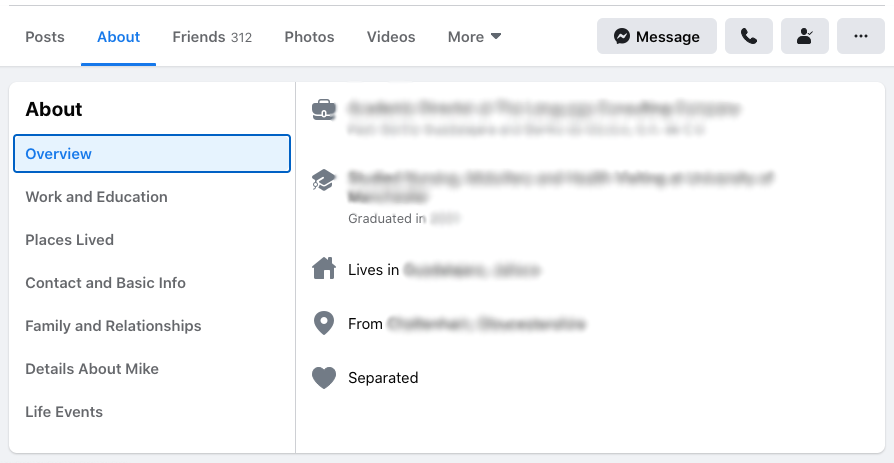
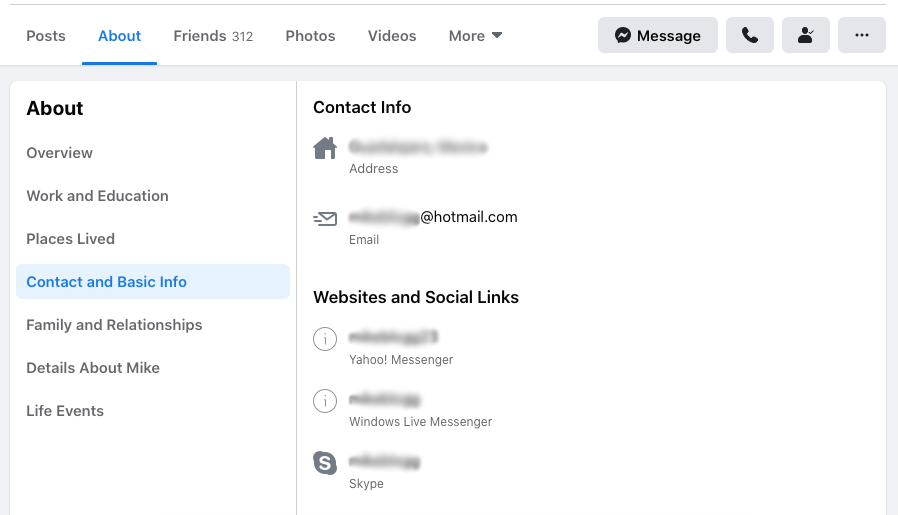
If no email appears there, do not assume it exists elsewhere on Facebook for you to uncover. The safer reading is that the person did not choose to show it on the email profile details that Facebook makes visible to you.
2. Request the email address directly
If the email is not public, the cleanest next step is to ask. A short direct message often works better than spending more time on an email finding method that Facebook does not actually support.
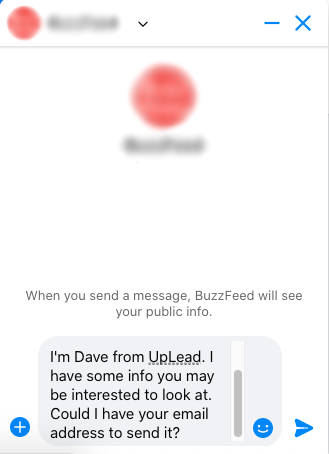
Keep the message simple. Say who you are, why you are reaching out and why email would help. If your request is legitimate, this is usually the fastest way to request the email address when the person keeps their contact details private.
Hi [Name], I found your profile on Facebook and had a quick question about [topic]. If email is easier, feel free to send the best address to reach you.
3. Use the profile to identify the right company contact path
A Facebook profile or page can still help even when it does not show an email. You may find the person’s employer, website, business page, public bio or other context that lets you move to an official contact page, company domain or business email workflow.
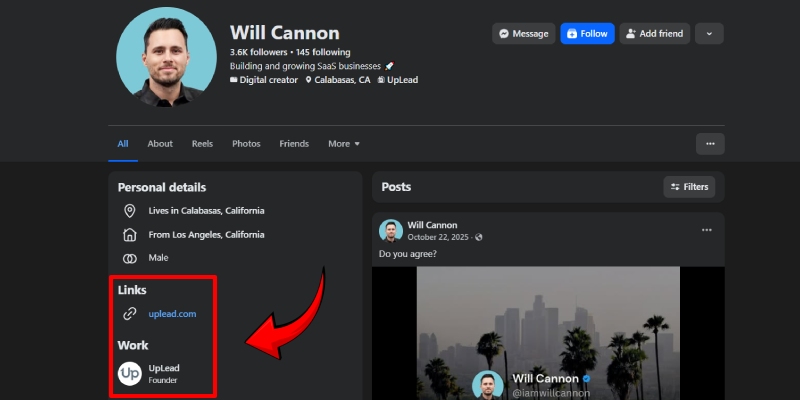
This matters because the query is often really about finding a way to reach the person, not about proving that Facebook stores a hidden email. If the profile tells you where they work or what site they run, that can be enough to move from Facebook to a legitimate contact workflow and use profile clues more effectively.
Use this method when the person is tied to a business, creator brand or public role. It is much stronger than trying to extract a private email from a username or profile URL alone.
4. Use an email lookup tool or verified work email finder
If your goal is to reach someone for sales, recruiting or partnerships, Facebook is usually just the identification layer. The actual email lookup shifts to a work email workflow built around company domains, public professional data and email verification.
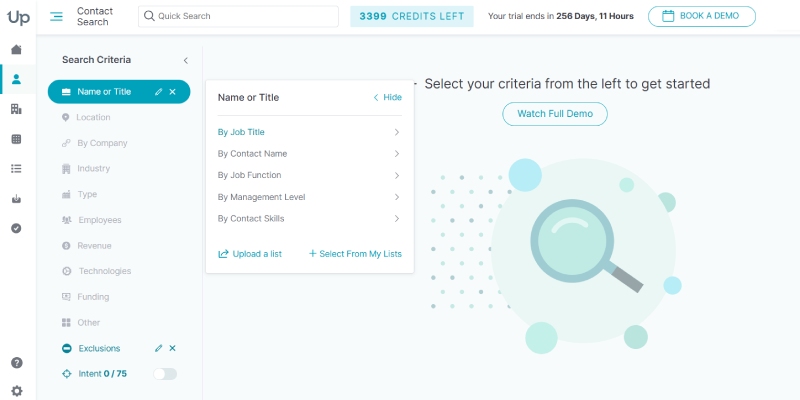
That is where a verified email finder can help. A good use email lookup process starts with the company domain, company name, public professional data or a name-plus-domain search, then verifies whether the work email is usable.
Use this route only for professional outreach. It is a better fit for finding a work email than for exposing a private personal email that Facebook does not show. In other words, use Facebook to identify the person, then use email tools to verify the business contact path.
| Method | Best for | What it can do | Main limit |
|---|---|---|---|
| Profile check | Public contact info | Shows an email if the person displays it on-profile | Does nothing for hidden emails |
| Direct message | Private profiles | Lets you request the right email directly | Depends on the person replying |
| Company/contact path | Public professionals and brands | Uses Facebook as a clue to the right website or company | May not lead to a direct personal email |
| Verified work email finder | B2B outreach | Helps find and verify work emails outside Facebook | Not a method for personal private emails |
Can a Facebook URL help you find an email address?
A Facebook URL can help you identify the right person, page, business or website. It cannot reveal a hidden email by itself.
That means a profile URL or username is useful as a research clue. It can confirm the person’s name, employer, brand or site. After that, you still need either a public email on the profile, a direct reply from the person or a separate work email workflow outside Facebook.
Do not assume Facebook has a hidden email search feature, and do not treat a Facebook URL as an email extractor. If your real goal is to reach another person, stop after the profile check, the direct message and the company-contact or work-email workflow.
FAQ
Can you find someone’s email on Facebook if it is private?
No, Facebook will not reveal a hidden email just because you know the profile. If the email is private, ask directly or switch to a separate work email workflow.
Can you search Facebook by email without logging in?
No, not in a reliable way for this use case. Even when an email is tied to an account, that does not mean Facebook exposes it publicly for lookup.
How do you find the email associated with a Facebook account?
You can only see it on the profile if the person chose to display it there. Otherwise, the practical options are direct outreach, official company contact paths or a verified work email finder.
Can a Facebook username or URL give you the email for free?
No, a username or URL does not unlock a hidden email. It can help you identify the person or company, but you still need a public contact path or a separate work email workflow.
Find a work email after Facebook
If Facebook helps you identify the right person but not the right email, move to a verified work email process instead of guessing. That is usually the fastest path for B2B outreach, especially when you need to find emails Facebook does not display.