


AeroLeads has been around since 2015, and its Chrome extension still pulls a following among solo recruiters and small sales teams who want a fast way to grab an email or a phone number off a LinkedIn profile. But its own G2 profile scores Contact Data Accuracy at 6.9 out of 10, and reviewers on both G2 and Capterra keep flagging the database as out of date. That is enough friction to send a lot of buyers looking elsewhere before they commit a full year of budget to it.
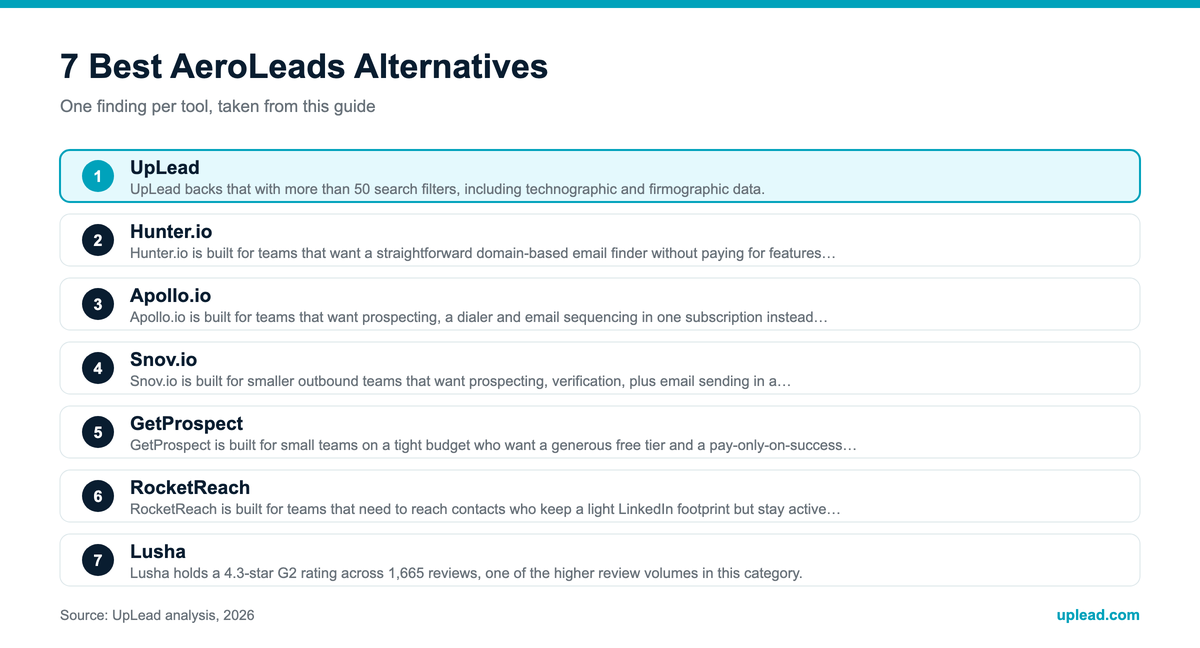
This guide covers seven real AeroLeads alternatives, starting with UpLead, then six more tools that G2’s own competitor data confirms are the closest matches: Hunter.io, Apollo.io, Snov.io, GetProspect, RocketReach and Lusha. Every figure below, price, rating, or customer result, is sourced, not guessed. Where a vendor’s pricing page blocked automated access, the figures carry a “~” and are cross-checked against multiple independent sources rather than left as invented numbers.
What Is AeroLeads?
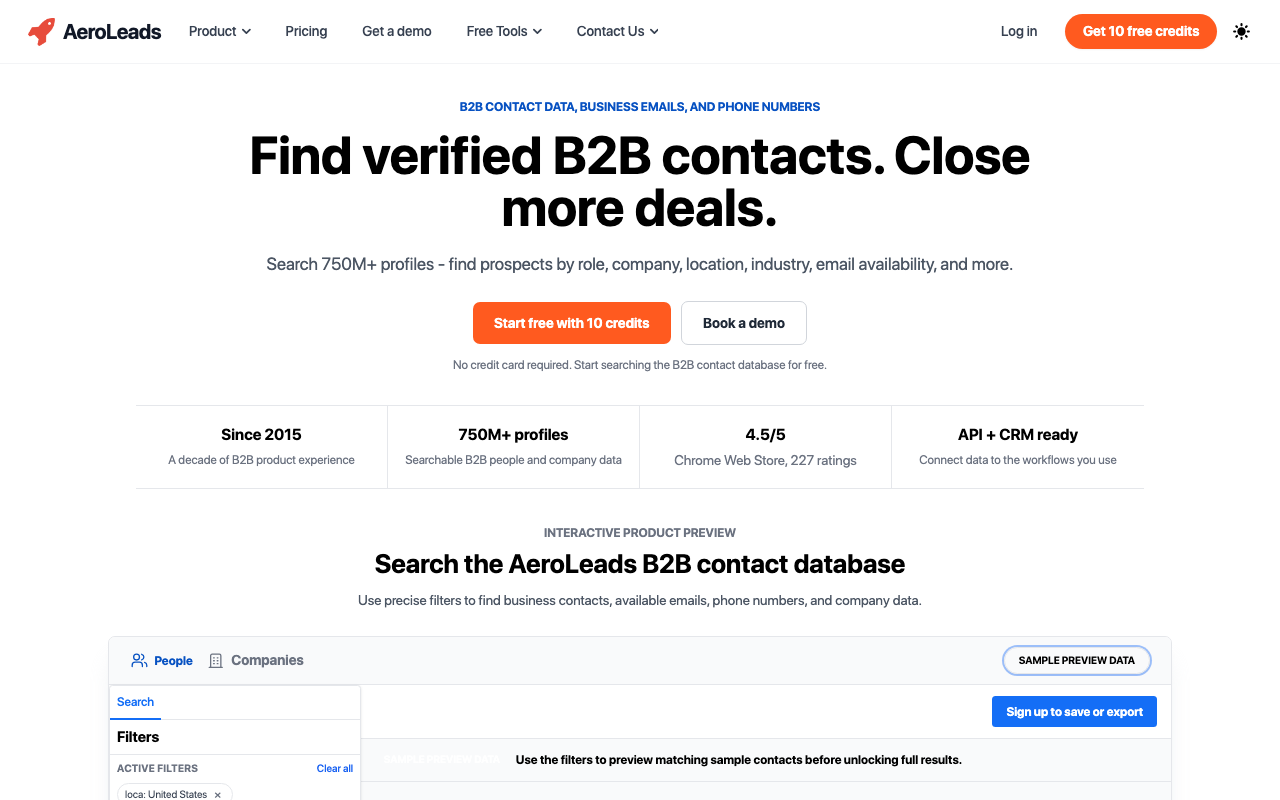
AeroLeads is a B2B lead generation platform built around a Chrome extension. It captures business emails and phone numbers, along with job titles and company details, while a user browses LinkedIn. Founded in 2015, the company markets a database of more than 750 million profiles and offers CRM connections to HubSpot, Salesforce, Zoho, Freshsales, Mailchimp, along with free tools such as an email finder and a spam checker. AeroLeads holds a 4.0-star rating on G2 from roughly 66 reviews and a 4.6-star rating on Capterra from 74 reviews, putting it solidly in the middle of the B2B contact-data category rather than at the top.
Why Look for an AeroLeads Alternative?
There is a real use case where AeroLeads works fine, but several sourced, specific issues explain why teams outgrow it.
1. Data accuracy is AeroLeads’ weakest scored category on its own G2 profile. Contact Data Accuracy sits at 6.9 out of 10 and Company Data Accuracy at 6.0 out of 10, the two lowest feature scores on the entire listing.
2. Reviewers on both G2 and Capterra repeat the same complaint: the database goes stale between refreshes, so a search that looked clean a month ago can bounce today.
3. The entry Take Off plan blends emails and phone numbers into one 5,000-credit pool, and a phone number costs 5 credits against 1 for an email. A team that calls prospects burns through that allowance fast.
4. Take Off is a single-user plan. Adding a second seat means jumping straight to Climb at $149 a month, a 3x price increase just to add one teammate.
5. AeroLeads does not publish an annual-billing discount on its current pricing page. UpLead, Hunter.io, Snov.io, GetProspect, Lusha, RocketReach all cut list price by 20 to 40 percent for annual commitment, so a team paying monthly on AeroLeads is leaving savings on the table that competitors offer by default.
6. Multiple review sites describe AeroLeads’ product cadence as slower than category leaders, with fewer visible feature releases in the past year compared to tools like Apollo.io and UpLead.
None of this means AeroLeads is a bad product. Its Capterra score (4.6) is actually higher than several tools on this list, and a decade of operating history is a real stability signal. But if accuracy or scaling past one seat matters to your team, the alternatives below are worth a look.
What to Look for in an AeroLeads Alternative
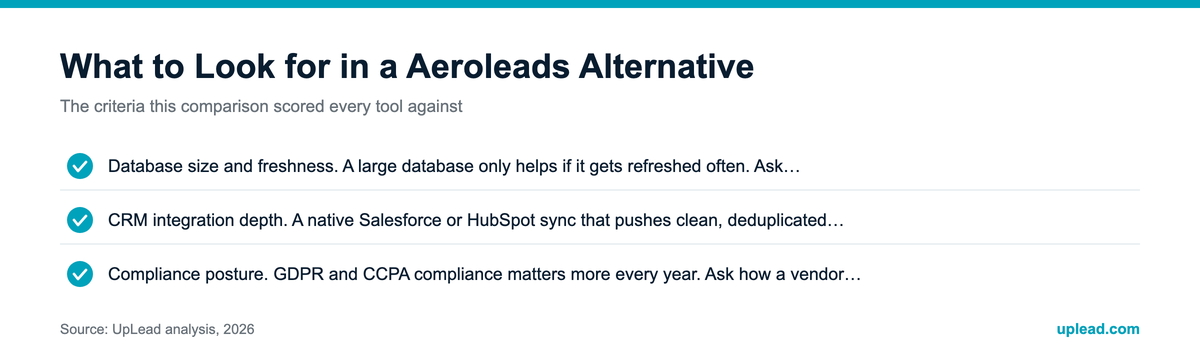
Not every contact-data tool solves the same problem, so weigh these criteria against how your team actually prospects before picking a replacement.
- Verified data accuracy. Ask whether emails and phone numbers get checked at the moment of search or pulled from a static list that ages between refreshes. Real-time verification catches format and mailbox changes that a cached database misses.
- Database size and freshness. A large database only helps if it gets refreshed often. Ask any vendor how frequently their records update, not just how many contacts they claim to hold.
- Phone and mobile coverage. An email-only tool forces teams that call prospects to license a second data source. Confirm phone data is included, not gated behind a separate credit type or a higher tier.
- CRM integration depth. A native Salesforce or HubSpot sync that pushes clean, deduplicated records saves hours over a CSV export that needs manual field mapping every time.
- Chrome extension reliability. Since most of these tools live inside a browser extension, check whether it scrapes LinkedIn in a way that risks account restrictions, a documented issue with some lower-cost tools.
- Pricing transparency and annual discount. Credit-based pricing punishes teams that search often but confirm only a handful of contacts. Compare the real cost per verified contact, not just the sticker price, and check for an annual-billing discount.
- Buyer intent and technographic data. Some tools stop at contact details. Others layer on signals showing which accounts are actively researching your category, which changes how a sales team prioritizes outreach.
- Compliance posture. GDPR and CCPA compliance matters more every year. Ask how a vendor sources and refreshes data, and whether it supports suppression lists for opted-out contacts.
- Support responsiveness and review trends. Read recent G2 and Capterra reviews rather than a vendor’s own testimonial page, and look specifically for repeated complaints about data freshness or billing surprises.
AeroLeads Alternatives at a Glance
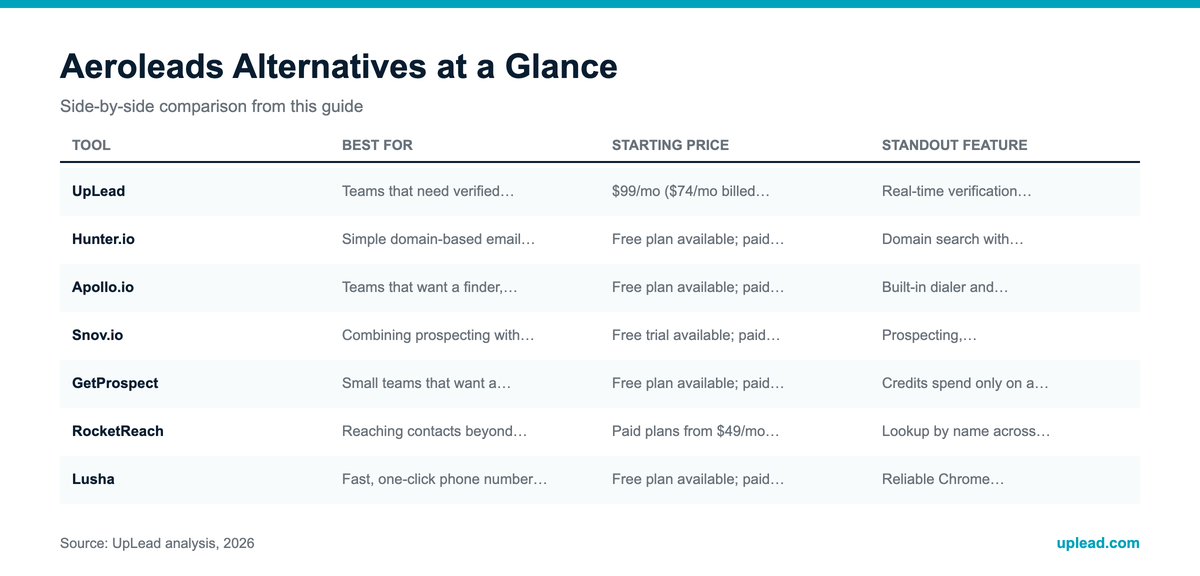
Pricing changes often. Confirm current rates on each vendor’s own pricing page before committing to a plan.
| Tool | Best For | Starting Price | Standout Feature |
|---|---|---|---|
| UpLead | Teams that need verified email and phone data with buyer intent in one search | $99/mo ($74/mo billed annually) | Real-time verification with buyer intent data on every plan |
| Hunter.io | Simple domain-based email finding with a generous free tier | Free plan available; paid plans from ~€49/mo (~€34/mo annual) | Domain search with visible source attribution per email |
| Apollo.io | Teams that want a finder, dialer, and sequencer in one platform | Free plan available; paid plans from ~$59/user/mo (~$49/mo annual) | Built-in dialer and sequencing on top of a 240M+ contact database |
| Snov.io | Combining prospecting with built-in drip email campaigns | Free trial available; paid plans from $29.25/mo | Prospecting, verification, outreach in a single dashboard |
| GetProspect | Small teams that want a generous free tier and pay-on-success credits | Free plan available; paid plans from $49/mo (~$34.30/mo annual) | Credits spend only on a verified, saved email |
| RocketReach | Reaching contacts beyond LinkedIn across a wider social footprint | Paid plans from $49/mo (~$27/mo annual) | Lookup by name across multiple platforms, not LinkedIn alone |
| Lusha | Fast, one-click phone number reveal from a LinkedIn profile | Free plan available; paid plans from ~$52.45/mo annual | Reliable Chrome extension built around quick phone lookups |
The 7 Best AeroLeads Alternatives in 2026
UpLead
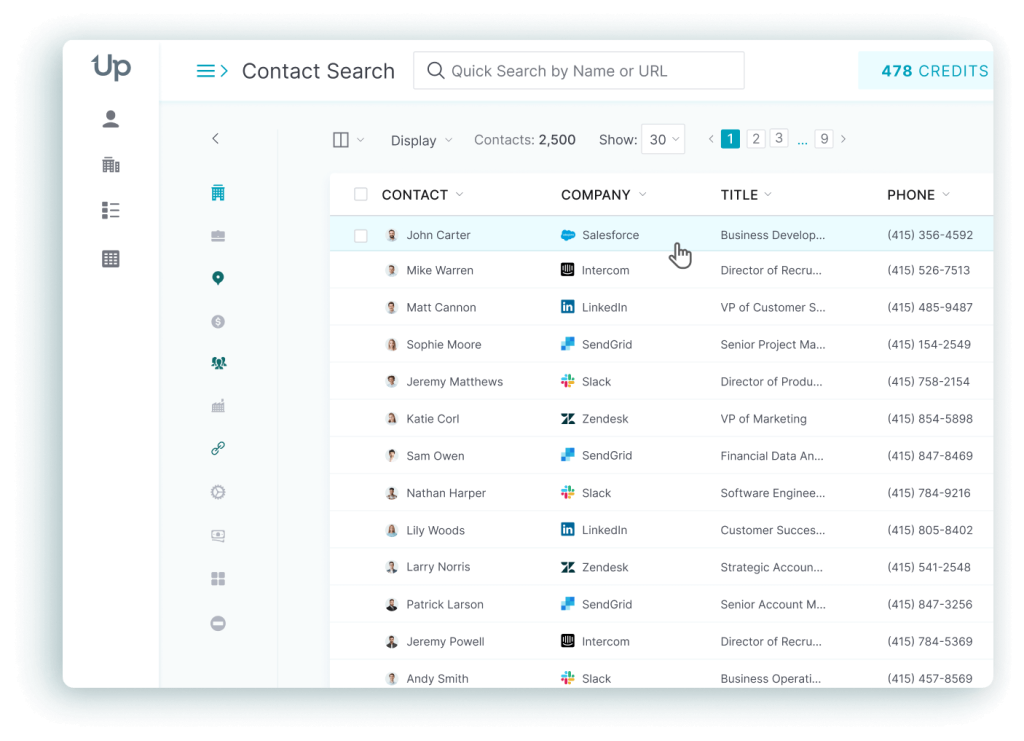
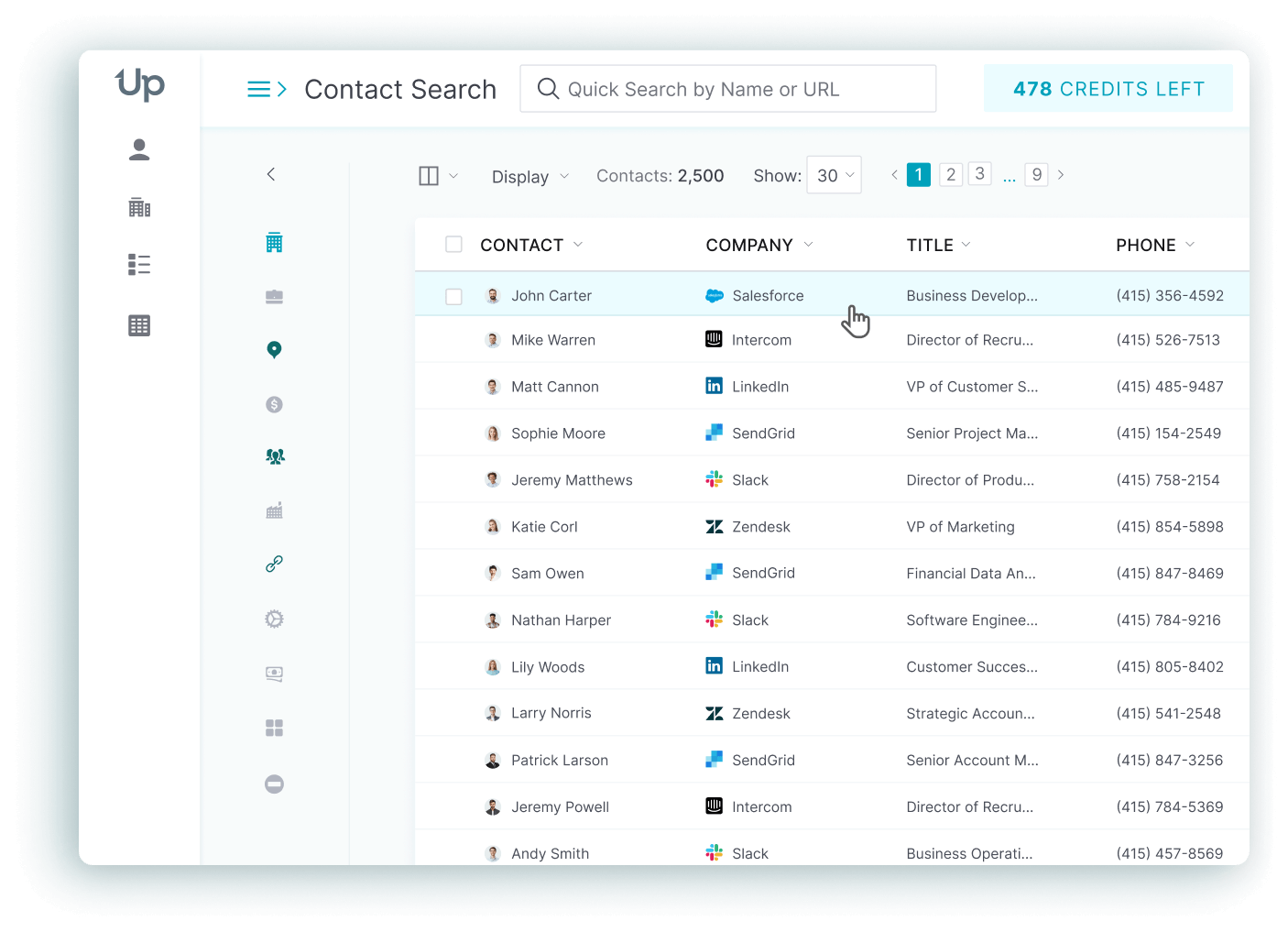
UpLead is built for B2B sales and marketing teams that need verified email and phone data with buyer intent signals in the same search, not a name-to-email lookup that stops at the inbox.
Every contact gets verified in real time at the moment a user searches, rather than served from a static list that ages between refreshes. UpLead backs that with more than 50 search filters, including technographic and firmographic data. A G2 rating of 4.7 out of 5 across more than 800 reviews puts it ahead of AeroLeads’ 4.0 on the same platform. The tradeoff is price: UpLead’s entry Essentials plan starts at $99 a month against AeroLeads’ $49 Take Off tier, so a team that only needs a basic email lookup will pay a real premium for the accuracy and intent-data upgrade.
Top Features
- Real-time verification at the point of search means a credit only gets spent on a contact that is confirmed live, cutting down on the bounce-and-refund cycle common with static-database tools.
- Buyer intent data flags accounts actively researching your product category, so reps can prioritize outreach instead of working a flat list in order.
- 50+ search filters, including technographics let a team target companies running specific software stacks, not just job title or location.
- Bi-directional CRM sync with Salesforce on the Professional plan pushes clean, deduplicated records both ways instead of a one-way CSV export that needs manual field mapping. HubSpot and the other CRM connections run as standard one-way integrations, available from Essentials up.
- Credit-refund policy on invalid contacts gives a team its credit back automatically when a verified record still turns out bad, reducing the cost of edge-case misses.
Pricing
Free Trial: $0 for 7 days, 5 credits. Essentials: $99/mo, or $74/mo billed annually (2,040 credits/year), with CRM integration included. Plus: $199/mo, or $149/mo billed annually (4,800 credits/year), adding data enrichment, technographics, advanced filters. Professional: custom pricing, annual billing only, with buyer intent data, full API access alongside bi-directional CRM sync. One credit covers a full contact record: both a verified email and a mobile direct-dial number. (Sources: uplead.com/pricing, live-verified 2026-08-19)
Pros
- Reviewers on G2 describe UpLead as easy to use with strong search and filter functionality, calling the pricing fair compared to alternatives. (Source: G2)
- Verified leads and fast implementation come up repeatedly as reasons teams stick with UpLead past the trial period. (Source: G2)
- Ranked the #1 easiest-to-use sales prospecting tool by G2 in recent category rankings. (Source: G2)
Cons
- Some reviewers report 5-15% bad leads against UpLead’s own advertised 95% accuracy figure, a gap worth testing against your own list before scaling spend. (Source: G2)
- A handful of reviews mention undisclosed charges appearing after the trial period, worth confirming with sales before signing an annual plan. (Source: G2)
- Essentials-tier credit volume (170/month) runs tight for teams doing high-volume outbound; heavier users need to jump to Plus or Professional quickly. (Source: G2)
What real users say about UpLead
Code Red Safety, a safety-services company serving the oil and gas sector alongside construction, closed $150,000 in new business within 60 days of adopting UpLead. TBM Consulting Group reports generating 50 or more new leads per week after building UpLead into its outbound process, while Morphio saw 50 to 60 percent email open rates on the contacts it sourced through the platform. (Source: uplead.com/case-studies)
Best For: Teams that need verified email and phone data together, with buyer intent signals layered on top, and are willing to pay more than AeroLeads’ entry price for the accuracy gain.
UpLead vs AeroLeads: UpLead verifies every contact live and includes buyer intent data on its higher tiers, while AeroLeads keeps pricing lower but scores its own data accuracy at 6.9 out of 10 on G2, the tradeoff comes down to whether accuracy or entry price matters more to your team.
Hunter.io
Hunter.io is built for teams that want a straightforward domain-based email finder without paying for features they will not use, like a built-in dialer or intent scoring.
A domain search returns every email pattern Hunter can confirm for a company, along with the exact source page where it found each address, which lets a rep sanity-check a result before sending to it. The free plan covers 50 searches a month with no credit card required, and Hunter’s G2 rating sits at 4.4 out of 5 across 694 reviews, with independent testing cited at around 97 percent of results validating as legitimate addresses. The tradeoff is scope: Hunter is email-only, so a team that also needs phone numbers has to add AeroLeads, Lusha, or another data source on top of it, the same gap AeroLeads itself has on the phone-credit side.
Top Features
- Domain search with visible source attribution shows exactly where an email address was found, building confidence in a result before a rep spends outreach time on it.
- Auto-verification on paid tiers checks deliverability at the point of search rather than leaving that step to a separate tool.
- Chrome extension for on-page finding works while browsing a company website directly, not just through a search box.
- AI Writing Assistant helps draft outreach copy inside the same workflow as the search, cutting down on tool-switching.
- Free tier with no credit card required gives a team 50 real searches a month to test data quality before paying anything.
Pricing
Free: €0/mo, 50 credits, 1 email account. Starter: €49/mo, or €34/mo billed annually, 2,000 credits/mo, 3 email accounts. Growth: €149/mo, or €104/mo billed annually, 10,000 credits/mo, 10 email accounts. Scale: €299/mo, or €209/mo billed annually, 25,000 credits/mo, 20 email accounts. Enterprise: custom pricing. (Sources: hunter.io/pricing, live-verified 2026-08-19)
Pros
- Users consistently praise Hunter’s accuracy in finding and verifying email addresses, calling out the hours it saves versus manual domain research. (Source: G2)
- The Chrome extension gets singled out repeatedly for being simple to use without sacrificing power. (Source: G2)
- Independent tests cited in reviews show around 97 percent of Hunter’s results validate as real, deliverable addresses. (Source: G2)
Cons
- Multiple reviewers report being charged for queries that return an unknown result rather than a confirmed hit or miss. (Source: G2)
- Automatic subscription renewal without a clear opt-out reminder is a recurring billing complaint. (Source: G2)
- Hunter is scoped to email only, so teams that need phone numbers or deeper firmographic data have to license a second tool on top of it. (Source: G2)
What real users say about Hunter.io
Aroview used Hunter.io’s Domain Search, Email Finder and Email Verifier together to make its outbound process 30 percent faster, cutting the manual research time that previously slowed down list-building before every campaign. (Source: hunter.io/blog/aroview-case-study)
Best For: Small teams and individual reps who need reliable source-attributed email finding and are fine adding a separate tool for phone numbers.
Hunter.io vs AeroLeads: Hunter’s free tier and source-attributed domain search beat AeroLeads on email-only accuracy confidence, but AeroLeads includes phone numbers in its blended credit pool while Hunter does not offer phone data at all.
Apollo.io
Apollo.io is built for teams that want prospecting, a dialer and email sequencing in one subscription instead of stitching together separate tools for each step.
A contact database of more than 240 million people, spanning over 30 million companies, sits behind the same interface as a built-in dialer and multi-step sequencer, so a rep can find a contact, call them, then enroll them in an outreach cadence without leaving the platform. Apollo.io’s G2 rating is 4.7 out of 5 across 9,696 reviews, one of the largest review volumes in this category, reflecting broad adoption among startups and SMB sales teams. The tradeoff shows up in data accuracy outside the US: practitioner estimates put US accuracy around 88 percent, but that drops to roughly 60 percent for contacts outside North America, with real-world bounce rates of 15 to 35 percent reported despite Apollo’s higher advertised figures, a gap teams selling internationally should test before committing budget.
Top Features
- Built-in dialer and sequencer let a rep move from finding a contact to calling and emailing them without exporting to a separate outreach tool.
- 240M+ contact database spanning 30M+ companies gives even the entry-level plan meaningful reach compared to smaller category tools.
- AI-assisted email drafting inside the sequencer speeds up campaign setup for reps who are not natural copywriters.
- A/Z Testing on Professional tier and above, Apollo’s own name for its sequence split-testing, lets teams optimize performance with real data instead of guesswork.
- Free plan with real usage room grants roughly 900 credits per seat per year, enough for a solo user or very small team to evaluate data quality before paying.
Pricing
Free: $0, ~900 credits/seat/year, 2 sequences, 250 daily emails. Basic: ~$59/user/mo monthly, or ~$49/user/mo billed annually, ~30,000 credits/year. Professional: ~$99/user/mo monthly, or ~$79/user/mo billed annually, adds A/Z Testing along with call recordings and AI insights. The base US dialer is included from Basic upward and spends credits; Power and Parallel Dialer sit in the separate Advanced Dialer add-on at $119 per team per month billed annually. Organization: ~$149/user/mo monthly, or ~$119/user/mo billed annually (3-seat minimum, ~$447/mo minimum), adds SSO and advanced CRM sync. (Sources: apollo.io, verified 2026-08-24 for the database size, A/Z Testing and the Advanced Dialer add-on; tier rates marked ~ come from independent 2026 pricing breakdowns cross-checked 2026-08-19)
Pros
- The all-in-one platform, covering database, sequencing, dialer, enrichment, intent signals, gets cited repeatedly as the reason teams consolidate onto Apollo instead of running three separate tools. (Source: G2)
- New users report building a working campaign within an hour of signing up, faster onboarding than most enterprise-grade platforms. (Source: G2)
- The 4.7-star rating across more than 9,000 reviews reflects consistent value for startups and self-serve teams running US-focused outbound. (Source: G2)
Cons
- Data accuracy drops meaningfully outside North America with contacts in APAC and the Middle East often missing mobile numbers or carrying outdated job titles. (Source: G2)
- Real-world bounce rates of 15 to 35 percent are widely reported, a wider range than Apollo’s advertised accuracy would suggest. (Source: G2)
- Customer service is the lowest-rated G2 subcategory for Apollo.io at 4.2, below the product’s overall 4.7 average. (Source: G2)
What real users say about Apollo.io
SuccessCoaching built an automated lead engine on Apollo.io that generated more than $750,000 in sales pipeline, turning a manual outbound process into a repeatable system the team could scale without adding headcount. (Source: apollo.io customer stories)
Best For: Teams that want prospecting and outreach bundled into one subscription instead of paid for separately, prospecting primarily inside the US and Canada.
Apollo.io vs AeroLeads: Apollo.io packs far more into one subscription than AeroLeads’ find-and-export model: database, dialer, sequencer. AeroLeads’ entry tier is simpler and cheaper for a team that only needs contact lookups without an outreach engine attached.
Snov.io
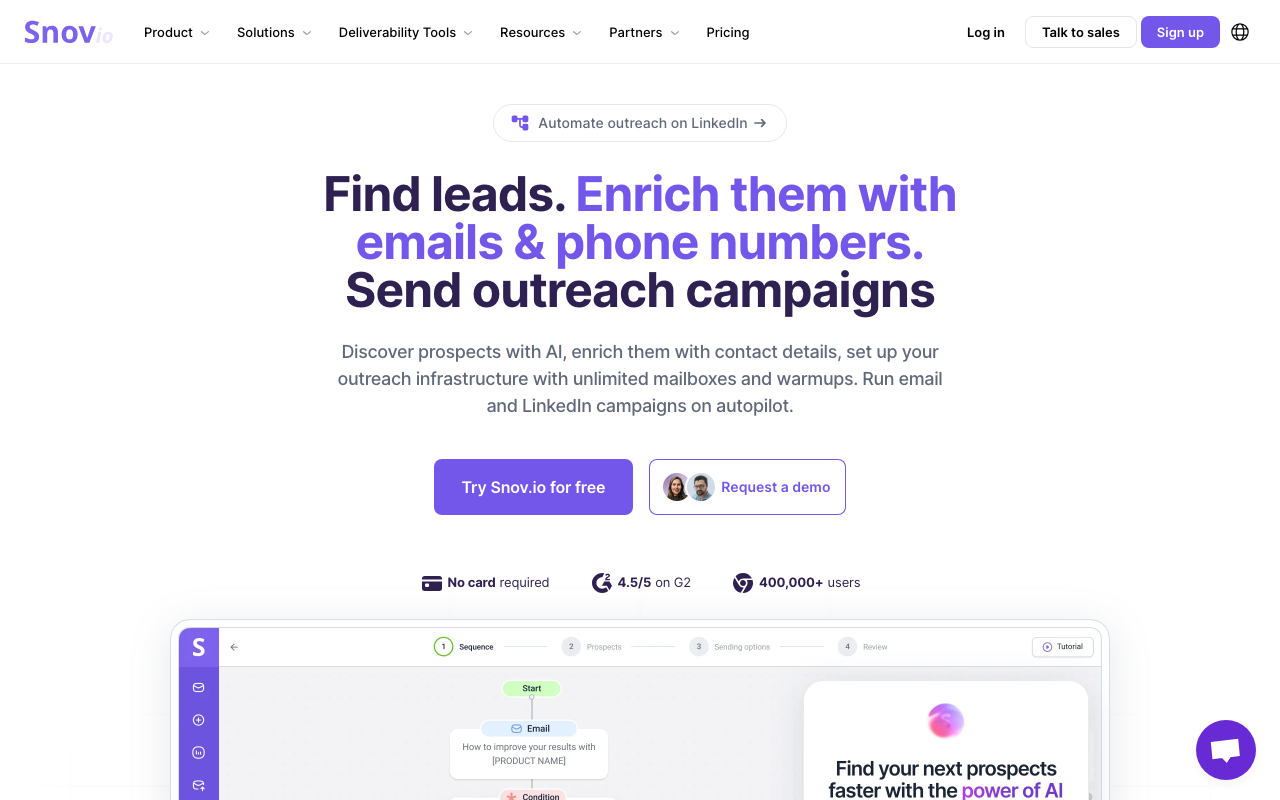
Snov.io is built for smaller outbound teams that want prospecting, verification, email sending in a single dashboard instead of exporting a list to a separate outreach tool.
The platform combines a Chrome extension and bulk domain search with a built-in drip campaign sender, so a rep can find a contact and launch a sequence to them without leaving the interface. Snov.io holds a 4.5-star G2 rating across 495 reviews, with reviewers repeatedly citing the all-in-one workflow as the reason they picked it over a standalone finder like AeroLeads. The tradeoff is LinkedIn automation: it is not bundled into any base plan and costs an extra $69 a month per slot ($62 annually), an add-on cost that is easy to miss when comparing sticker prices.
Top Features
- Built-in drip campaign sender removes the export-and-import step between finding a contact and emailing them.
- Bulk domain search returns every confirmed email tied to a company in one pass rather than one profile at a time.
- Unlimited email warm-ups on Pro tiers helps protect sender reputation for teams doing high-volume outreach.
- Light CRM built into the platform covers basic pipeline tracking without needing a separate tool for small teams.
- Reply sentiment analysis on Pro M and above flags positive responses automatically, cutting down on manual inbox triage.
Pricing
Trial: free, 50 credits, 100 recipients. Starter: $29.25/mo, 1,000 credits, 5,000 recipients. Pro S: $74.25/mo (5,000 credits, 25,000 recipients) adds bulk search and A/B testing. Pro M: $141.75/mo, 20,000 credits. Pro L: $276.75/mo, 50,000 credits. Ultra: $553.50/mo, 100,000 credits. LinkedIn automation is a separate add-on at $69/mo per slot ($62/mo annual), not included in any base tier. (Sources: snov.io/pricing, live-verified 2026-08-19)
Pros
- The combination of prospecting, verification, outreach and light CRM in one dashboard gets called out as a genuine time-saver versus running separate point tools. (Source: G2)
- The campaign builder’s structured sequence layout makes it easier to organize multi-step outreach than a flat email list. (Source: G2)
- Customer support responsiveness comes up often as a strength, with reviewers noting quick turnaround on tickets. (Source: G2)
Cons
- Database depth varies by region and industry, a common complaint among reviewers prospecting outside major English-speaking markets. (Source: G2)
- LinkedIn automation costs extra on every plan, an add-on fee that is easy to miss when comparing Snov.io’s sticker price against competitors that bundle it in. (Source: G2)
- Deliverability at higher send volumes needs active management; reviewers recommend warming up sending domains before scaling campaigns. (Source: G2)
What real users say about Snov.io
Populus Sales used Snov.io to prospect 207 companies, landing a 54 percent open rate and a 15 percent response rate that converted into 3 closed deals averaging $19,000 each, a result the team credited to combining Snov.io’s prospecting and sending tools in one workflow instead of two. (Source: snov.io/testimonials/snovio-populus-sales-case-study)
Best For: Smaller outbound teams that want prospecting and email sending combined in one platform instead of exporting lists to a separate sender.
Snov.io vs AeroLeads: Snov.io adds a built-in outreach sender that AeroLeads does not offer at all, but AeroLeads’ blended credit pool covers phone numbers natively while Snov.io stays primarily email-focused unless you add the LinkedIn automation slot.
GetProspect
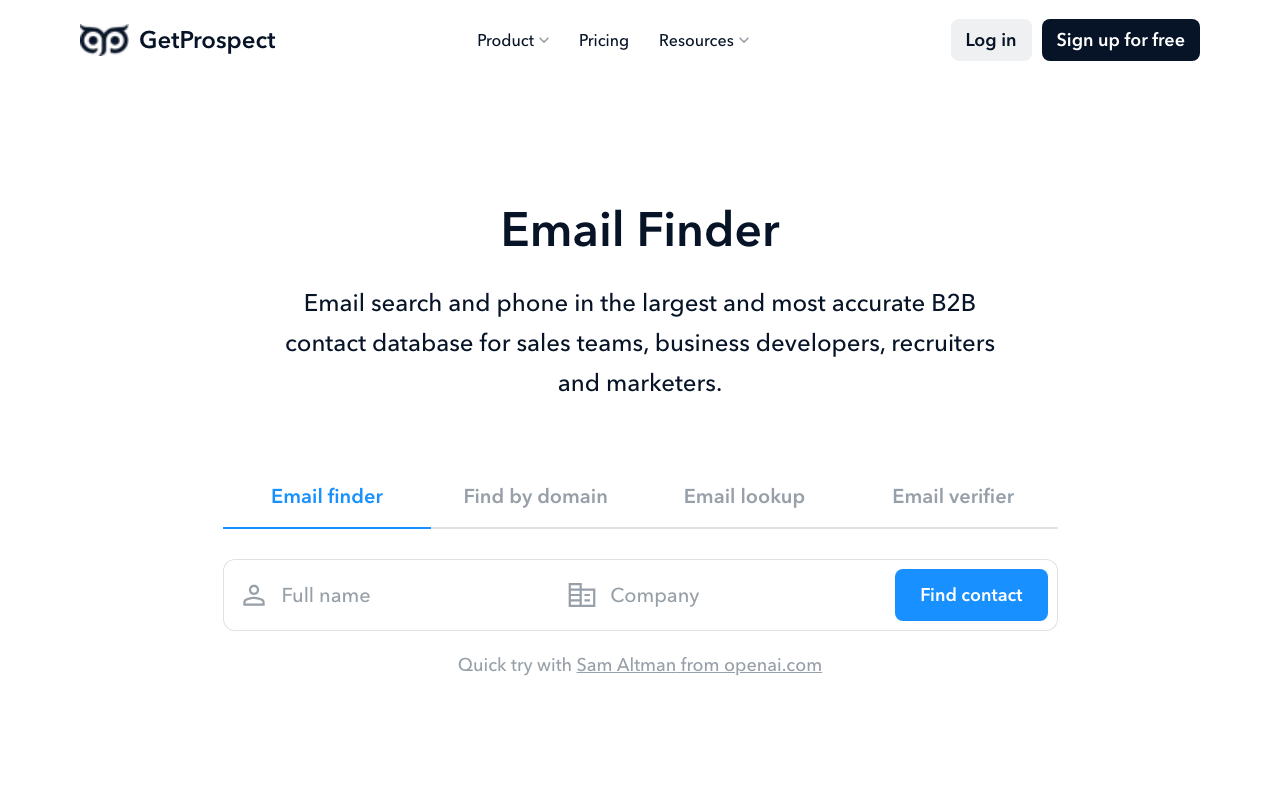
GetProspect is built for small teams on a tight budget who want a generous free tier and a pay-only-on-success credit model.
Credits get consumed only when a search returns a verified, saved email, so a team is not charged for dead-end searches the way flat-rate tools sometimes bill. GetProspect’s free plan includes 50 valid emails a month with no payment required, and all paid plans include unlimited teammates sharing one credit pool, useful for small teams that do not want to pay per seat. The tradeoff is accuracy and account safety: an independent benchmark cited GetProspect’s real-world email accuracy at 61.9 percent against a marketed figure closer to 95 percent, and multiple 2025-2026 G2 reviewers report LinkedIn account restrictions tied to how the Chrome extension scrapes profile data.
Top Features
- Pay-on-success credit model means a search that fails to return a verified email does not consume a credit, unlike tools that bill per attempt.
- Unlimited teammates on shared credit pools removes per-seat licensing friction for small teams growing headcount without growing budget.
- Bulk domain search returns a company’s full contact list in one pass rather than one profile lookup at a time.
- CSV export with mapped fields speeds up CRM import compared to a raw, unformatted export.
- Generous free tier gives a team 50 valid emails a month to test data quality before paying anything.
Pricing
GetProspect’s Free tier costs $0/mo for 50 valid emails a month. Starter: $49/mo, or ~$34.30/mo billed annually, 1,000 emails, 5 phone credits. Growth 5K: $99/mo, or ~$69/mo annually. Growth 20K: $199/mo. Growth 50K (Agency): $399/mo. (Sources: multiple independent 2026 GetProspect pricing breakdowns, cross-checked 2026-08-19; GetProspect’s own pricing page blocked automated fetch)
Pros
- Fast LinkedIn-profile-to-verified-email lookup gets praised repeatedly for saving time over manual research. (Source: G2)
- The pay-on-success credit model makes real cost-per-deliverable-email one of the more predictable in the category. (Source: G2)
- Responsive customer support and a straightforward interface come up often in reviews from smaller teams. (Source: G2)
Cons
- An independent benchmark put GetProspect’s real-world email accuracy at 61.9 percent, a meaningful gap from the marketed figure near 95 percent. (Source: G2)
- Multiple 2025-2026 G2 reviewers report LinkedIn account restrictions or temporary bans tied to the Chrome extension’s scraping behavior, a real risk for heavy daily users. (Source: G2)
- No phone numbers are included on the lower tiers, and reviewers note weaker SMB-specific coverage compared to larger databases. (Source: G2)
What real users say about GetProspect
GetProspect lists 13 case studies and 9 customer testimonials through its FeaturedCustomers profile, covering sales, business development, recruiting use cases. A specific quantified result, a dollar figure or percentage lift, was not available in any published case study found during research for this article, so none is cited here rather than estimated. (Source: featuredcustomers.com/vendor/getprospect)
Best For: Budget-conscious small teams that want a generous free tier and are comfortable managing Chrome-extension usage carefully to avoid LinkedIn account flags.
GetProspect vs AeroLeads: GetProspect’s pay-on-success credits and larger free tier undercut AeroLeads on entry cost, but both tools carry real accuracy caveats worth testing directly against your own prospect list before scaling spend.
RocketReach
RocketReach is built for teams that need to reach contacts who keep a light LinkedIn footprint but stay active on other platforms, since its lookups pull from a wider set of sources than LinkedIn alone.
A name-based search checks multiple social platforms and public web sources at once, and the browser extension supports real-time lookups while browsing LinkedIn profiles or company sites directly. RocketReach’s G2 rating stands at 4.4 out of 5 across 1,212 reviews, with roughly 60 percent of reviewers awarding five stars, and the vendor advertises 98 percent-plus accuracy on emails and phone numbers. That said, real-world testing referenced in reviews shows a more mixed picture, with bounce rates of 20 to 30 percent reported by a meaningful share of users, so the advertised accuracy figure and the on-the-ground experience do not always match.
Top Features
- Cross-platform name search looks beyond LinkedIn to find contact details tied to a name across multiple sources at once.
- Browser extension for real-time lookups works directly on LinkedIn profiles and company websites without switching tabs.
- Full API access on the Ultimate tier lets teams embed RocketReach lookups directly into internal tools and workflows.
- Salesforce integration and org charts on higher tiers support account-based selling motions beyond a flat contact list.
- Unlimited lookups on annual Pro billing removes the per-search anxiety that comes with a hard monthly cap.
Pricing
Essentials (email only): $49/mo monthly, or $27/mo billed annually ($329/yr). The annual plan carries 1,200 exports a year, the monthly plan 100 lookups a month. Pro (email + phone): $99/mo monthly, or $69/mo billed annually ($829/yr), 250 lookups a month. Ultimate: $209/mo monthly, or $142/mo billed annually ($1,699/yr), up to 20,000 lookups a year, full API access. Enterprise seats and team plans are quoted directly by RocketReach. (Sources: rocketreach.co/pricing, verified 2026-08-24)
Pros
- Reviewers highlight strong accuracy on email and phone lookups, particularly when pasting a LinkedIn profile URL directly into the search bar. (Source: G2)
- The browser extension gets consistent praise for enabling real-time contact lookups without leaving the current page. (Source: G2)
- Effective search filters and an intuitive interface help users find the right contact quickly even in a large result set. (Source: G2)
Cons
- Real-world bounce rates of 20 to 30 percent are widely reported, a wider spread than RocketReach’s advertised 98 percent-plus accuracy figure suggests. (Source: G2)
- Multiple 2025-2026 reviewers report friction in the cancellation process and unexpected charges appearing at renewal. (Source: G2)
- The sequence email send count is capped at 500 per day, and running multiple sequences at once forces one to finish before another can start. (Source: G2)
What real users say about RocketReach
Yeshiva University increased contact accuracy by 70 percent after adopting RocketReach, which delivered 50 percent more data coverage than the university’s prior sources and helped enable a 95 percent placement rate in its post-graduate outcomes survey. (Source: rocketreach.co/resources/customer-stories/yeshiva-university-and-rocketreach)
Best For: Teams and recruiters who need to reach contacts across a broader footprint than LinkedIn alone, especially where phone numbers matter as much as email.
RocketReach vs AeroLeads: RocketReach searches a wider set of platforms than AeroLeads’ LinkedIn-first approach, but its entry Essentials tier is email-only, so a team needing phone data from the start has to jump straight to the Pro plan.
Lusha
Lusha is built for reps who want a fast, reliable way to reveal a prospect’s direct-dial phone number from their LinkedIn profile without digging through a full search interface.
The Chrome extension pulls contact details straight from a LinkedIn profile in a single click. Lusha’s own marketing claims roughly 95 percent email accuracy, with practitioner reports showing bounce rates in the low single digits for US, UK, Canadian contacts specifically. Lusha holds a 4.3-star G2 rating across 1,665 reviews, one of the higher review volumes in this category. The tradeoff is geographic: data quality is noticeably weaker outside the US, UK, and Canada, particularly for continental European mobile numbers. Credits also get consumed quickly enough that reviewers say they have to be selective about which leads they target.
Top Features
- One-click phone reveal from LinkedIn turns a profile view into a direct-dial number without leaving the page.
- Intent-based search flags active buyers, lifting conversion over a cold list.
- Reliable Chrome extension built around speed rather than deep filtering, which favors reps who need quick lookups over exhaustive search.
- Buying-intent topics on higher tiers (25 topics on Scale versus 5 on lower tiers) give sales teams more signal to prioritize accounts.
- API access for custom workflows lets larger teams build Lusha data directly into internal tools rather than relying on the extension alone.
Pricing
Lusha’s Free plan costs $0 for 40 credits/mo, 1 seat. Starter: ~$37.45/user/mo billed annually, 4,800 credits/year, 1 seat. Pro: from ~$52.45/mo billed annually (~$69.90/mo monthly), 7,200 credits/year, 2 users, scaling to ~$174.95/mo annually for 24,000 credits/year. Premium: from ~$299.95/mo billed annually (~$399.90/mo monthly), 40,800 credits/year, 5 users. Scale: custom pricing, 5+ users, SSO, 25 buying-intent topics. A verified email costs 1 credit, a phone number costs 5 credits. (Sources: multiple independent 2026 Lusha pricing breakdowns, cross-checked 2026-08-19; Lusha’s own pricing page blocked automated fetch)
Pros
- The Chrome extension’s reliability pulling contact details directly from LinkedIn gets called out repeatedly as a daily-workflow strength. (Source: G2)
- US, UK, and Canadian contact data quality earns consistent praise, with several reviewers citing low bounce rates when verified before sending. (Source: G2)
- Intent-based search has measurably improved conversion rates for teams that lean on it to prioritize accounts. (Source: G2)
Cons
- Data accuracy is inconsistent outside core markets, with weaker mobile coverage across continental Europe called out specifically. (Source: G2)
- One G2 reviewer reported only about half of the phone numbers returned were accurate or still active, an outlier but a real risk worth testing. (Source: G2)
- Credits get used up quickly, forcing reps to be selective about which leads they reveal rather than casting a wide net. (Source: G2)
What real users say about Lusha
Insight Global improved its contact rate from 5 percent to 20 percent, a 4x improvement, with 10x faster conversion speed after adopting Lusha. The team credited verified mobile numbers with helping land major accounts including IBM. (Source: lusha.com/customers/insight-global)
Best For: Sales teams prospecting primarily in the US, UK, or Canada who want fast, one-click phone lookups layered with intent data.
Lusha vs AeroLeads: Lusha’s phone-reveal workflow is faster and its core-market data quality tests stronger in reviews, but AeroLeads’ broader database claim (750M+ profiles) and lower entry price make it the cheaper starting point for teams not focused on US/UK/Canada accounts specifically.
AeroLeads Alternatives FAQ
Is AeroLeads good for lead generation?
Basic email and phone lookups work fine on AeroLeads, especially for solo users or very small teams on a budget. Its own G2 profile scores Contact Data Accuracy at 6.9 out of 10, though, so teams that need consistently clean data for high-volume outreach often find the accuracy gap worth paying more to close.
What is the cheapest AeroLeads alternative?
Snov.io’s Starter plan at $29.25 a month is the least expensive paid option among the alternatives covered here, undercutting AeroLeads’ $49 Take Off tier while adding a built-in email sender AeroLeads does not offer.
Does AeroLeads have a free plan?
Yes. AeroLeads offers a free trial with no credit card required though it is credit-limited and does not include export functionality. Most of the alternatives on this list also offer a free tier or trial to test data quality before paying. That includes UpLead, Hunter.io, Snov.io, GetProspect, Lusha.
Is UpLead better than AeroLeads?
UpLead scores higher on G2 (4.7 versus AeroLeads’ 4.0) and verifies contacts in real time with buyer intent data included on higher tiers, but it costs more at the entry level, $99 a month against AeroLeads’ $49. Teams prioritizing accuracy and intent data tend to choose UpLead; teams prioritizing entry price tend to stay with AeroLeads or move to a cheaper alternative like Snov.io.
Which AeroLeads alternative includes phone numbers?
Phone-number lookups come with UpLead, AeroLeads itself, GetProspect’s paid tiers, Lusha. RocketReach includes them on its Pro tier or higher. Hunter.io is email-only, and Apollo.io includes phone data through its built-in dialer on paid plans.
Choosing the Right AeroLeads Alternative for Your Team
There is no single best replacement for AeroLeads, only the one that matches how your team actually prospects. When accuracy and buyer intent data matter more than entry price, UpLead stands out: real-time verification and a 4.7-star G2 rating make it the strongest overall pick. If budget is the deciding factor, Snov.io and GetProspect both undercut AeroLeads’ starting price while adding features it does not offer. If your team needs a dialer and sequencer bundled in, Apollo.io consolidates more of the outbound stack into one subscription than any other tool here.
Whichever direction you go, test the data against your own target list before committing to an annual plan. Every accuracy figure in this guide, including AeroLeads’ own, comes with real-world caveats reviewers have flagged directly, and the only way to know how a tool performs against your specific market is to run a real search against it first.