


Swordfish built its reputation on one thing: pulling a prospect’s personal cell number and personal email straight off their LinkedIn, Facebook, or GitHub profile. For a recruiter chasing a passive candidate or a rep who needs a direct line instead of a gatekeeper, that focus earns real loyalty. But the “unlimited” pricing hides a fair-use throttle that caps daily lookups, there is no buyer-intent layer, and technographic filtering is absent at every tier. Teams that need more than a phone number often start comparing options within a few months.
This guide covers eight real Swordfish alternatives: what each one does well, current pricing where it is publicly listed, and the specific gaps that push B2B teams to switch. UpLead is included because it closes the exact gap Swordfish leaves open. It verifies business emails and mobile direct-dials together at the point of search, and adds buyer intent data and technographic filters that Swordfish does not offer at any plan.
What Is Swordfish?
Swordfish is a contact-discovery platform built around a Chrome extension. The extension reveals personal cell numbers and personal email addresses from LinkedIn or Facebook profiles, GitHub or X profiles, Stack Overflow profiles. Google and Bing search results feed it too. Bulk CSV enrichment and an API sit alongside the extension, though the API is available on the Teams plan only. Salesforce, HubSpot, Pipedrive, Zoho, Microsoft Dynamics cover the CRM side; Bullhorn and Lever handle recruiting; Zapier and Make pick up everything else. Vendor materials state 95 percent accuracy with real-time deliverability and line-activity checks at the moment of lookup, though no independent audit of that figure has been published.
What Swordfish does not do is track buyer intent or map a target account’s technology stack. Its database also skews toward personal contact reveal rather than verified business identity, which matters for teams running compliance-sensitive B2B outreach. For a solo recruiter working candidate lists, that tradeoff rarely matters. For a sales team that needs to prioritize accounts already showing purchase intent, it means bolting on a second tool.
Why Look For a Swordfish Alternative?
Most of what Swordfish promises holds up in reviews for its core use case. The reasons teams still start shopping elsewhere are specific, not vague dissatisfaction, and they tend to show up in roughly this order.
1. The “unlimited” plans are not actually unmetered
Solo and Teams both market unlimited lookups, but an undisclosed fair-use policy caps daily volume behind the scenes. Independent estimates put the real ceiling around 150 to 200 contacts a day, and phone reveals burn through that budget roughly ten times faster than email reveals. A team that plans its workflow around the word “unlimited” finds out the actual number only after they hit it.
2. There is no buyer-intent data at any tier
A cell number can get confirmed as reachable, but nothing in Swordfish flags which of those contacts are actively researching a solution right now. Reps end up dialing a list in the order it was built rather than the order it should be worked.
3. Technographic filtering does not exist
Prospecting based on a target company’s tech stack, whether that means finding Shopify merchants or Salesforce shops, requires a separate tool entirely. Swordfish’s search does not narrow by installed software at all.
4. Access does not persist after cancellation
Several competitors let unused credits roll over or remain accessible after a subscription lapses. Swordfish’s model expires access the moment a plan ends, so a team that pauses spend for a slow quarter and restarts later starts from zero rather than picking up where it left off.
5. Mobile hit rates get inconsistent outside the US
Reviewers who prospect internationally report that Swordfish’s personal-number accuracy holds up well domestically but gets noticeably less reliable once a search moves outside the United States. Teams selling into Europe or APAC often notice the gap first.
6. There is no dialer or sequencing layer
Everything after the reveal happens somewhere else. Calling and sequencing happen in a separate tool once a number or email surfaces. Logging the touch happens there too. Teams that want prospecting and outreach in one workspace eventually look at platforms built to cover both steps.
Sources: reviewer-reported patterns cross-checked via Salesforge, SyncGTM & FullEnrich.
What to Check For in a Swordfish Alternative
Matching a replacement tool to an actual workflow gap works better than picking whichever name comes up most in search results. These ten criteria cover what tends to separate a good fit from a frustrating one.
1. Personal versus business contact specialization
Some tools chase a person’s personal cell number and inbox; others verify a business email and direct dial tied to a company domain. A team that needs both usually pays for two subscriptions unless the replacement covers each type in one search.
2. Verification method and timing
Real-time verification at the moment of search beats a record pulled from a static cache that goes stale between refreshes. Ask whether checking happens at export or was done weeks earlier.
3. Buyer intent data availability
Intent signals turn a plain contact list into a prioritized one. Check whether intent comes standard, sits behind a higher tier, or is missing from the product entirely.
4. Technographic and firmographic filters
If prospecting depends on a target’s tech stack, company size, or industry, confirm the filter exists and is current. A filter that has not been updated in a year is close to useless for technographic targeting.
5. Fair-use and credit transparency
Read the fine print on any plan marketed as unlimited. Ask directly what the daily or monthly ceiling is, and get the answer in writing if volume matters to the team.
6. Access persistence after cancellation
Find out whether unused credits roll over, whether access simply pauses, or whether everything resets to zero the moment a subscription lapses. That detail matters more once a team has paused and restarted a plan at least once.
7. CRM and ATS integration depth
A one-way export into a CRM creates cleanup work. Look for bidirectional sync with the systems the team already runs, along with recruiting-specific integrations like Bullhorn or Lever if the use case is talent sourcing.
8. Outreach workflow support
Some tools stop at the reveal. Others add a dialer, sequencer, or engagement layer on top of the contact data. That difference changes how many separate tools a rep needs open during a normal day.
9. Regional coverage and compliance
Coverage quality and privacy posture vary sharply by region. A tool with strong US data can still be weak in Europe or APAC, and GDPR-aware handling of personal data matters for any team prospecting into the EU.
10. Pricing model and cost per verified contact
Do not compare sticker price alone. A credit-based plan, a flat “unlimited” rate with a hidden cap, and a per-seat annual contract all produce a different real cost once actual usage gets factored in.
How to Choose a Swordfish Alternative
Run the same short pilot on every finalist instead of comparing marketing pages side by side. Pull the same 50 target accounts, search each tool with identical role and location filters, and count how many contacts come back usable without extra cleanup. That single test surfaces coverage gaps and verification quality faster than a features chart ever will.
Weigh price against actual usage next, not the sticker number. A per-seat annual contract can undercut monthly billing on paper while locking a team into a year before anyone knows if the data holds up, and a flat “unlimited” rate can turn out costlier than a credit plan once a fair-use cap kicks in. Read recent G2 and Capterra reviews last, and look specifically for comments about data freshness outside the vendor’s home market, and about what happens to access after cancellation. Those two details tend to surface first once a tool stops fitting the workflow.
Swordfish Alternatives at a Glance
| Tool | Best For | Starting Price | Standout Feature |
|---|---|---|---|
| UpLead | Teams that need verified business email, phone, and buyer intent together | $99/mo ($74/mo billed annually) | Real-time email and phone verification with buyer intent and technographic data |
| ZoomInfo | Enterprise teams needing full go-to-market intelligence | Custom pricing, quote required | Org charts and Streaming Intent data at enterprise scale |
| Lusha | Teams that want a free tier before committing to phone data | Free plan available; paid plans start at $37.45/mo billed annually | Credit rollover and a permanent no-cost tier |
| Apollo.io | Teams that want a finder, dialer, and sequencer in one platform | Free plan available; paid plans start at $49/user/mo billed annually | Built-in sales engagement and dialer |
| Cognism | EMEA-focused teams that need verified mobile coverage and GDPR compliance | Custom pricing, quote required | Diamond-verified European mobile-number accuracy |
| RocketReach | Wide reach across social platforms beyond LinkedIn | $49/mo monthly or $27/mo billed annually | Lookup by name across several social networks |
| Hunter.io | Simple business-email finding with a generous free tier | Free plan available; paid plans start at $34/mo billed annually | Domain search with source-page attribution |
| Wiza | Turning LinkedIn Sales Navigator searches into clean lists | Free plan available; paid plans start at $49/mo | Bulk export of full Sales Navigator search results |
Pricing changes often, and several of these vendors quote different figures depending on billing term. Confirm current rates on each vendor’s own pricing page before committing to a plan.
The 8 Best Swordfish Alternatives in 2026
1. UpLead
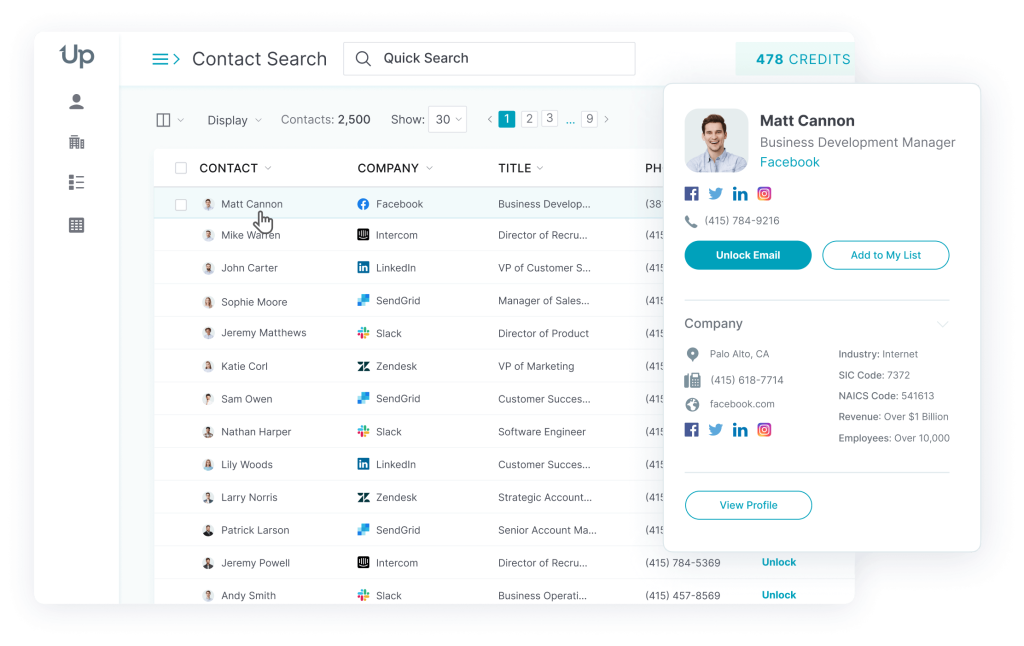
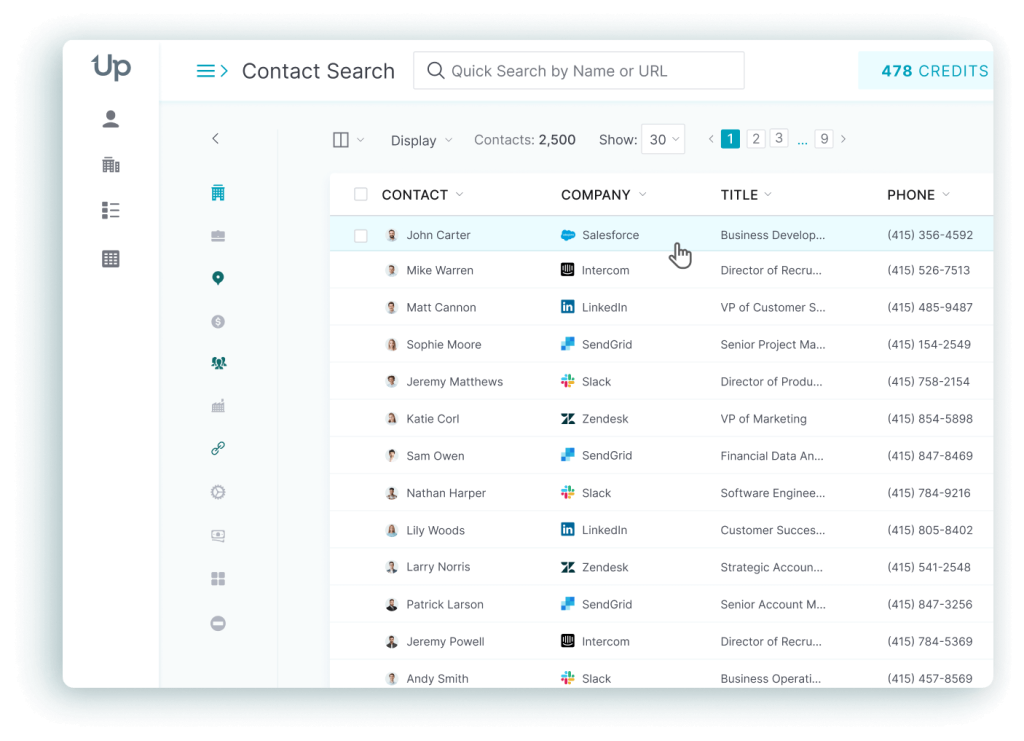
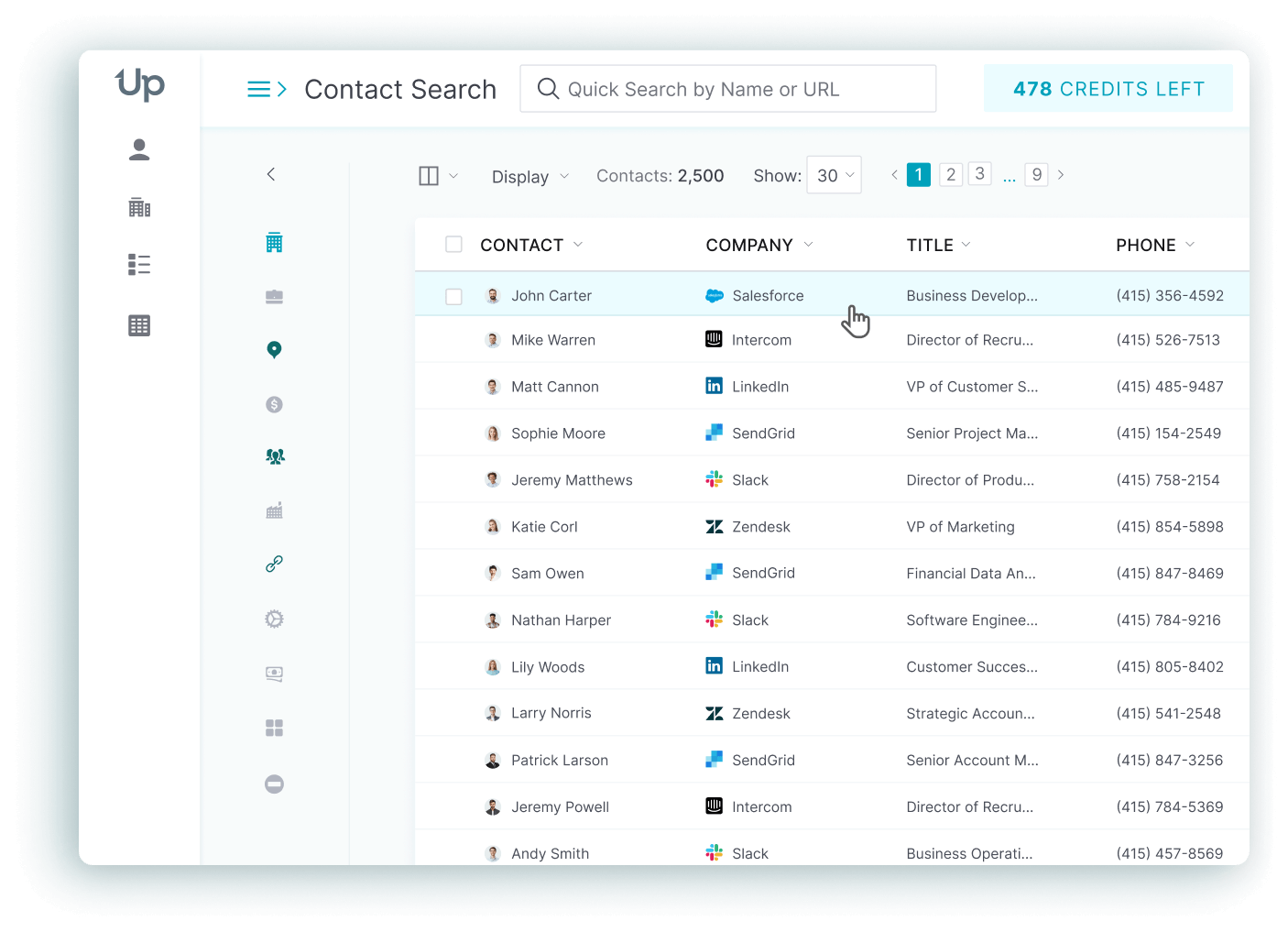
UpLead is a verification-first B2B data platform built for sales and RevOps teams that want accurate business contacts without a heavy rollout.
UpLead gives users access to more than 200 million leads, verified in real time as a search runs and backed by a 95 percent data accuracy guarantee. More than 50 filters cover role, industry, and revenue, while a separate technographic layer tracks more than 27,000 technologies. A buyer intent signal flags accounts actively researching a category, something Swordfish’s search does not attempt at all. Each record gets checked at the moment of export instead of pulled from a cache that goes stale between refreshes, which is the core mechanical difference from Swordfish’s social-profile reveal model.
The tradeoff shows up in what UpLead does not chase. It does not attempt personal cell-phone or personal-email discovery from LinkedIn, Facebook, or GitHub profiles the way Swordfish does, and its credit-based pricing costs more per contact at the entry tier than Swordfish’s flat “unlimited” price for a light user. A recruiter who mainly needs one personal number a week will likely find Swordfish cheaper in practice. A sales team that needs verified business contacts and intent data will find UpLead closes gaps Swordfish leaves open at every plan.
Top Features
- Real-time email and phone verification checks each contact before export, which stays one of the clearest practical differences from a static-record model.
- Buyer intent data flags accounts actively researching a category, a layer Swordfish does not offer at any tier.
- Technographic filters cover more than 27,000 tracked technologies for finding companies running specific software.
- More than 50 search filters narrow by role and geography as well as industry and revenue, with minimal setup.
- Direct two-way CRM sync with Salesforce and HubSpot keeps enrichment current without manual exports.
- The Chrome extension supports live prospecting research the same way Swordfish’s extension does, but ties back to verified business records.
Pricing
- Free trial: $0 for 7 days with 5 credits.
- Essentials: $99/month billed monthly or $74/month billed annually, 170 credits/month.
- Plus: $199/month billed monthly or $149/month billed annually, 400 credits/month.
- Professional: custom annual pricing through sales, adds buyer intent data and full API access.
(Sources: UpLead)
Pros
- UpLead is widely praised for accurate contact data and a low-friction search-to-export workflow. (Source: G2)
- Support quality comes up repeatedly, along with comments that UpLead feels easier to run day to day than a heavier enterprise platform. (Source: G2)
- Reviewers also point to the mix of verified emails, usable filters, and a clean CRM export flow that gets small teams from search to outreach fast. (Source: G2)
Cons
- Some reviewers report outdated contacts or thinner company coverage on certain searches. (Source: G2)
- Buyers looking for the broadest possible enterprise database sometimes find UpLead narrower than ZoomInfo. (Source: G2)
- A few users mention limited free-trial credits and friction re-running more complex searches. (Source: G2)
What real users say about UpLead
Kyber Security’s published case study with UpLead reports $400,000 in open pipeline and $14,000 saved per year after switching over. That result came from replacing a costlier tool with tighter verification and lower spend, the same tradeoff a Swordfish user weighing UpLead would be making. (Source: Kyber Security)
Best For
Teams that want verified business email and phone together with buyer intent data, not only a personal cell number.
UpLead vs Swordfish
Swordfish specializes in reaching a person’s personal number or inbox through a social-profile reveal. UpLead specializes in verifying business contacts in real time and adds intent and technographic data Swordfish does not offer at any tier, at a price that starts even with Swordfish’s Solo plan.
2. ZoomInfo
ZoomInfo is an enterprise go-to-market intelligence platform built for teams that need account mapping and buying signals layered on top of raw contact data.
The platform’s own materials cite more than 203 million company records and 410 million contact profiles, searchable through more than 300 filters spanning firmographics and technographics, with intent signals layered in. Org charts map reporting lines inside target accounts so reps can identify an economic buyer before the first call. A Streaming Intent layer tracks keyword research activity across the web to flag which accounts are actively in market.
That depth carries a real cost and quality tradeoff. Third-party analysis of buyer reviews puts a typical first-year spend around $31,875, with most teams reporting $30,000 to $60,000 all-in once seats and add-ons get counted, and reviewers report that a meaningful share of exported contacts bounce or carry outdated titles, especially in SMB and European segments. Against Swordfish’s flat monthly price for a personal-contact lookup, ZoomInfo sits in a different purchase category entirely, one built for account intelligence rather than a single phone number.
Top Features
- Org chart mapping helps reps identify economic buyers versus influencers before outreach, which matters most in enterprise deals with six to ten stakeholders.
- Streaming Intent data flags accounts actively researching a category by tracking keyword consumption across the web.
- More than 300 search filters narrow by firmographics and technographics, down to a specific buying committee.
- The Chrome extension lets reps prospect directly from LinkedIn without switching tabs.
- Bidirectional CRM and MAP sync with Salesforce, HubSpot, Marketo supports enrichment and lead routing at scale.
Pricing
- Custom: ZoomInfo does not publish self-serve plan pricing; every quote runs through a sales team and typically requires a minimum seat count. Third-party analysis of buyer reviews puts median first-year spend at roughly $31,875, with typical small-team rollouts landing between $30,000 and $60,000 all-in (Source: G2).
Pros
- Reviewers consistently point to org chart depth as a real advantage in enterprise deals with multiple stakeholders. (Source: G2)
- The Streaming Intent layer draws praise as a credible signal for prioritizing accounts that are actively in market. (Source: G2)
- Several reviewers describe the underlying data as more dependable than smaller competitors once a team learns the platform. (Source: G2)
Cons
- A recurring complaint is exported contacts that bounce or carry stale job titles, particularly in SMB and non-US segments. (Source: G2)
- Reviewers frequently flag contract length and auto-renewal terms, with several describing difficulty exiting a renewal inside the cancellation window. (Source: G2)
- Add-on costs and per-seat pricing push total spend well past the number a rep first hears in a sales call. (Source: G2)
What real users say about ZoomInfo
Snowflake’s published case study with ZoomInfo describes an Account Propensity Scoring model built on ZoomInfo data that produced 2x higher new-customer conversion rates and 90 percent higher opportunity open rates on top-scoring accounts. That is the kind of prioritization layer a personal-contact tool like Swordfish has no equivalent for. (Source: Snowflake)
Best For
Enterprise go-to-market teams that need account mapping and buying-committee intelligence, not only a phone number.
ZoomInfo vs Swordfish
ZoomInfo maps an entire buying committee and adds intent data on top, well past what Swordfish’s single personal contact reveal covers, at a price and contract length most solo users and small teams will find hard to justify next to Swordfish’s flat monthly rate.
3. Lusha
Lusha is a fast-adoption contact-lookup platform built for teams that want quick access to verified emails and phone numbers without a long setup.
Lusha’s database covers more than 152 million business emails and 280 million direct dials, spread across 30 million company profiles, with the vendor citing 98 percent email accuracy and 86 percent phone accuracy. The Chrome extension reveals a contact in one click from a LinkedIn profile, and a credit slider on paid tiers lets a team scale usage up or down without switching plans.
Where Lusha pulls ahead of Swordfish is credit rollover: unused Lusha credits carry forward up to a cap on the free tier, while Swordfish’s access resets the moment a subscription lapses. The friction shows up later, once usage scales past the free tier. Reviewers report credit costs climbing quickly and coverage thinning in some segments, so the free-tier ease does not always hold once volume grows.
Top Features
- The browser extension reveals a contact in one click from any LinkedIn profile and anchors the day-to-day Lusha workflow.
- Contact lookup draws on 152M+ business emails and 280M+ direct dials for quick access rather than deep account research.
- Credit rollover carries unused monthly credits forward up to a cap on the free tier, unlike Swordfish’s access-expires-on-cancellation model.
- CRM integrations push contacts into the stack without a lengthy RevOps project.
- List building supports lightweight prospecting even though the platform is not built for the deepest enterprise segmentation.
Pricing
- Free: $0/month, 40 credits/month, rolls over to a maximum of 80.
- Starter: $49.90/month billed monthly or $37.45/month billed annually, 4,800 credits/year, 1 seat.
- Pro: from $69.90/month billed monthly or $52.45/month billed annually, 7,200 credits/year, 2 seats, scaling to $174.95/month annually for 24,000 credits/year.
- Premium: from $399.90/month billed monthly or $299.95/month billed annually, 5 seats.
- Scale: custom enterprise pricing.
Pros
- Lusha earns steady praise for how quickly new reps can get value from it. (Source: G2)
- The one-click browser extension and straightforward LinkedIn integration are recurring positives. (Source: G2)
- Reviewers also point to reliable direct-dial discovery for everyday prospecting. (Source: G2)
Cons
- Credit costs climbing at higher usage volumes come up often in reviews. (Source: G2)
- Some reviewers report uneven coverage depth that requires double-checking certain records. (Source: G2)
- Advanced filtering and enterprise-grade integrations trail broader sales-intelligence platforms. (Source: G2)
What real users say about Lusha
Empiric’s published case study with Lusha attributes £1.4 million in 2024 revenue directly to the platform and reports more than 90 percent data accuracy. That points to a fast, reliable workflow rather than a heavy setup, close to what a Swordfish user already expects from a lookup tool. (Source: Empiric)
Best For
Small sales teams that want fast contact lookup with minimal setup and credits that do not expire on cancellation.
Lusha vs Swordfish
Both specialize in fast one-click reveals, but Lusha’s credits roll over and its free tier is permanent, while Swordfish’s “unlimited” plans carry an undisclosed fair-use cap and access lapses the moment a subscription ends.
4. Apollo.io
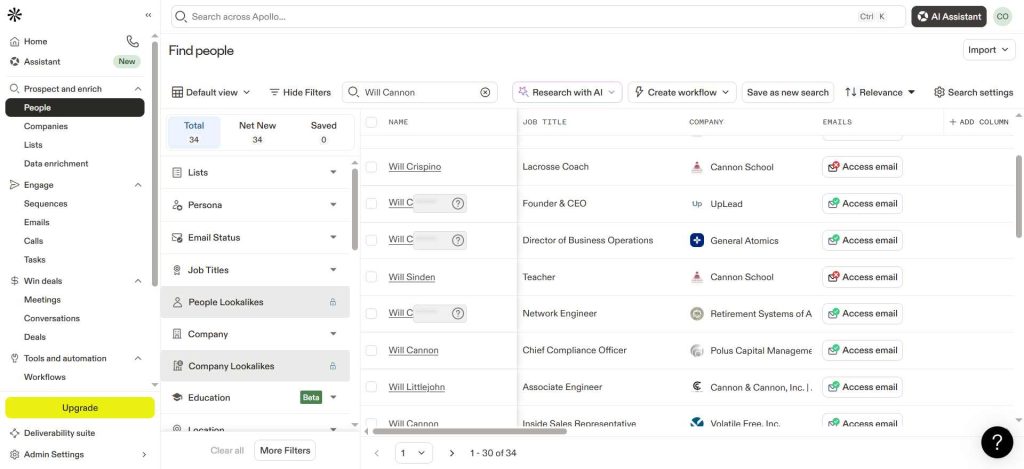
Apollo.io is an all-in-one outbound platform built for volume-focused teams that want prospecting and sequencing in one workspace.
Apollo.io’s platform combines a database of more than 240 million verified contacts and 30 million companies with more than 65 filters. A built-in dialer and email sequencer sit alongside the search, so a rep can find a contact, call them from the same screen, then enroll them in a sequence without leaving the app. On G2, Apollo.io holds a 4.6-star rating across more than 9,000 reviews, a strong signal of how broadly the workflow-in-one-place pitch lands with buyers.
That range comes at the cost of data confidence. Reviewers regularly flag inaccurate or outdated records, particularly outside Apollo’s core US and tech-industry coverage, and the free plan’s annual credit cap runs out faster than many teams expect. Against Swordfish’s narrower Chrome-extension model, Apollo trades reveal-accuracy focus for workflow breadth: a full outbound stack instead of a single-purpose lookup tool.
Top Features
- 240M+ verified contacts and 30M+ companies give reps a large enough pool that most searches return usable results without switching tools.
- A built-in dialer lets reps call a contact the moment they find one instead of exporting to a separate system.
- An email sequencer automates multi-step outreach directly inside the same platform used for prospecting.
- More than 65 filters and buying signals narrow a search to the right persona quickly.
- The Chrome extension works inside LinkedIn and company-research pages for live prospecting, similar in spirit to Swordfish’s extension but tied to a much larger dataset.
- CRM sync pushes lists and activity data into Salesforce or HubSpot automatically.
Pricing
- Free: $0, free forever.
- Basic: $49/user/month billed annually or $59/user/month billed monthly.
- Professional: $79/user/month billed annually or $99/user/month billed monthly.
- Organization: $119/user/month billed annually (minimum 3 users) or $149/user/month billed monthly.
(Source: Apollo.io)
Pros
- Apollo draws consistent praise for combining data and sequencing in one lower-cost workspace. (Source: G2)
- Reviewers highlight the depth of search and automation relative to pricier enterprise tools. (Source: G2)
- Teams also cite CRM integrations and not having to bounce between separate prospecting and outreach tools. (Source: G2)
Cons
- Inaccurate or outdated contact data on some searches is a recurring complaint. (Source: G2)
- Reviewers mention setup complexity and inconsistent precision in certain segments. (Source: G2)
- Credit limits and gated premium features also show up in reviews, along with uneven support experiences. (Source: G2)
What real users say about Apollo.io
Cyera’s published customer story with Apollo reports 50 percent less manual work, more than four hours saved a day, and 75 percent more meetings booked. The main theme was workflow control: Cyera ran prospecting and outreach in one system instead of stitching separate tools together, the exact gap Swordfish’s extension-only model leaves open. (Source: Cyera)
Best For
Budget-conscious outbound teams that want prospecting data and sequencing under one roof.
Apollo.io vs Swordfish
Apollo.io replaces the reveal step and the outreach tool with one subscription, going well past Swordfish’s single-purpose model, at the cost of the tighter accuracy focus a specialist like Swordfish or UpLead offers on each individual record.
5. Cognism
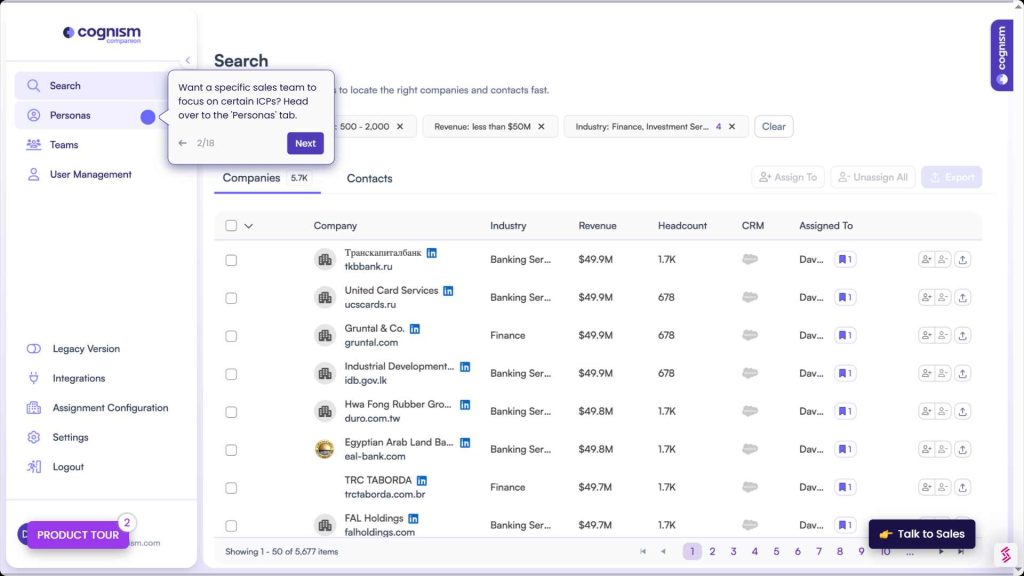
Cognism is a compliance-oriented, EMEA-strong revenue data platform built for teams that need verified mobile numbers and stronger regional coverage than Swordfish’s US-leaning database offers.
The regional numbers make the fit clear. Cognism refreshes 95 percent of director-and-above contacts every 30 days in key markets and reaches 90 percent coverage for director-level contacts in top European economies. Mobile coverage in those same markets runs at 70 percent, backed by checks against 12 global Do Not Call lists and a target of 93 percent-plus email deliverability. That combination is why it lands on shortlists for regulated, phone-led outbound into Europe.
Cognism’s focus also narrows the fit. It is far more compelling when EMEA coverage and mobile accuracy sit high on the brief than when the priority is transparent self-serve pricing. Industry procurement estimates, none of them confirmed by Cognism, put a typical small-team contract between $15,000 and $25,000 a year, built from a platform fee plus per-seat licensing. A sales demo comes before any number gets discussed.
Top Features
- Diamond-verified mobile numbers are one of Cognism’s clearest differentiators for phone-led outbound into EMEA, with 70 percent mobile coverage claimed in key European markets.
- Stronger EMEA coverage makes Cognism more relevant than a US-first database for European pipeline generation, with 90 percent coverage claimed for director-level contacts in top EU economies.
- Compliance-first data handling checks against 12 global Do Not Call lists and targets 93 percent-plus email deliverability under GDPR.
- The Chrome extension covers the same LinkedIn-based reveal workflow reps expect from this category, including Swordfish users switching over.
- CRM export supports direct handoff into Salesforce and similar systems for compliance-aware outbound.
Pricing
- Custom: Cognism uses quote-based pricing with no public self-serve plans or free trial. Industry estimates compiled from buyer reports put a typical small-team contract between $15,000 and $25,000 per year, built from a platform fee plus $1,500 to $2,500 per user annually. Those numbers are not confirmed by Cognism itself, which publishes no pricing on its own site.
Pros
- Cognism is regularly praised for strong EMEA data quality and its compliance positioning. (Source: G2)
- Verified mobile data and practical day-to-day usability for European prospecting come up often as well. (Source: G2)
- Teams also point to easy list building and fast exports, backed by straightforward integrations with LinkedIn and CRM systems. (Source: G2)
Cons
- Some reviewers mention regional gaps outside core markets and occasional stale records. (Source: G2)
- Smaller teams may find quote-led procurement less transparent than a self-serve tool like Swordfish. (Source: G2)
- Reviews also mention duplicate records, slower extension performance at times, and weaker APAC coverage than EMEA. (Source: G2)
What real users say about Cognism
zick learn’s published case study with Cognism reports demos up 800 percent, a scale-up to 100 calls per rep per day, and all of its prospecting needs met with the platform. That fits a team that needs compliant mobile data and a phone-led motion in Europe, a use case Swordfish’s US-leaning coverage does not serve as well. (Source: zick learn)
Best For
EMEA sales teams that need compliant mobile numbers and stronger Europe coverage than Swordfish offers.
Cognism vs Swordfish
Cognism is built around GDPR-aware European mobile data with transparent Do Not Call compliance, well beyond Swordfish’s US-leaning coverage and undisclosed fair-use cap, at a price that only makes sense once a team has a real EMEA outbound budget.
6. RocketReach
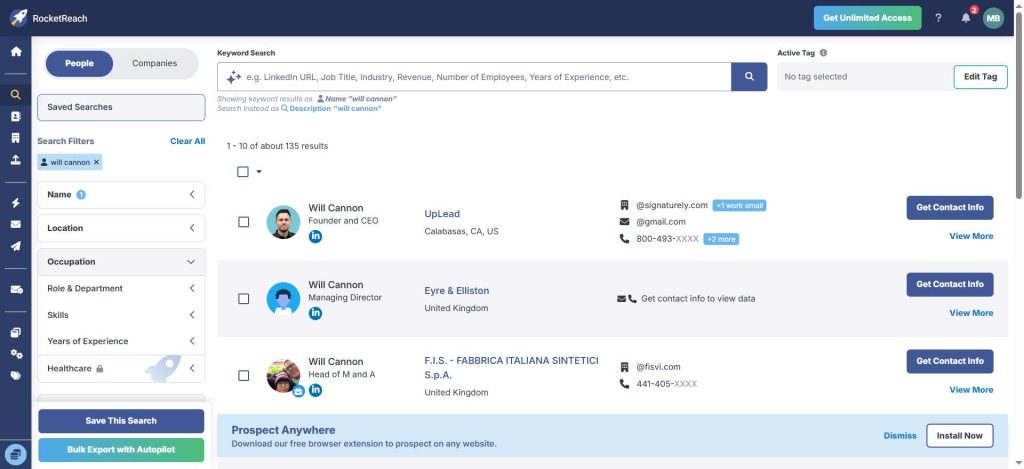
RocketReach is a fast-access contact discovery platform built for teams that want people data across a wider set of platforms than Swordfish’s LinkedIn-and-Facebook-first extension covers.
RocketReach is about convenience and reach. Contact search runs across more than 700 million people and 35 million companies, positioned around AI-verified data rather than a narrow profile-by-profile reveal, and it pulls from a broader set of social platforms when a prospect keeps a light LinkedIn presence but stays active elsewhere.
Depth and consistency are the tradeoff. Email-only access starts at the entry tier, with phone-number lookups arriving on the Pro plan and above, and RocketReach is easier to justify for quick discovery than for teams that need account intelligence or tighter data QA on every record.
Top Features
- Contact search across 700M+ people and 35M+ companies is one of RocketReach’s biggest day-to-day strengths for speed.
- Lookup by name across several social networks extends past the LinkedIn and Facebook sources Swordfish’s extension covers.
- Bulk lookup handles a full list of names and companies at once instead of one profile at a time.
- API access lets developers embed searches into internal tools and workflows.
- The browser extension supports fast research while reps move through LinkedIn and company sites.
Pricing
- Essentials: $49/month billed monthly or $27/month billed annually ($329/year). Monthly billing meters 100 lookups a month; annual billing caps exports at 1,200 a year. Email-only.
- Pro: $99/month billed monthly or $69/month billed annually ($829/year), 250 lookups and exports/month, adds phone-number access.
- Ultimate: $209/month billed monthly or $142/month billed annually ($1,699/year), up to 20,000 lookups and exports a year, adds intent data and full API access.
- Team plans: custom packages starting around $6,000/year.
(Source: RocketReach)
Pros
- RocketReach is often praised for search speed and ease of use. (Source: G2)
- Its usefulness comes up a lot in reviews: quick and convenient enough to stay in a daily prospecting routine. (Source: G2)
- The browser extension and fast contact discovery across many companies and roles also get mentioned often. (Source: G2)
Cons
- Reviews still mention accuracy variance in some segments. (Source: G2)
- Pricing limits and the need for extra QA also come up in reviews. (Source: G2)
- Export caps and a weaker fit for teams that need deeper account intelligence appear in feedback too. (Source: G2)
What real users say about RocketReach
Notre Dame’s IDEA Center published a case study with RocketReach reporting contacts for customer discovery up 40 to 50 percent, the process cut to two steps, and 10,000 interviews supported over five years. That makes RocketReach look strongest for fast people search at volume, a workflow closer to Swordfish’s than to an enterprise account-intelligence platform. (Source: University of Notre Dame IDEA Center)
Best For
Teams that need fast people search across multiple social platforms, not just LinkedIn and Facebook.
RocketReach vs Swordfish
Both are reveal-first tools built for speed, but RocketReach searches a wider set of social platforms by name while Swordfish leans harder into LinkedIn-and-Facebook personal contact reveal and CRM depth for recruiters.
7. Hunter.io
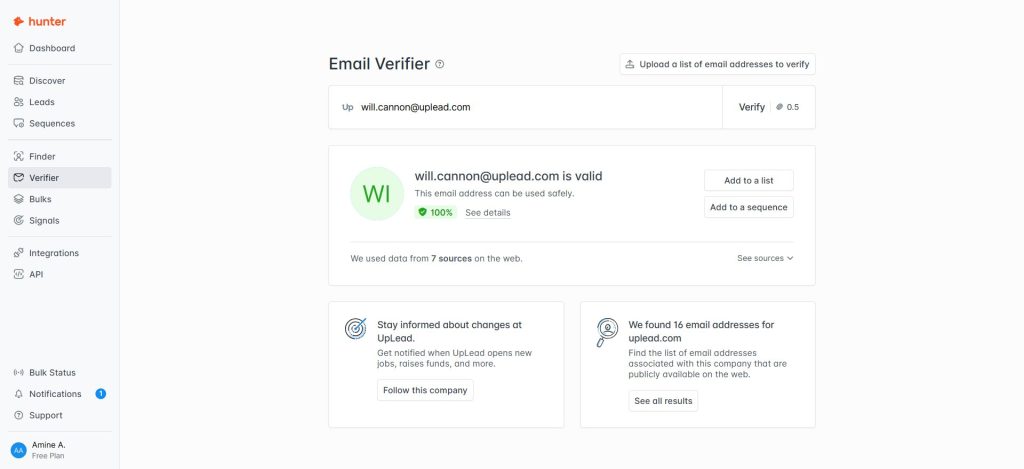
Hunter.io is a narrow, email-first prospecting tool built for teams that mainly care about finding and verifying professional email addresses tied to a company domain, the opposite half of the contact-data problem from Swordfish’s personal-number focus.
Hunter stays narrow by design. More than 6 million professionals use it, and its Discover product now covers more than 20 million company profiles after a major database expansion. Domain search results show the exact page where each email was found, which helps confirm accuracy before outreach begins, and a bulk verification tool runs separately from the main finder.
That focus also limits the use case. Hunter.io is a strong fit for email-led prospecting and verification, but it is not the tool for direct dials, deeper account context, or personal-contact reveal the way Swordfish is. The free plan caps out at 50 credits a month, which reinforces the product’s email-first position.
Top Features
- Domain search turns a company website into a list of likely reachable contacts across 20M+ company profiles.
- The email finder locates individual professional email addresses without buying a broader sales-intelligence suite.
- Built-in email verification protects deliverability before contacts get uploaded into a sequence.
- Bulk checks make Hunter.io practical for list cleaning, not only one-off prospecting.
- The interface stays intentionally simple, a real strength for teams that only care about email-first outbound.
Pricing
- Free: $0/month, 50 credits/month.
- Starter: $49/month billed monthly or $34/month billed annually.
- Growth: $149/month billed monthly or $104/month billed annually.
- Scale: $299/month billed monthly or $209/month billed annually.
- Enterprise: custom pricing through sales.
(Source: Hunter.io)
Pros
- Hunter.io is consistently praised for speed and ease of use. (Source: G2)
- Its domain-search and verification workflow gets positive marks from email-led teams specifically. (Source: G2)
- A clean interface and confidence scores show up repeatedly too, along with reliable verification for reducing bounce risk. (Source: G2)
Cons
- It is regularly described as narrow for teams that need phone data or broader sales intelligence. (Source: G2)
- Credit constraints come up in reviews as a common frustration. (Source: G2)
- Reviews also flag pricing pressure at higher volume and occasional gaps in email discovery for niche domains or regions. (Source: G2)
What real users say about Hunter.io
Darwinbox’s published customer story with Hunter.io reports reply rates from sales-qualified leads rising from 6 percent to 12 percent. Email validity checks improved 15 to 20 percent over its prior tool. That result centers on deliverability, the exact metric a personal-contact tool like Swordfish does not optimize for. (Source: Darwinbox)
Best For
Business email discovery and verification matter more here than phone data or personal-contact reveal.
Hunter.io vs Swordfish
Hunter.io only really competes with Swordfish on a narrower job. It is the clearer fit when the actual need is finding and verifying work emails with minimal complexity, while Swordfish stays the stronger choice when a personal phone number is the goal.
8. Wiza
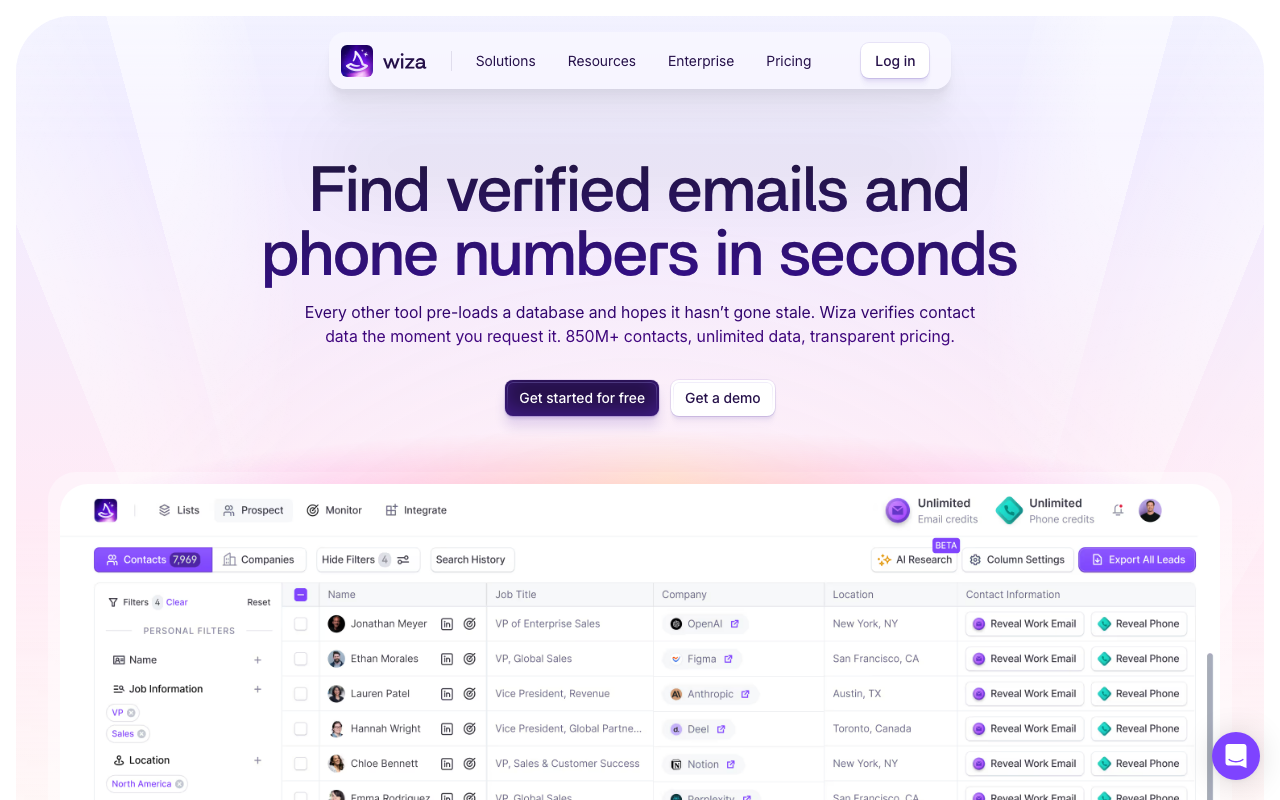
Wiza is a LinkedIn Sales Navigator export tool built for teams that already build lists inside Sales Navigator and want a clean, verified export instead of manual copy-paste work, a bulk workflow Swordfish’s profile-by-profile extension was never built for.
Wiza’s product does one job well. A Sales Navigator search exports in bulk up to 2,500 contacts per list, with real-time email verification during export that reviewers say drops bounce rates to roughly 5 to 10 percent versus the 18 to 25 percent bounce rate typical of raw, unverified Sales Navigator exports. Direct integrations connect to HubSpot and Salesforce for CRM handoff, and to Outreach for sequencing.
Dependency and a hidden ceiling are the tradeoff. Wiza requires an active LinkedIn Sales Navigator subscription to function at all, and its “unlimited” annual plans carry a 2,500-export-per-month cap that is not prominently displayed, a fair-use pattern not unlike Swordfish’s own undisclosed daily ceiling.
Top Features
- Bulk Sales Navigator export pulls a full search result list at once instead of one profile at a time, up to 2,500 contacts per list.
- Real-time email verification runs during export and reviewers report it cuts bounce rates well below raw Sales Navigator exports.
- The Chrome extension scrapes live Sales Navigator data and reflects job changes almost immediately.
- Direct CRM integrations connect to HubSpot and Salesforce for fast handoff, while Outreach covers sequencing.
- Phone-number credits on higher tiers add a direct-dial layer that raw Sales Navigator exports do not include at all.
Pricing
- Free: $0/month, up to 20 email credits, 5 phone numbers.
- Starter: $49/month, 100 valid emails/month, monthly billing only.
- Email: $99/month billed monthly or $83/month billed annually ($990/year, unlimited email reveals, 2,500 exports/month cap).
- Email + Phone: $199/month billed monthly or $166/month billed annually ($1,990/year, unlimited email and phone reveals, 2,500 exports/month cap).
- Team: custom annual pricing, minimum 3 users (Source: Wiza).
Pros
- Wiza gets consistent praise for turning a Sales Navigator search into verified, ready-to-use contact data in minutes. (Source: G2)
- Reviewers point to real-time email verification and a Chrome extension that reflects job changes almost immediately. (Source: G2)
- The interface earns marks for feeling modern and easy to learn compared with older list-building tools. (Source: G2)
Cons
- The 2,500-export-per-month cap on “unlimited” annual plans is the most consistent complaint in recent reviews. (Source: G2)
- The credit system frustrates some users when a search returns contacts that do not fully match their criteria, since credits still get spent on unusable records. (Source: G2)
- Direct-dial coverage runs thinner than desired in some niche verticals, and the tool is not usable at all without an active Sales Navigator subscription. (Source: G2)
What real users say about Wiza
RapidScale’s published case study with Wiza describes enterprise rep David Lindner closing a $735,000 deal after a $249 total investment in the tool, using the Chrome extension and real-time contact validation to reach hidden stakeholders before a client’s funding window closed. Lindner credited the real-time validation and native LinkedIn integration for making the difference in his prospecting that weekend. That kind of stakeholder-mapping win is closer to what Wiza is built for than what Swordfish’s single-profile reveal handles. (Source: RapidScale)
Best For
Teams that already prospect inside LinkedIn Sales Navigator and want a clean bulk export instead of a profile-by-profile reveal.
Wiza vs Swordfish
Wiza wins when the workflow starts with a Sales Navigator search that needs exporting in bulk. Swordfish wins when the workflow starts with one specific person’s profile and the goal is a personal number or inbox, not a list.
Swordfish Alternatives FAQ
Is Swordfish good for finding phone numbers?
Yes, for personal cell numbers pulled from LinkedIn, Facebook, GitHub, and similar profiles specifically. Swordfish holds a 4.5-star rating on G2 across 101 reviews, and reviewers consistently cite mobile-number freshness as a strength, so the core reveal function performs well for teams that mainly need a direct line.
What is the main difference between Swordfish and UpLead?
It comes down to what each tool is built to verify and what data sits alongside it. Swordfish specializes in personal cell numbers and personal emails pulled from social profiles, with no buyer intent or technographic layer. UpLead verifies business emails and mobile direct-dials together in real time, then layers buyer intent data and technographic filters on top.
How much does Swordfish cost compared to its alternatives?
Swordfish’s Unlimited Solo plan runs $99 per month for one user, with lookups capped by an undisclosed fair-use policy rather than a fixed credit count. UpLead’s Essentials plan also runs $99 per month, or $74 per month billed annually, for a fixed 170 verified contact credits with CRM integration included.
| Swordfish Unlimited Solo | UpLead Essentials | |
|---|---|---|
| Monthly price | $99/mo | $99/mo ($74/mo annual) |
| Lookup model | “Unlimited,” fair-use capped (~150-200/day est.) | 170 fixed credits/mo |
| Buyer intent data | No | No (Professional tier only) |
| Access after cancellation | Expires immediately | N/A, credit-based |
Swordfish’s flat price looks simpler on paper, but the fair-use ceiling means a heavy user does not actually get unlimited volume. UpLead’s fixed credit count is smaller in raw number. Every credit is a known quantity, though, covering business email verification as well as phone verification.
Do any Swordfish alternatives offer a free plan?
Most do. Lusha, Apollo.io, Hunter.io, and Wiza all include a free tier with a capped number of monthly credits, which makes it easy to test a tool’s data quality before committing to a paid plan. ZoomInfo and Cognism skip a free tier in favor of a custom quote.
Which Swordfish alternative has the best case-study evidence?
Wiza’s RapidScale story and ZoomInfo’s Snowflake story both name a specific customer with a quantified result rather than an aggregate stat. UpLead, Cognism, Apollo.io, Lusha, and RocketReach each publish at least one named case study too. Swordfish itself does not appear to publish a public case study with a named customer and a quantified result; its public proof stays limited to G2 and Capterra review aggregates.
Choosing the Right Swordfish Alternative for Your Team
A recruiter or solo rep who mainly needs a personal cell number can still get that job done with Swordfish, as long as the fair-use ceiling fits actual daily volume. But the moment outreach needs verified business email alongside phone data, buyer intent signals, or technographic filters, a personal-contact specialist turns into a bottleneck rather than a shortcut.
UpLead was built to close exactly that gap: verified business emails and mobile direct-dials checked together in real time alongside the intent and technographic data that turn a contact list into a prioritized one. Start a free trial and search your own target accounts to see the difference in data quality firsthand.