



The best ZoomInfo competitors in 2026 are UpLead, Apollo.io, Cognism, Lusha, LinkedIn Sales Navigator, Lead411, LeadIQ, RocketReach, Clay, Hunter, Kaspr and HubSpot Breeze Intelligence (the product Clearbit became). ZoomInfo’s entry package lists at $14,995 a year for three seats. Every tool below can be started for less, and ten of the twelve give you a free plan or a free trial to test with first.
Quick answer: which ZoomInfo alternative should you pick?
- Verified emails and direct dials for SMB and mid-market outbound: UpLead
- The most generous free plan, with sequencing built in: Apollo.io
- Selling into Europe with phone-verified mobile numbers: Cognism
- Fast contact lookups for a small team: Lusha
- Account research and warm intros inside LinkedIn: LinkedIn Sales Navigator
- Low-cost list building with sales triggers: Lead411
- One-click capture from LinkedIn into your CRM: LeadIQ
- Quick people search across 700M profiles: RocketReach
- Waterfall enrichment across 150+ data providers: Clay
- Finding and verifying work emails only: Hunter
- Direct dials from LinkedIn for European reps: Kaspr
- Enrichment for teams already running HubSpot: Breeze Intelligence
ZoomInfo alternatives compared
| Tool | Best for | Free option | Paid plans from | G2 rating |
|---|---|---|---|---|
| UpLead | Verified contact data | 7-day trial, 5 credits | $74/month billed yearly | 4.7 (828 reviews) |
| Apollo.io | All-in-one outbound on a budget | Free plan | $49/seat/month billed yearly | 4.7 (9,800+ reviews) |
| Cognism | EMEA data and compliant mobiles | None | Quote only | 4.5 (1,350+ reviews) |
| Lusha | Quick lookups for small teams | Free plan, 40 credits/month | $49.90/month | 4.3 (1,650+ reviews) |
| LinkedIn Sales Navigator | Research and warm paths in LinkedIn | Free trial | $119.99/month | 4.4 (2,200+ reviews) |
| Lead411 | Budget lists with sales triggers | 7-day trial, 50 exports | $49/month | 4.5 (477 reviews) |
| LeadIQ | LinkedIn capture into the CRM | Free plan, 50 credits | $200/month for up to 5 users | 4.2 |
| RocketReach | Fast people search | 5 free lookups | $19/month billed yearly | 4.4 |
| Clay | Waterfall enrichment workflows | Free plan | $167/month billed yearly | 4.7 (185 reviews) |
| Hunter | Finding and verifying emails | Free plan, 50 credits/month | $34/month billed yearly | 4.4 (690 reviews) |
| Kaspr | LinkedIn direct dials in Europe | Free plan | $49/license/month billed yearly | 4.4 (750+ reviews) |
| Breeze Intelligence (Clearbit) | Enrichment inside HubSpot | Needs a paid HubSpot plan | HubSpot credits, $10 per 1,000 | 4.4 (listed as Clearbit) |
| ZoomInfo, for reference | Enterprise data plus intent | ZoomInfo Lite, 10 credits/month | About $14,995/year for 3 seats | 4.5 (9,384 reviews) |
Prices come from each vendor’s own pricing page, checked in September 2026. ZoomInfo publishes no prices, so its figure is the list price on Tropic’s rate card. Ratings are from G2.
Why teams switch away from ZoomInfo
Cost is the reason we hear first, and the numbers really do explain why. Tropic’s rate card lists ZoomInfo Professional at $14,995 a year for three seats and 5,000 bulk credits. Copilot Advanced lists at $29,995 and Copilot Enterprise at $35,995. Each extra seat adds $2,500, and the Global Data add-on is another $9,995.
Real contracts land higher than the entry tier, though. Vendr tracked 1,571 ZoomInfo purchases and found a median contract of $33,500 a year, with deals ranging from $7,200 to $156,000 (Vendr). For a five-person SDR team that only needs emails and phone numbers, that’s a lot of software.
Contract terms are the second trigger. ZoomInfo sells annual agreements, and buyers regularly report getting caught by the renewal notice window. Pull up your order form and find the notice clause before you do anything else on this page.
Pricing itself is about to change too. On its Q1 2026 earnings call, ZoomInfo said it will start replacing seat-based packages with a platform fee plus prepaid credits from Q3 2026. If your renewal falls after that switch, get the new structure in writing before you sign.
Data fit is the last common reason. G2 reviewers mention thinner coverage for small companies and weaker European data outside the largest markets. A tool built for your segment beats a bigger database that misses your buyers.
How we tested these tools
UpLead is our product, so read this list knowing that. It sits first because it’s what we build, and its section lists real weaknesses next to the strengths.
Our team signed into ten of these products and ran live prospect searches. The screenshots in each section come from those sessions. Clay and Kaspr were reviewed from documentation and public pricing plus user reviews. Their sections say so.
Every price was checked on the vendor’s own pricing page in September 2026. Where a vendor hides its prices, we cite the third-party source by name. Ratings and review counts come from G2, and we read the one and two star reviews as closely as the five star ones.
We scored each tool on five things:
- Data you can use: verified emails and working direct dials, plus how fresh the records are.
- Coverage for your market: company size and region, plus the roles you sell to.
- Price and contract: whether prices are public, whether monthly billing exists, what a credit buys.
- Speed for reps: how fast a rep goes from search to a record in the CRM.
- Compliance: GDPR posture and phone verification for European outreach.
What a 3-rep team pays per year
Sticker prices are hard to compare because every vendor counts differently. Here is the same job, three reps prospecting for a year, priced at list.
| Setup for 3 reps | List price per year | What you get |
|---|---|---|
| ZoomInfo Professional (3 seats bundled) | $14,995 | 5,000 bulk credits |
| UpLead Plus, one plan per rep | $5,364 | 14,400 contacts (4,800 per rep) |
| UpLead Essentials, one plan per rep | $2,664 | 6,120 contacts (2,040 per rep) |
| Apollo.io Basic, 3 seats | $1,764 | 90,000 credits (an email costs 1, a phone number costs 8) |
| Lusha Premium (5 seats included) | $3,599 | 40,800 credits (an email costs 1, a phone number costs 10) |
| Kaspr Starter, 3 licenses | $1,764 | Unlimited B2B emails, 1,200 phone credits per rep |
| LinkedIn Sales Navigator Core, 3 seats | $3,240 | 50 InMails per rep per month, no contact exports |
Do the math per usable contact, not per seat. On list prices, ZoomInfo Professional works out to about $3.00 per bulk credit before you count the seat features. UpLead Plus comes to $0.37 per verified contact. Your quote will differ, so rerun this table with the numbers you’re actually offered.
The 12 best ZoomInfo competitors in 2026
1. UpLead
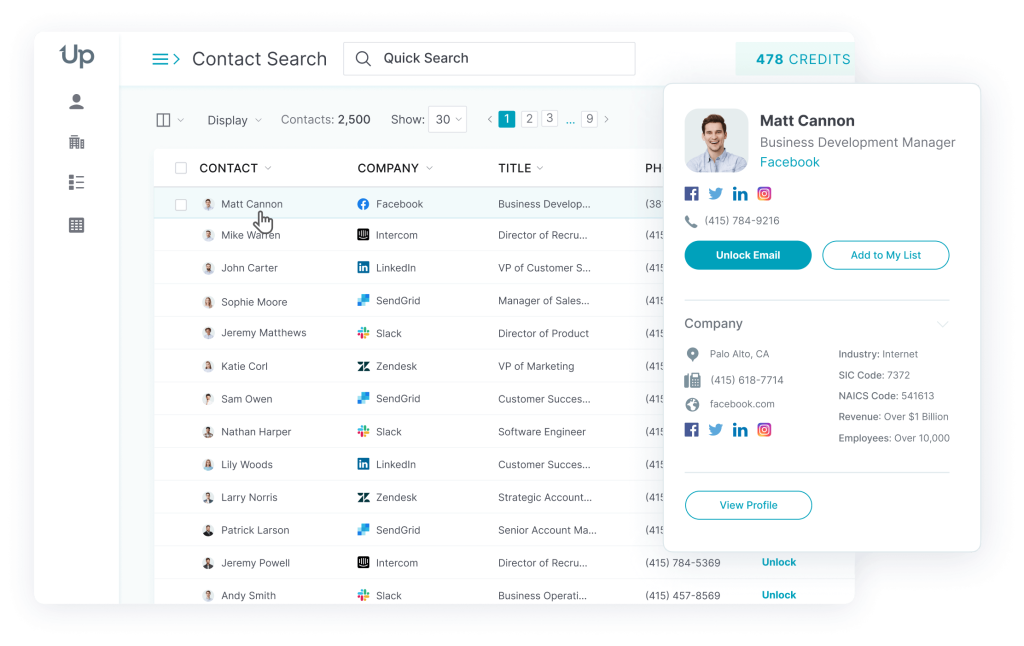
UpLead is a B2B contact database built around one promise: the email is checked before you pay for it. Every address is verified in real time at the moment of export, and the data comes with a 95% accuracy guarantee.
Coverage is 200M+ contacts and 19M+ company profiles, searchable with more than 50 filters and 27,000+ technologies. That depth covers most SMB and mid-market outbound without the setup work of an enterprise platform. One credit buys one contact. That includes the email plus the mobile direct dial when we have it.
Features that matter
- Real-time email verification before export, so bounced credits don’t eat your budget.
- Technographic filters across 27,000+ technologies for install-base prospecting.
- CRM enrichment and a Chrome extension for live research on LinkedIn and company sites.
- On the Professional plan: buyer intent data plus API access, with bi-directional Salesforce sync.
Pricing
- Free trial: 7 days, 5 credits.
- Essentials: $99/month with 170 credits, or $74/month billed yearly with 2,040 credits a year.
- Plus: $199/month with 400 credits, or $149/month billed yearly with 4,800 credits a year.
- Professional: custom quote billed yearly. Seats and credits are set per contract.
- Source: UpLead pricing
Pros
- Reviewers single out accurate data and a simple interface (G2).
- Support gets named often, along with a lighter day-to-day workflow than enterprise tools (G2).
- Monthly plans let a small team start without an annual contract.
Cons
- Some searches return thinner company coverage than ZoomInfo (G2).
- Essentials and Plus include one seat each. Shared team seats need the Professional plan.
- Intent data sits on the top plan only.
Customer proof
Kyber Security switched from ZoomInfo to UpLead, saved $14,000 a year and built $400,000 in open pipeline (Kyber Security case study).
UpLead or ZoomInfo?
- Pick UpLead if your team mostly needs verified emails and direct dials, and bounces are hurting your domain.
- Pick UpLead if you want monthly billing or a price you can see before a sales call.
- Stay with ZoomInfo if you need org charts and deep enterprise account research across thousands of large accounts. Full breakdown: UpLead vs ZoomInfo.
2. Apollo.io
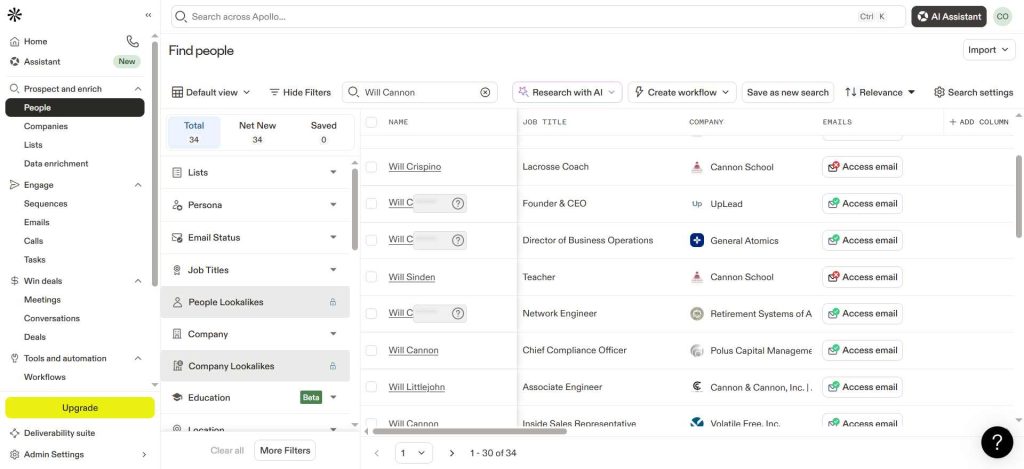
Apollo.io pairs a 240M+ contact database with its own email sequencer and dialer, plus meeting tools. Budget teams shortlist it because one login replaces two or three tools.
Its free plan is the strongest on this list: 900 credits per seat per year, plus basic sequencing. The catch shows up in data quality. Reviewers report stale or wrong records in some segments, so plan to verify before large sends.
Features that matter
- Prospecting and sequencing in one workspace.
- 30M+ company profiles with buying signals and 65+ filters.
- Waterfall enrichment on paid plans.
- A Chrome extension that works inside LinkedIn and Gmail.
Pricing
- Free: 900 credits per seat per year.
- Basic: $65/seat/month, or $49 billed yearly.
- Professional: $99/seat/month, or $79 billed yearly.
- Organization: $119/seat/month billed yearly, minimum 3 seats.
- An email costs 1 credit and a phone number costs 8. Source: Apollo pricing
Pros
- Value for money comes up constantly in reviews (G2).
- Search plus automation in one place saves reps from tab switching (G2).
Cons
- Accuracy varies by segment, with outdated records a recurring complaint (G2).
- Phone numbers burn credits eight times faster than emails.
Customer proof
In Apollo’s own customer story, Cyera cut manual prospecting work by 50%, saved 4+ hours a day and booked 75% more meetings (Cyera).
Apollo.io or ZoomInfo?
- Pick Apollo.io if you want data and outreach in one tool and your budget is under a few thousand dollars a year.
- Pick Apollo.io if your reps send email at volume and you already run a verification step.
- Stay with ZoomInfo if contact precision matters more than price. More detail: Apollo vs ZoomInfo.
3. Cognism
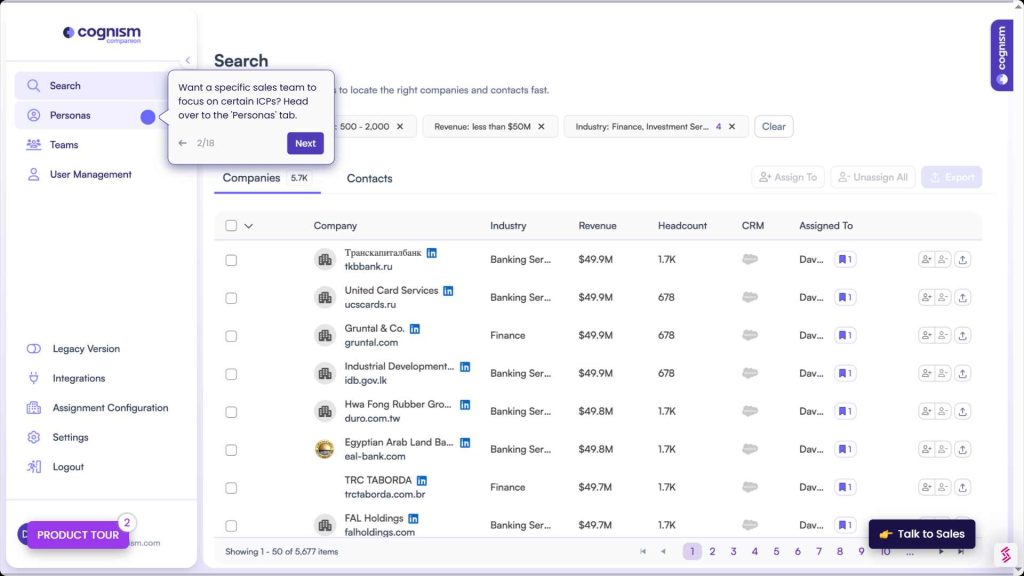
Cognism is the pick for teams selling into Europe. Its Diamond Data mobiles are phone-verified by a human team, and GDPR compliance is part of the product rather than a slide in the pitch deck.
You won’t find a price on its website. Cognism sells quote-only packages called Standard and Pro, each with five seats included. More than 4,000 revenue teams use it, according to the company.
Features that matter
- Phone-verified mobile numbers for cold calling across Europe.
- Do Not Call list screening built into search.
- CRM enrichment as an add-on or a standalone product.
- A Chrome extension for LinkedIn prospecting.
Pricing
- Standard and Pro: quote only, 5 seats included.
- CRM Enrichment and Data-as-a-Service: quote only.
- Source: Cognism pricing
Pros
- European data quality and compliance are the most praised points (G2).
- Mobile numbers that connect make phone-led teams happy (G2).
Cons
- Coverage drops outside its core markets, especially APAC (G2).
- No self-serve plan, so small teams go through a sales cycle.
Customer proof
Zick Learn raised demos by 800% and scaled to 100 calls per rep per day with Cognism data (zick learn case study).
Cognism or ZoomInfo?
- Pick Cognism if most of your pipeline sits in Europe and your reps work the phone.
- Pick Cognism if your legal team needs a clear GDPR story from the data vendor.
- Stay with ZoomInfo for North American enterprise coverage. More detail: Cognism vs ZoomInfo.
4. Lusha
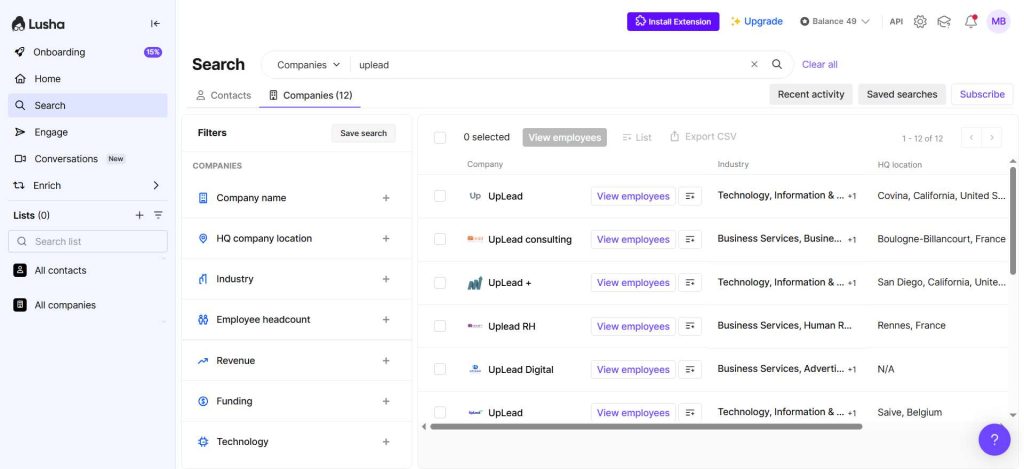
Lusha is the tool reps install on day one and use by lunch. The browser extension shows emails and phone numbers on LinkedIn profiles and company sites, and setup takes minutes.
It claims 98% email accuracy and 86% phone accuracy. Credits get expensive as you scale: a phone number costs 10 credits, so heavy callers burn through plans quickly.
Features that matter
- A browser extension that works on LinkedIn and Gmail as well as on company websites.
- Flat plans with seats bundled instead of per-seat pricing.
- Unused credits roll over on monthly plans, up to twice the plan limit.
- Native CRM integrations on every plan, including Free.
Pricing
- Free: 40 credits/month, 1 seat.
- Starter: $49.90/month for 400 credits and 1 seat, or $449.10/year.
- Professional: $69.90/month for 600 credits and 2 seats, or $629.10/year.
- Premium: $399.90/month for 3,400 credits and 5 seats, or $3,599.10/year.
- Scale: quote only. Source: Lusha pricing
Pros
- Ease of use and fast rep adoption lead the reviews (G2).
- Working direct dials in the extension save research time (G2).
Cons
- Credit costs climb at scale (G2).
- Search filters are lighter than an enterprise database.
Customer proof
Recruitment firm Empiric attributes £1.4M of its 2024 revenue to Lusha and reports 90%+ data accuracy (Empiric).
Lusha or ZoomInfo?
- Pick Lusha if your team is under ten reps and wants something working this afternoon.
- Pick Lusha if reps prospect one profile at a time rather than building big lists.
- Stay with ZoomInfo if you need bulk list building with deep segmentation. More detail: Lusha vs ZoomInfo.
5. LinkedIn Sales Navigator
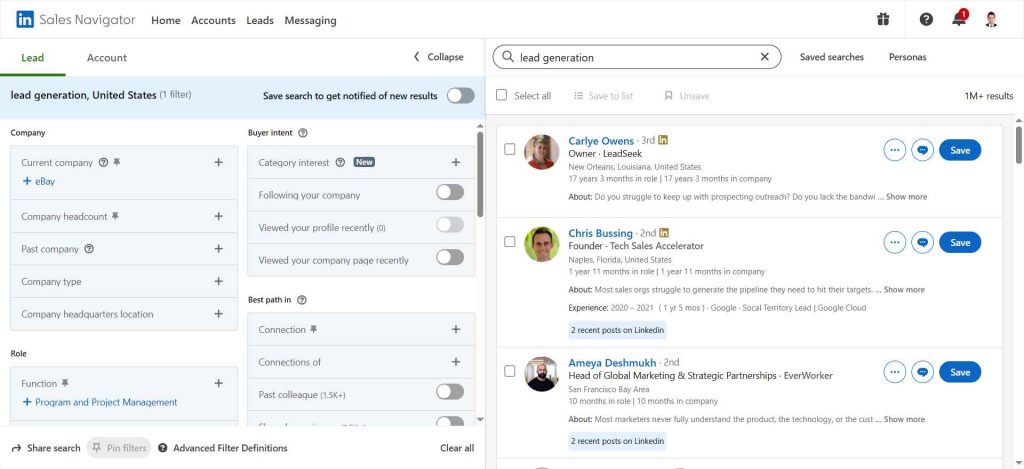
Sales Navigator is a research layer. It isn’t a contact database. You get 50+ search filters on LinkedIn’s network plus saved lead lists, job-change alerts, InMail. What you don’t get is an email address or phone number to export.
Most teams that leave ZoomInfo keep Sales Navigator and pair it with a data tool. LeadIQ, Kaspr or Lusha can all run on top of it.
Features that matter
- Account IQ and Lead IQ summaries for call prep.
- Relationship Explorer and TeamLink to find warm paths into an account.
- Job-change alerts, which make some of the best outreach triggers there are.
- CRM sync on the Advanced plan (Salesforce, HubSpot, Dynamics).
Pricing
- Core: $119.99/month, or $1,079.88/year per license.
- Advanced: $159.99/month, or $1,799.88/year per license.
- Advanced Plus: quote only.
- Source: LinkedIn compare plans
Pros
- Filter depth and account research value get strong marks (G2).
- InMail gives you a channel when email and phone fail.
Cons
- No exportable emails or direct dials.
- Per-seat pricing adds up fast for larger teams.
Customer proof
Gainsight mapped its key buyer personas with Sales Navigator and won 42% more deals (Gainsight).
Sales Navigator or ZoomInfo?
- Pick Sales Navigator if your sales motion runs on relationships and social selling.
- Pick Sales Navigator if you plan to add a lightweight contact tool for emails and phones.
- Stay with ZoomInfo if you need a downloadable database of direct dials.
6. Lead411
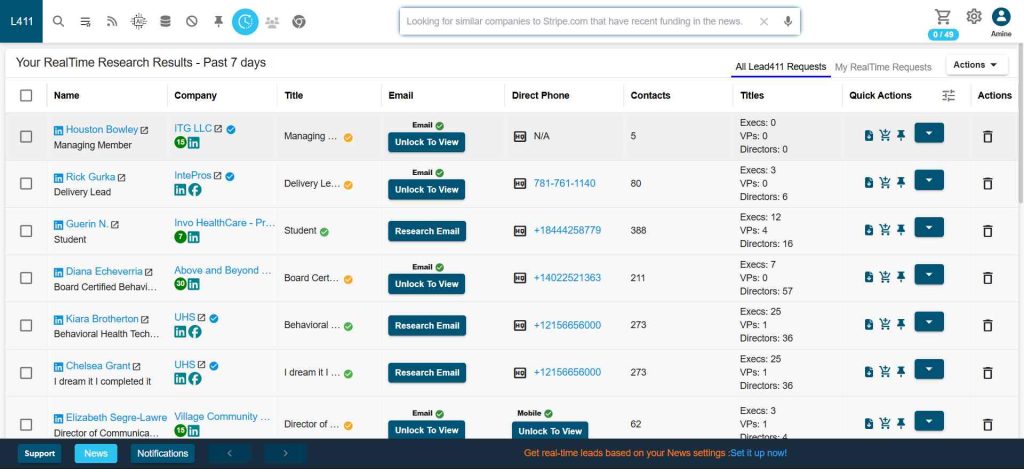
Lead411 is a low-cost database with a useful twist: sales triggers. Funding rounds, new hires or job changes at your target accounts show up as alerts you can act on.
The vendor claims 96%+ email deliverability. Lead411 also says it will match or beat most enterprise competitor quotes, which gives you something to negotiate with.
Features that matter
- Growth triggers for funding rounds or hiring sprees, plus job changes.
- Buyer intent data on the annual Spark plan.
- Verified emails and direct dials on every plan.
- API access and a Chrome extension.
Pricing
- Pilot Light: free 7-day trial with 50 exports.
- Spark: $49/month for 1,000 exports a month, or $490/year for 12,000 exports.
- Ignite: from $150/month, or $1,500/year.
- Blaze: custom, with unlimited exports.
- Source: Lead411 pricing
Pros
- Reviewers call out the price for the data you get (G2).
- Triggers give reps a reason to reach out now (G2).
Cons
- International depth is thinner than the big platforms (G2).
- Some reviewers report stale contacts in smaller markets (G2).
Customer proof
Lead411 doesn’t publish many named case studies. Its strongest proof is a G2 Best ROI award based on user reviews (Lead411).
Lead411 or ZoomInfo?
- Pick Lead411 if you sell to US SMB and mid-market companies and want triggers at a low price.
- Pick Lead411 if you need a competing quote to push a ZoomInfo renewal down.
- Stay with ZoomInfo if global enterprise coverage matters. More detail: Lead411 vs ZoomInfo.
7. LeadIQ
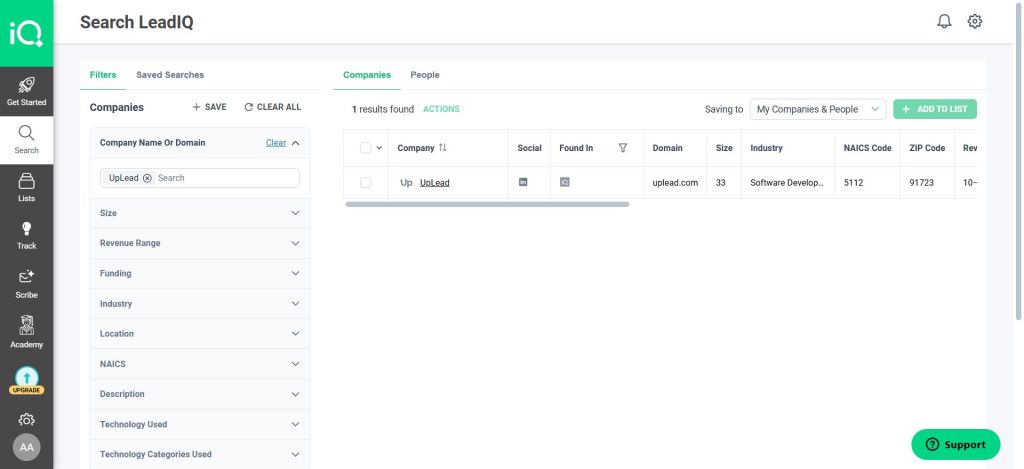
LeadIQ is built for the rep who lives in LinkedIn. One click captures a prospect and finds the email and phone. A second click pushes the record to Salesforce or an outreach tool.
Every plan can be tried free for 30 days. Credits work like this: an email costs 1 and a phone number costs 10. Both together cost 11.
Features that matter
- One-click capture from LinkedIn and Sales Navigator.
- Champion job-change tracking to follow past buyers to new companies.
- An AI message writer for first-touch emails.
- Salesforce duplicate detection on Enterprise.
Pricing
- Free: 1 user, 50 credits.
- Pro: $200/month for up to 5 users, 25% off billed yearly.
- Enterprise: quote only.
- Source: LeadIQ pricing
Pros
- Capture from LinkedIn into the CRM is fast and clean (G2).
- Reps like the time it saves on manual entry (G2).
Cons
- Some users report extension bugs and uneven phone accuracy (G2).
- It depends on LinkedIn. Without Sales Navigator it’s a smaller tool.
Customer proof
Sigma saw outreach rise fivefold. Its top reps went from covering 50 to 60 prospects in their accounts to about 400 (Sigma).
LeadIQ or ZoomInfo?
- Pick LeadIQ if your reps already build lists in Sales Navigator.
- Pick LeadIQ if speed from profile to sequence matters more than database size.
- Stay with ZoomInfo if you need to build lists outside LinkedIn. More detail: ZoomInfo vs LeadIQ.
8. RocketReach
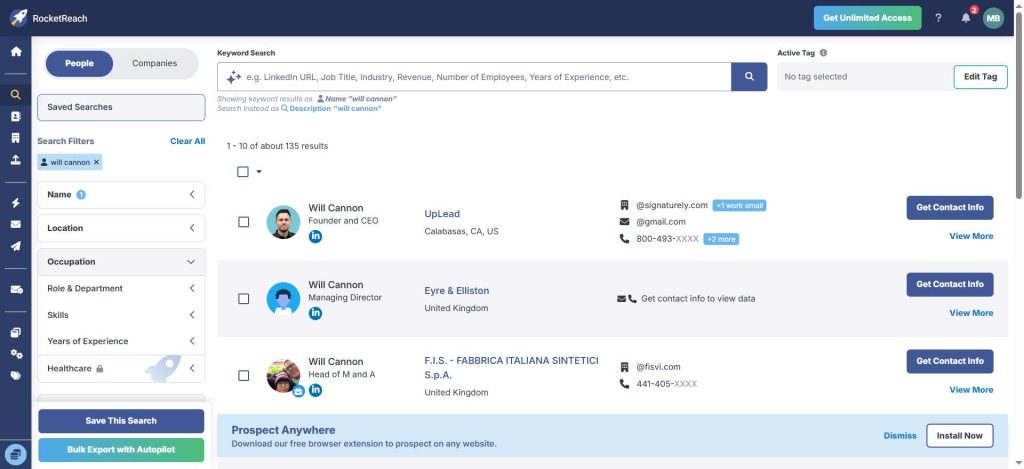
RocketReach is a people search engine: type a name or a company and get emails and phone numbers back. It covers 700M professionals across 60M companies and claims 98% accuracy.
Plans are priced per seat and billed yearly. Essentials covers email only, so pick Pro or higher if your team calls.
Features that matter
- Fast lookup by name, company or LinkedIn URL.
- Technographics plus company news and org charts on Pro.
- Autopilot jobs that find and deliver new contacts on a schedule.
- Salesforce and HubSpot integrations.
Pricing
- Free: 5 lookups.
- Essentials: $19/month billed yearly ($229), email only.
- Pro: $52/month billed yearly ($619), email and phone.
- Ultimate: $115/month billed yearly ($1,379).
- Team plans start at $6,000 a year. Source: RocketReach pricing
Pros
Cons
- Accuracy varies by segment (G2).
- Light on workflow and account intelligence.
Customer proof
The University of Notre Dame IDEA Center found 40% to 50% more contacts for customer discovery with RocketReach and ran 10,000 interviews over five years (Notre Dame).
RocketReach or ZoomInfo?
- Pick RocketReach if you need to find specific people fast rather than build big lists.
- Pick RocketReach if your budget is a few hundred dollars per user per year.
- Stay with ZoomInfo if you need deep company data around the contacts. More detail: ZoomInfo vs RocketReach.
9. Clay
Clay has no database of its own. Instead it runs your list through 150+ data providers in sequence (a waterfall) until one of them returns a match. You then enrich and score the result in a spreadsheet-style table before routing it to your CRM or sequencer.
We reviewed Clay from its documentation and pricing plus user reviews, not a hands-on test. Clay repriced in March 2026 and now bills two pools: data credits for enrichment and actions for workflow steps.
Features that matter
- Waterfall enrichment across 150+ providers under one contract.
- Claygent, an AI research agent that reads websites for custom data points.
- Job-change and web intent signals on paid plans.
- Unlimited seats on every plan.
Pricing
- Free: 100 data credits and 500 actions a month, no phone numbers.
- Launch: $185/month, or $167/month billed yearly.
- Growth: $495/month, or $446/month billed yearly.
- Enterprise: quote only.
- Source: Clay pricing
Pros
- Higher match rates than any single provider, because it asks many.
- Very flexible for RevOps teams that want custom scoring and routing.
Cons
- Steep learning curve. Plan on a RevOps owner, not a rep, to build it.
- Two separate credit pools make monthly cost hard to predict.
Customer proof
Clay reports that more than 500,000 GTM teams use it, and it holds a 4.7 rating on G2 from 185 reviews.
Clay or ZoomInfo?
- Pick Clay if you have someone technical to build and maintain the workflows.
- Pick Clay if match rate on hard-to-find contacts matters more than ease of use.
- Stay with ZoomInfo if you want one database your reps can search without training.
10. Hunter
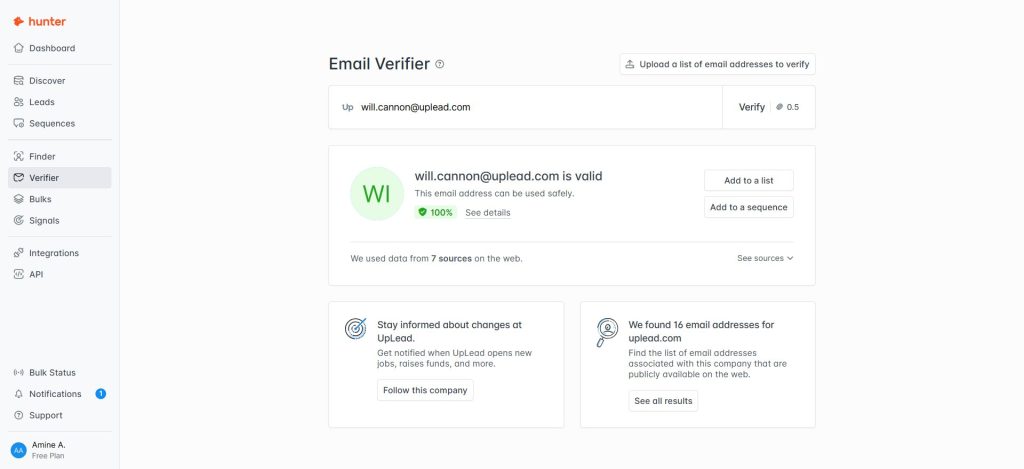
Hunter does one job: finding and verifying work email addresses. Type a company domain and it returns the known addresses with a confidence score.
Over 7M professionals use it. It has no phone numbers and little company data, so it complements a database more than it replaces one.
Features that matter
- Domain search for every known address at a company.
- An email verifier for single checks or bulk list cleaning.
- A built-in cold email sender with multiple connected inboxes on paid plans.
- A pay-as-you-go API for developers.
Pricing
- Free: 50 credits a month.
- Starter: $49/month, or $34/month billed yearly, for 2,000 credits a month.
- Growth: $149/month, or $104/month billed yearly, for 10,000 credits a month.
- Scale: $299/month, or $209/month billed yearly, for 25,000 credits a month.
- Source: Hunter pricing
Pros
Cons
- No phone numbers, intent or deep company data.
- Credit limits come up in reviews (G2).
Customer proof
Darwinbox doubled its reply rate from sales-qualified leads, from 6% to 12%, and improved email validity by 15% to 20% after moving to Hunter (Darwinbox).
Hunter or ZoomInfo?
- Pick Hunter if your outreach is email only.
- Pick Hunter if you need to clean an existing list before a campaign.
- Stay with ZoomInfo if your reps call as much as they email.
11. Kaspr
Kaspr is a Chrome extension that pulls phone numbers and emails from LinkedIn profiles, with strong European coverage. Cognism owns it, and Kaspr’s data comes from 150+ sources covering 200M+ contact profiles.
Our Kaspr review is based on its pricing and documentation plus user reviews, not a hands-on test. Its big draw is price: unlimited B2B email credits on every paid plan.
Features that matter
- One-click phone and email reveal on LinkedIn (also inside Sales Navigator or Recruiter Lite).
- Unlimited B2B email credits on paid plans.
- CSV enrichment for existing lists.
- GDPR and CCPA compliance messaging aimed at European teams.
Pricing
- Free: each month you get 15 B2B email credits plus 5 phone credits. Another 5 credits cover direct emails.
- Starter: $65/license/month, or $49 billed yearly, with 1,200 phone credits a year.
- Business: $99/license/month, or $79 billed yearly, with 2,400 phone credits a year.
- Enterprise: quote only.
- Source: Kaspr pricing
Pros
- Low entry price for LinkedIn-based prospecting.
- European phone data from the same family as Cognism.
Cons
- Tied to LinkedIn. It isn’t a standalone search database.
- Phone credits are capped, even though email credits aren’t.
Customer proof
Kaspr cites more than 750 G2 reviews with a 4.4 average, which puts it level with Hunter and RocketReach on user satisfaction.
Kaspr or ZoomInfo?
- Pick Kaspr if your reps prospect in LinkedIn and sell into Europe.
- Pick Kaspr if you want Cognism-grade European data at a self-serve price.
- Stay with ZoomInfo for US enterprise coverage and bulk list building.
12. HubSpot Breeze Intelligence (formerly Clearbit)
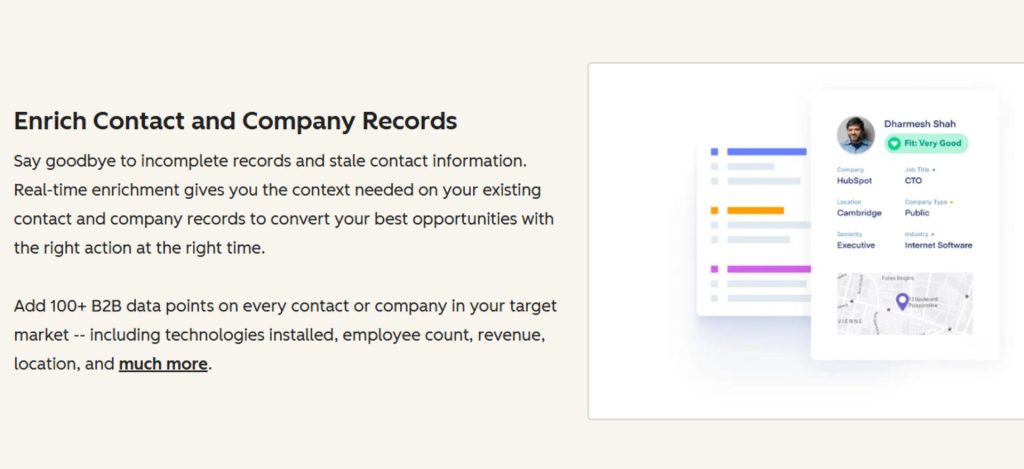
Clearbit joined HubSpot and now lives on as Breeze Intelligence. It no longer sells standalone plans. You get it inside a paid HubSpot subscription and pay with HubSpot credits.
That makes it an enrichment tool, not a prospecting one. It fills in company data on your CRM records and shortens forms. It also shows which companies visit your site.
Features that matter
- Automatic company and contact enrichment on HubSpot records.
- Form shortening that fills in fields for the visitor.
- Buyer intent and website visitor identification at the company level.
- Record enrichment on paid HubSpot plans without spending credits.
Pricing
- Requires a paid HubSpot plan.
- HubSpot credits: $0.01 each, or $10 per 1,000.
- Source: HubSpot credits
Pros
- Enrichment runs automatically inside the CRM (G2).
- Short forms convert better.
Cons
- Useless outside HubSpot.
- Not a tool for building prospect lists.
Customer proof
Gong cut its demo request form to a single field with Clearbit and lifted conversions by 70% (Gong).
Breeze Intelligence or ZoomInfo?
- Pick Breeze Intelligence if HubSpot is your CRM and inbound is your main channel.
- Pick Breeze Intelligence if you want enrichment and routing, not rep prospecting.
- Stay with ZoomInfo for outbound list building.
Free and cheaper ZoomInfo alternatives
No free plan replaces a paid ZoomInfo contract. Several are still good enough to run a real test, though. Here is what each free tier actually gives you:
- ZoomInfo Lite: ZoomInfo has its own free tier with 10 credits a month (25 with Community Edition).
- Apollo.io: 900 credits per seat per year, plus 2 sequences.
- Lusha: 40 credits a month.
- LeadIQ: 50 credits for one user.
- Hunter: 50 credits a month, emails only.
- Kaspr: 15 email and 5 phone credits a month.
- Clay: 100 data credits a month, no phone numbers.
- RocketReach: 5 lookups.
- UpLead and Lead411: 7-day trials with 5 credits and 50 exports.
For the cheapest paid setup, Apollo.io Basic ($49/seat billed yearly), Kaspr Starter ($49) and Lead411 Spark ($49/month) come in lowest. UpLead Essentials at $74/month billed yearly is the cheapest option that verifies every email in real time before you export it.
Run this 14-day bake-off before you sign
Vendor demos use their best searches. Your test should use yours instead. Here is the process we use to compare data providers, and it works with free plans and trials.
- Pick 50 accounts you know well. Closed-won customers are ideal because your CRM already holds the right contacts for them.
- Pull the same buyer personas for those accounts in each tool, about 100 contacts per vendor.
- Run every email through one independent verifier, then send a small real campaign and log hard bounces.
- Dial 30 mobile numbers per tool and count how many reach the right person.
- Push 20 records into a CRM sandbox and check field mapping and duplicates.
- Divide the annual price by the number of contacts that passed steps 3 and 4. That’s your real cost per usable contact.
| Metric | How to measure it | What good looks like |
|---|---|---|
| Hard bounce rate | Verified send to 100 contacts | Under 2% |
| Right-person connect rate | 30 dials per tool | Compare tools against each other |
| Coverage of your accounts | Contacts found for your 50 accounts | Most accounts have 2+ matching personas |
| CRM hygiene | 20 records pushed to a sandbox | No duplicates, fields map cleanly |
| Cost per usable contact | Annual price divided by contacts that passed | Lower than your current ZoomInfo figure |
How to leave ZoomInfo without losing pipeline
A switch fails when the old contract renews by accident or reps lose data mid-quarter. This 30-day checklist prevents both:
- Today: find your renewal date and the notice clause in your order form. Put the notice deadline in your calendar with a two-week buffer.
- If the deadline is close, send written notice of non-renewal. You can still sign again later, but you can’t undo an automatic renewal.
- Read what your contract says about ZoomInfo-sourced records after the term ends. Some data licenses restrict ongoing use, so check with legal before you plan to keep everything.
- Run the 14-day bake-off above while ZoomInfo is still active, so reps never go without data.
- Negotiate with a real competing quote in hand. Vendr’s data shows buyers save 21.81% on average against ZoomInfo’s first offer.
- Add a data source field in your CRM before the new tool goes live, so you can measure bounce and connect rates by vendor after the switch.
Which ZoomInfo alternative fits your team?
- SMB and mid-market outbound teams that need clean emails and phones: UpLead, with Lead411 as the budget pick.
- Startups with little budget: Apollo.io’s free plan, then Basic.
- Teams selling into Europe: Cognism for phone-led teams, Kaspr for LinkedIn-led reps on a budget.
- LinkedIn-first reps: Sales Navigator for research, plus LeadIQ or Kaspr for contact data.
- RevOps teams building enrichment workflows: Clay.
- HubSpot shops focused on inbound: Breeze Intelligence.
- Email-only outreach: Hunter.
When ZoomInfo is still the right choice
ZoomInfo still earns its price for some teams. Large enterprise sales orgs with 20+ reps get org charts, intent data, website visitor tracking and a sales engagement layer under one contract.
It also makes sense when you sell into thousands of large North American accounts and a RevOps team can administer the platform. If that describes you, use this page to negotiate at renewal rather than a reason to leave. Our ZoomInfo pricing guide breaks down what each tier costs.
FAQ about ZoomInfo competitors
Who is ZoomInfo’s biggest competitor?
Apollo.io is ZoomInfo’s biggest competitor by user base, with more than 600,000 companies on its platform. Buyers comparing data quality shortlist Cognism, UpLead or Lusha most often. Gartner Peer Insights reviewers name LinkedIn Sales Navigator and D&B Hoovers as the top alternatives they considered.
Is there a free alternative to ZoomInfo?
Yes, several. Apollo.io, Lusha, LeadIQ, Hunter, Kaspr and Clay all have free plans, and ZoomInfo itself offers a free Lite tier. None of them matches a paid ZoomInfo contract in volume, but each is enough to test data quality on your own accounts.
Is there a cheaper alternative to ZoomInfo?
Every tool on this list costs less than ZoomInfo’s $14,995 entry package. Apollo.io Basic, Kaspr Starter and Lead411 Spark start at $49 a month, and UpLead starts at $74 a month billed yearly with real-time email verification included.
Is ZoomInfo a CRM?
No. ZoomInfo is a B2B data and go-to-market platform that feeds contacts and company data into a CRM such as Salesforce or HubSpot. You still need a CRM to manage deals and pipeline.
Is Lusha or ZoomInfo better?
Lusha is better for small teams that want fast lookups at a low monthly price. ZoomInfo is better for large teams that build big, segmented lists. See our full Lusha vs ZoomInfo comparison.
Is RocketReach or ZoomInfo better?
RocketReach wins on price and speed for finding specific people, starting at $19 a month billed yearly. ZoomInfo wins on company data and workflow depth. Details are in our ZoomInfo vs RocketReach guide.
What is the lawsuit against ZoomInfo?
ZoomInfo paid a $29.5 million class action settlement, which received final approval in November 2024, over claims that it used people’s names on its public search pages to promote its service without consent (settlement details). ZoomInfo’s SEC filings also report a separate 2024 class action under Washington’s Personality Rights Act (ZoomInfo 10-K).
Which ZoomInfo alternative is best for Europe?
Cognism is the strongest choice for European data. Its mobiles are phone-verified, and GDPR compliance is built into the product. Kaspr, which Cognism owns, is the lower-cost option for reps who prospect on LinkedIn.
How long does it take to switch from ZoomInfo?
Plan on about 30 days. That covers a two-week bake-off plus contract negotiation and CRM setup. All of it should finish before your ZoomInfo notice deadline.





