



Crunchbase built its reputation as the go-to place to look up a startup, check who funded it and skim a company profile before a meeting. It still does that job well. The problem shows up the moment your team needs more than a profile page. Sales reps want verified email addresses and direct dials. Researchers want deeper funding histories and deal comps. Procurement teams want supplier coverage that reaches far past venture-backed tech. Crunchbase was never designed to be all of those things, so most teams eventually look for an alternative that fits the work in front of them.
This guide breaks down the best Crunchbase alternatives in 2026, grouped by what you are trying to do. Some are prospecting databases built for sales teams. Some are private-market research platforms for investors and analysts. A few are free tools that replace the parts of Crunchbase most people used without paying. We have included pricing context where it matters, the buyers each tool fits and where the obvious trade-offs are.
What is Crunchbase?
Crunchbase is a company-intelligence platform best known for its database of startups, investors and funding rounds. People use it to look up a company, see who invested and when, scan leadership and track funding news. Its data comes from a mix of community contributions, partner feeds and its own research team. The free tier covers basic profile lookups, while paid plans add advanced search, exports and an API. It is useful for early-stage research, but it was built around venture funding rather than sales prospecting or deep financial analysis, which is why teams with those needs start shopping for alternatives.
Why teams look for a Crunchbase alternative
Crunchbase is strong on one narrow thing: startup funding and investment signals. If your only question is “who raised money and when,” it answers it. Most go-to-market and research teams have broader questions, and that is where the gaps appear.
- Contact data is thin. Crunchbase shows company profiles, not verified work emails and direct phone numbers at scale. Sales teams need contacts they can actually reach.
- Coverage skews to venture-backed companies. If your market includes mid-market firms, local businesses, manufacturers or anyone who never raised a round, coverage thins out fast.
- Pricing climbs for the useful features. The free tier is limited, and the export and API access most teams want sit behind paid plans.
- It is not built for outbound. There is no native sequencing, dialer or enrichment workflow, so you end up bolting on other tools anyway.
The smartest teams rarely look for a single drop-in replacement. They pick the right tool for the job: one platform for contact and company data that feeds the sales pipeline, and a separate research tool when they need deep private-market intelligence. The list below is organized that way.
The 11 best Crunchbase alternatives in 2026
1. UpLead: best for verified B2B contact and company data
Ratings: G2 4.7/5, Capterra 4.6/5, Gartner Peer Insights 4.5/5
Reviewers consistently single out the verified, accurate contact data and the intuitive search, with strong value versus larger platforms. The most common gripes are credit limits and the occasional stale record (Source: G2).
Pros
- Powerful, precise search with an intuitive interface (Source: Capterra)
- Verified contact data and data accuracy are the most-praised strengths (Source: G2)
- Easy filtered lead views by industry and job title (Source: Capterra)
Cons
- Some reviewers report occasional stale leads needing manual checks (Source: Capterra)
- Database can miss smaller companies (Source: G2)
- Complaints around credit limits and unused-credit billing (Source: G2)
Pricing
- Free trial: 7 days, 5 credits
- Essentials: 99 dollars per month (74 dollars per month annual), 170 credits
- Plus: 199 dollars per month (149 dollars per month annual), 400 credits
- Professional: custom, adds intent data, full API and competitor intelligence (Source: Vendor)
Best For
Small and mid-sized B2B teams that want highly accurate verified contacts with flexible per-credit pricing at a lower cost than enterprise tools.
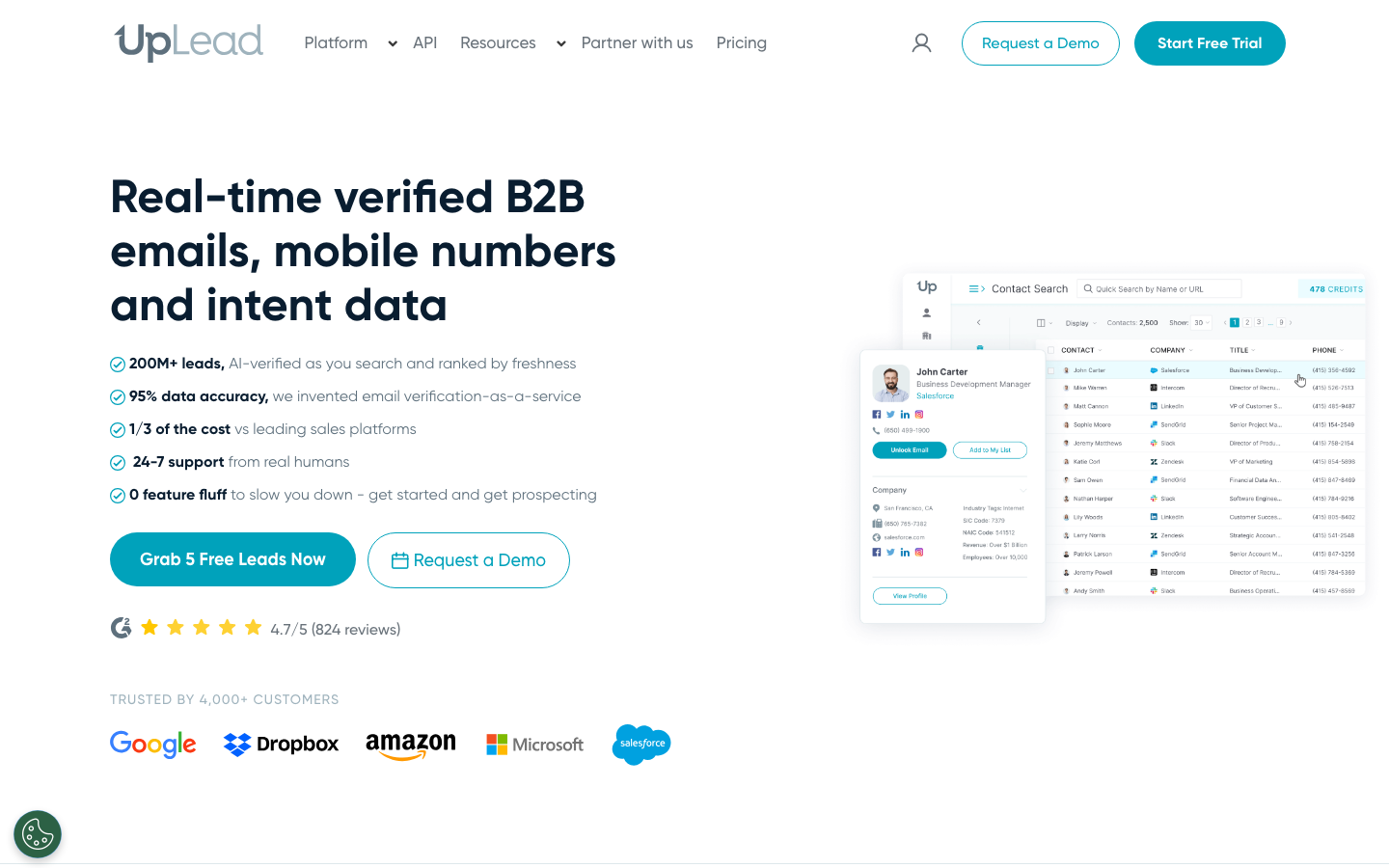
If your reason for leaving Crunchbase is that you need real contacts to prospect, not just company profiles, UpLead is the most direct fit. It is a B2B prospecting platform with a database of more than 160 million contacts across 200-plus countries, and it verifies email addresses in real time at the point of export. That last part matters more than the headline count. UpLead guarantees 95 percent data accuracy and only charges credits for emails that pass verification, so you are not paying to fill your CRM with bounces.
Where Crunchbase stops at the company card, UpLead lets you filter by more than 50 criteria including industry, company size, technology used, location and job title, then pull the decision-makers behind those companies with verified emails, direct dials and mobile numbers. Technographic filters let you target companies running a specific tool, and the Chrome extension surfaces contact data while you browse a prospect’s site or LinkedIn page. Native CRM integrations push the data straight into Salesforce, HubSpot, Pipedrive and others.
- Best for: sales and marketing teams that need verified contacts to run outbound, not just company research.
- Standout features: real-time email verification, 95 percent accuracy guarantee, intent data, technographics, Chrome extension, CRM integrations.
- Pricing: a free trial with sample credits, then paid plans that start far below enterprise prospecting tools, with transparent per-credit pricing rather than locked annual contracts.
For teams that used Crunchbase to find companies and then scrambled to find someone to email, UpLead closes that gap in one step.
2. ZoomInfo: best for enterprise sales intelligence
Ratings: G2 4.5/5, Capterra 4.1/5, TrustRadius 8.2/10
Users rate ZoomInfo the deepest and most accurate B2B contact database for US-focused teams, especially for direct dials and CRM enrichment, while flagging high opaque pricing and weaker coverage outside North America (Source: G2).
Pros
- Accurate, comprehensive contact data including direct dials, mobiles and org charts (Source: G2)
- Efficient prospecting with reliable contact info and streamlined workflows (Source: Capterra)
- Strong CRM integrations, especially Salesforce, on top of a huge database (Source: TrustRadius)
Cons
- Data accuracy varies, with some records outdated or incorrect (Source: Capterra)
- Expensive with a confusing pricing structure and auto-renewal frustration (Source: TrustRadius)
- Weaker EMEA and international coverage versus the US (Source: G2)
Pricing
- Quote-based only, no public fixed pricing, three-seat minimum on annual contracts
- Reported real-world range: roughly 15,000 dollars per year entry up to 40,000 dollars and above for higher tiers (Source: Vendor)
Best For
Mid-market and enterprise teams prospecting primarily in the US that need the deepest contact and intent data and have budget to match.
ZoomInfo is the heavyweight in B2B data, pairing a large contact and company database with intent signals, org charts and a deep sales-intelligence layer that large revenue teams build whole workflows around. Data refreshes often. The intent and scoop features help reps reach accounts that are showing buying signals.
The catch is cost and commitment. Plans commonly start around 15,000 dollars per year and climb past 35,000 dollars for higher tiers, almost always on annual contracts. That puts ZoomInfo out of reach for smaller teams, but for an enterprise sales org that needs depth and is ready to negotiate, it is a serious Crunchbase replacement.
- Best for: enterprise sales teams with budget for a full intelligence platform.
- Standout features: intent data, org charts, large contact database, deep integrations.
- Pricing: typically 15,000 dollars per year and up, annual contracts, with negotiated discounts common.
3. Apollo: best all-in-one prospecting and outreach
Ratings: G2 4.7/5, Capterra 4.5/5, TrustRadius 8.5/10
Reviewers praise Apollo as a powerful, affordable all-in-one platform that consolidates lead discovery, enrichment and sequencing, while flagging inconsistent data accuracy and a confusing credit system (Source: G2).
Pros
- All-in-one workflow to find, enrich, sequence and track without switching tools (Source: G2)
- Large, well-filterable database with strong targeting (Source: Capterra)
- Strong value, significantly cheaper than ZoomInfo (Source: TrustRadius)
Cons
- Inconsistent data accuracy outside the US, with missing mobiles and outdated titles (Source: G2)
- Credit system that burns through quickly, especially for phone numbers (Source: Capterra)
- Customer support criticism, especially on lower tiers (Source: Capterra)
Pricing
- Free: 0 dollars forever, limited credits
- Basic: 49 dollars per user per month, annual
- Professional: 79 dollars per user per month, annual
- Organization: 119 dollars per user per month, annual, minimum 3 users (Source: Vendor)
Best For
SMBs and sales teams that want an affordable all-in-one prospecting and outbound platform with a large database and built-in sequencing.
Apollo combines a contact and company database with built-in email sequencing, a dialer and a LinkedIn prospecting extension, so data and outreach live in one place instead of being stitched together from a database and a separate sending tool. It also offers one of the more generous free tiers, which makes it a common starting point for smaller teams.
The trade-off is data quality. Apollo leans on a large self-reported and crowd-sourced dataset, so accuracy can vary and verification is less rigorous than data-first tools. Teams that prize a verified, low-bounce list often pair or replace it with a higher-accuracy data source.
- Best for: teams that want database plus outreach in a single tool on a modest budget.
- Standout features: sequencing, dialer, Chrome extension, strong free tier.
- Pricing: free plan available, paid plans scale by seats and credits.
4. PitchBook: best for private-market and investment research
Ratings: G2 4.5/5, Capterra 4.3/5
Users call PitchBook the gold standard for private-market VC, PE and M&A deal data, valuing its breadth and time savings, while the most consistent complaints are high cost and occasional data staleness for smaller or non-US companies (Source: G2).
Pros
- Comprehensive, unmatched proprietary data on private companies, funding and deals (Source: G2)
- Intuitive interface and strong deal-data search (Source: Capterra)
- Responsive, helpful customer support (Source: G2)
Cons
- Steep, often prohibitive price with bundled features teams may not use (Source: Capterra)
- Data can be outdated or incomplete for smaller and early-stage companies (Source: Capterra)
- Weaker coverage of emerging markets (Source: G2)
Pricing
- No public pricing, quote-based and contact sales only
- Reported third-party ranges: single user roughly 12,000 to 20,000 dollars per year, enterprise 50,000 dollars per year and above (Source: Vendor)
Best For
VC, private equity, investment banking and corporate development teams that need deep private-market deal data and can justify an enterprise research budget.
PitchBook is the institutional standard for private-market data. It covers millions of companies, well over 100,000 investors and an enormous library of deal records, valuations and fund data, much of it verified by a large in-house research team. If your real need was the funding-and-deals side of Crunchbase taken several levels deeper, this is the upgrade.
It is built for investors, bankers and corporate development teams, and it is priced for them. Expect enterprise contracts and a steeper learning curve. It is overkill for a sales rep, but unmatched for anyone who needs to know who led a round, the post-money valuation and the limited partners behind a fund.
- Best for: investors, analysts and corporate development teams that need deep deal and valuation data.
- Standout features: deal comps, investor and fund profiles, analyst-verified data.
- Pricing: enterprise quotes only, generally the most expensive option here.
5. Owler: best free Crunchbase replacement
Ratings: G2 4.3/5, Capterra 4.3/5
Users praise Owler as an easy-to-use competitive intelligence tool with daily company news and one-click competitor snapshots, with the common complaint being uneven data quality for smaller and non-US firms (Source: G2).
Pros
- Easy to use with fast setup and one-click competitor insights (Source: G2)
- Strong daily news and company alerts that need no extra effort (Source: G2)
- Clean one-page account view useful for sales enablement (Source: Capterra)
Cons
- Data freshness issues, with outdated or missing company info (Source: Capterra)
- Weak coverage of smaller companies and non-major markets (Source: Capterra)
- Limited free tier, with meaningful use needing a paid upgrade (Source: G2)
Pricing
- Community: free, follow up to 5 companies
- Pro: 39 dollars per user per month billed annually, unlimited companies and advanced insights
- Max and Enterprise: custom pricing, adds CRM and Slack integrations, API and contact data (Source: Vendor)
Best For
Sales, marketing and competitive-intelligence teams that want free or low-cost daily monitoring of competitor companies, mainly in English-speaking markets.
Owler is the closest free stand-in for the parts of Crunchbase most people used without paying. It gives you company overviews, competitor maps and news alerts so you can follow accounts and watch for triggers like funding, leadership changes or acquisitions. A community model keeps the high-level data reasonably fresh.
It is a monitoring tool, not a prospecting database, with no verified contacts to export and no outbound features. That makes it work best alongside a contact-data tool rather than on its own.
- Best for: teams that want free company monitoring and competitive alerts.
- Standout features: news alerts, competitor maps, company overviews.
- Pricing: free tier available, paid plans for advanced alerts.
6. D&B Hoovers: best for established-company and credit data
Ratings: G2 4.1/5, Capterra 4.4/5, TrustRadius 8.2/10
Users value the deep, comprehensive firmographic data, global coverage and strong list-building filters, while flagging data freshness issues and high, annually increasing pricing (Source: G2).
Pros
- Comprehensive firmographics, financials and corporate hierarchy that save research time (Source: Capterra)
- Granular filtering to build targeted prospect lists (Source: Capterra)
- Reliable global database with CRM integration (Source: TrustRadius)
Cons
- Data accuracy and freshness gaps, with outdated phone numbers and contacts (Source: Capterra)
- Expensive with annual price increases (Source: Capterra)
- Credits deplete quickly and integration gaps appear (Source: TrustRadius)
Pricing
- Essentials, self-serve: 49 dollars per month or 529 dollars per year, 150 company and 150 contact credits monthly
- Enterprise tiers (Explore, Focus, Predict): quote-based, no public list price (Source: Vendor)
Best For
Mid-market and enterprise teams needing deep global firmographic and credit data with corporate-hierarchy mapping and CRM integration.
D&B Hoovers, built on the Dun and Bradstreet data foundation, leans toward established companies rather than early-stage startups. It pairs millions of company profiles with financials, executive contacts, automated alerts and industry reports, and its credit and firmographic depth is hard to match for vetting larger or more traditional businesses.
For sales and analyst teams whose market sits outside venture-backed tech, this is a stronger base than Crunchbase, though it is an enterprise platform with enterprise pricing. Weigh it against your coverage needs.
- Best for: teams targeting established companies that need financial and credit context.
- Standout features: D&B financials, executive contacts, industry reports, alerts.
- Pricing: custom enterprise pricing.
7. Veridion: best for supplier discovery and procurement
Ratings: not available for the current Veridion brand. Legacy reviews from its former name, Soleadify, sit at Capterra 4.8/5 on a small sample.
There is little independent review volume under the current Veridion name. Earlier Soleadify users called it an easy-to-use, broad B2B company database with strong filtering and good value (Source: Capterra).
Pros
- Clean, simple, easy-to-use interface (Source: Capterra)
- Extensive database with robust filtering by industry, location, size and technology (Source: Capterra)
- Comprehensive per-lead data and good value (Source: Capterra)
Cons
- Limited business categories and a need for more regional filtering (Source: Capterra)
- Missing some native CRM integrations (Source: Capterra)
- Export formatting can be disorganized at large volumes (Source: Capterra)
Pricing
- No public pricing, quote-only via a data consultation
- Consumption and credit-based contracts sized by use case (Source: Vendor)
Best For
Procurement, risk and market-intelligence teams needing verified global company and supplier data via API rather than sales prospecting.
Veridion takes a different angle. It is an AI-powered company database covering more than 125 million businesses with weekly updates, aimed at supplier discovery, risk monitoring and market intelligence rather than sales outreach. Natural-language search lets you describe the kind of supplier you need and surface matches across global markets.
If your Crunchbase use case was about mapping a market or finding vendors rather than selling to people, Veridion covers ground a venture-focused database never could. It is less relevant for classic sales prospecting.
- Best for: procurement and market-intelligence teams doing supplier discovery and risk work.
- Standout features: 125 million-plus company coverage, weekly updates, natural-language search.
- Pricing: custom pricing by use case.
8. HG Insights: best for technographic and IT-spend data
Ratings: G2 4.3/5
Users praise the accurate, granular technographic and IT-spend data for targeting accounts by tech stack, with the main complaints being high pricing and data that can feel outdated when stacks change fast (Source: G2).
Pros
- Granular, accurate technographic data showing an account’s full tech stack (Source: G2)
- Easy to use and quick to master (Source: G2)
- Unique per-company software-stack visibility for enrichment (Source: TrustRadius)
Cons
- Steep pricing, especially for individuals and SMBs (Source: G2)
- Data can appear outdated when tech stacks move fast (Source: G2)
- Salesforce integration weaker than desired (Source: TrustRadius)
Pricing
- Quote and contact-based only, no public tiers
- Consumption-based on data, seats and intelligence credits, with no free trial (Source: Vendor)
Best For
RevOps, sales and marketing teams at tech companies selling to other tech companies that need deep technographic and IT-spend intelligence.
HG Insights specializes in technographics: which technologies a company runs, how much it spends on IT, its cloud usage, and where it sits in a given technology market. For vendors selling into specific tech stacks, that signal is far more actionable than a funding date.
It is a niche replacement. You would use it to size and target a technology market, then pair it with a contact-data tool to reach the buyers, because on its own it does not give you a list of people to email.
- Best for: technology vendors and market researchers who need technographic and IT-spend signal.
- Standout features: technographics, IT-spend estimates, technology market-share dashboards.
- Pricing: custom enterprise pricing.
9. CB Insights: best for market and tech-trend research
Ratings: G2 4.4/5, TrustRadius 7.8/10
Users rate CB Insights highly for the timeliness and relevance of its market and funding intelligence, especially in AI and emerging tech, but consistently flag a clunky search interface and a price aimed at well-funded teams (Source: G2).
Pros
- Timely, accurate funding and market data that supports analysis and business development (Source: G2)
- The daily newsletter and pre-tagged expert collections are standout features (Source: G2)
- Strong, up-to-date coverage of emerging-tech VC funding (Source: TrustRadius)
Cons
- The UI, especially advanced search, is complex and not user-friendly (Source: G2)
- Some collections feel underwhelming versus peers (Source: G2)
- Price-to-value is poor for startups and small teams (Source: TrustRadius)
Pricing
- Custom-quoted, no public self-serve tier and no full-platform trial
- Third-party procurement data puts typical contracts roughly in the 50,000 dollar and up per year range (Source: Vendor)
Best For
Corporate strategy, innovation and VC teams with five-figure-plus budgets that need authoritative emerging-tech market and funding intelligence.
CB Insights is a research platform built around market intelligence, emerging-technology trends and analyst reports rather than raw contact lists. It tracks startups, funding and industry shifts, then layers on its own analysis so teams can see where a market is heading, not just who raised money last quarter. Strategy, corporate development and venture teams lean on it for the narrative behind the numbers.
It is a premium, research-led tool, so it is priced for organizations that treat market intelligence as a budget line. For pure prospecting it is the wrong fit, but for understanding a sector it goes well beyond what Crunchbase offers.
- Best for: strategy and corporate development teams that need market and tech-trend analysis.
- Standout features: analyst reports, market maps, funding and trend tracking.
- Pricing: custom enterprise pricing.
10. Tracxn and Dealroom: best for global startup and deal coverage
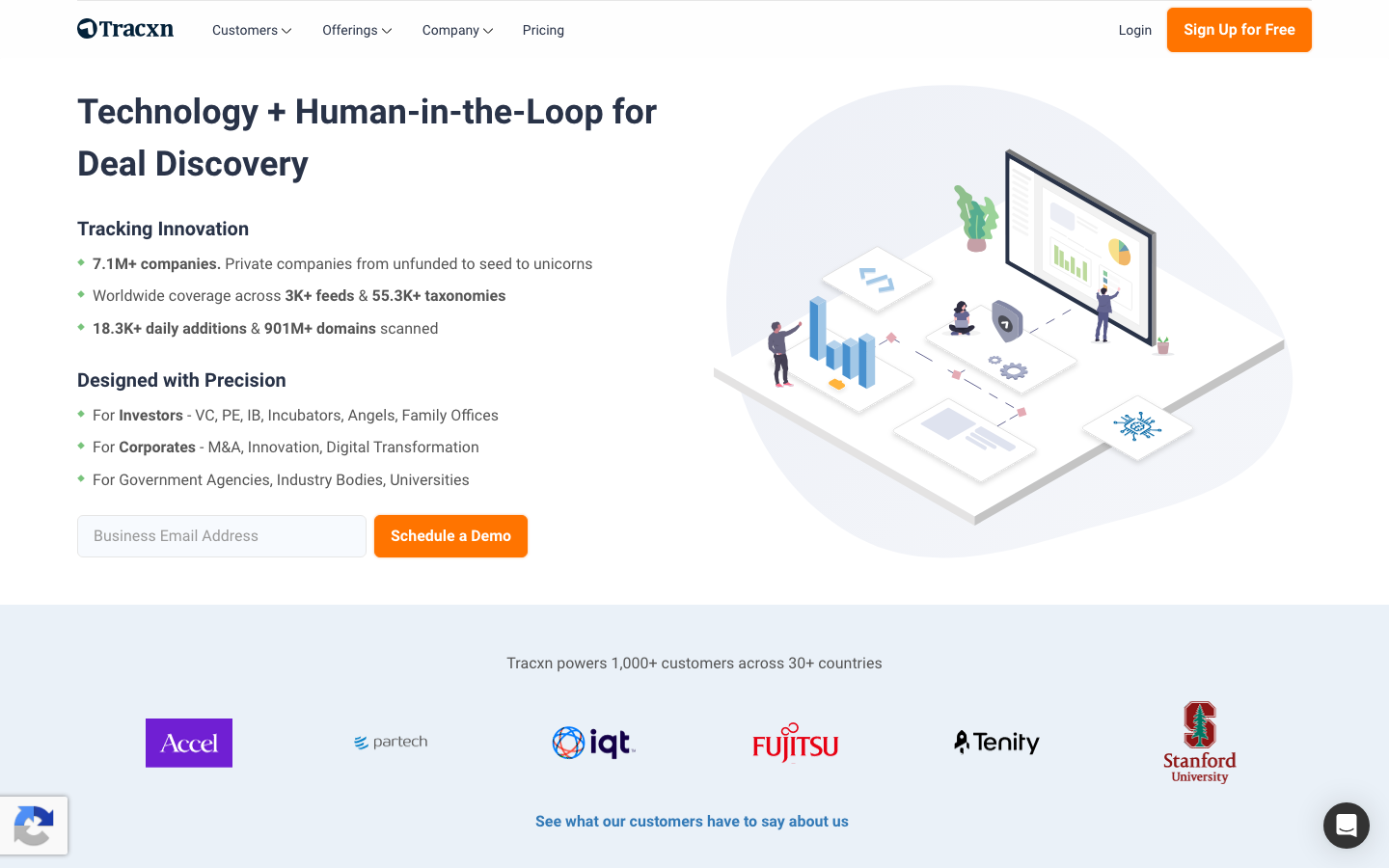
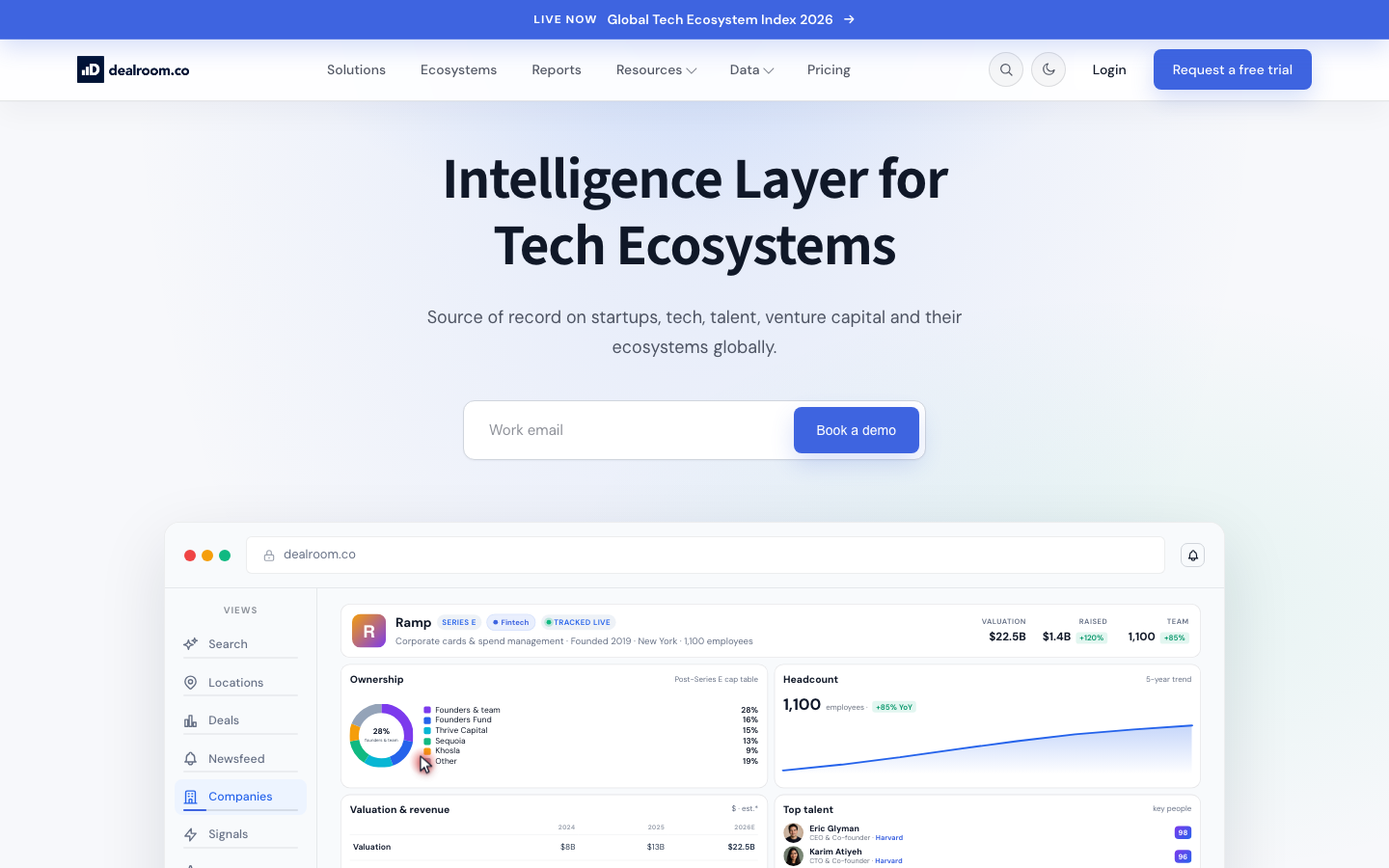
Ratings: Tracxn Capterra 4.5/5; Dealroom G2 4.7/5
Reviewers describe Tracxn as a broad startup and VC database with deep vertical filters, and Dealroom as a clean, easy-to-use platform with high-quality, up-to-date data for ecosystem mapping (Source: G2).
Pros
- Tracxn offers a comprehensive startup database with deep filtering by industry vertical (Source: Capterra)
- Dealroom has a user-friendly interface and high data quality with an up-to-date dataset (Source: G2)
- Dealroom users praise a responsive, helpful support team (Source: G2)
Cons
- Tracxn shows data-accuracy gaps, particularly with startup email addresses (Source: Capterra)
- Tracxn pricing is on the high side with no monthly payment option (Source: Capterra)
- Dealroom has integration gaps and filters that could be more advanced (Source: G2)
Pricing
- Tracxn: free Lite tier, paid plans quote-based reportedly from around 500 dollars per user per month (Source: Vendor)
- Dealroom: Premium from around 12,600 euros per year, Premium Plus around 17,000 euros per year, enterprise custom (Source: Vendor)
Best For
Analysts and VC or corporate teams that need broad global startup and deal coverage, with Dealroom especially strong for Europe-focused ecosystem mapping.
Tracxn and Dealroom are two startup-and-investor databases that often come up as direct Crunchbase rivals, especially outside the United States. Both track millions of companies, funding rounds and investors, with strong coverage of emerging markets and sector taxonomies that make it easy to map a niche. Tracxn leans toward analyst-curated sector feeds, while Dealroom is widely used across European ecosystems and by economic-development groups.
If your gap with Crunchbase was geographic coverage or sector mapping rather than contact data, either is a capable swap. Like Crunchbase, they are company-and-deal databases, so you still need a contact-data tool to reach the people behind the companies.
- Best for: teams that need broad global startup, funding and investor coverage.
- Standout features: deep sector taxonomies, strong non-US coverage, investor and round data.
- Pricing: custom plans, generally subscription-based.
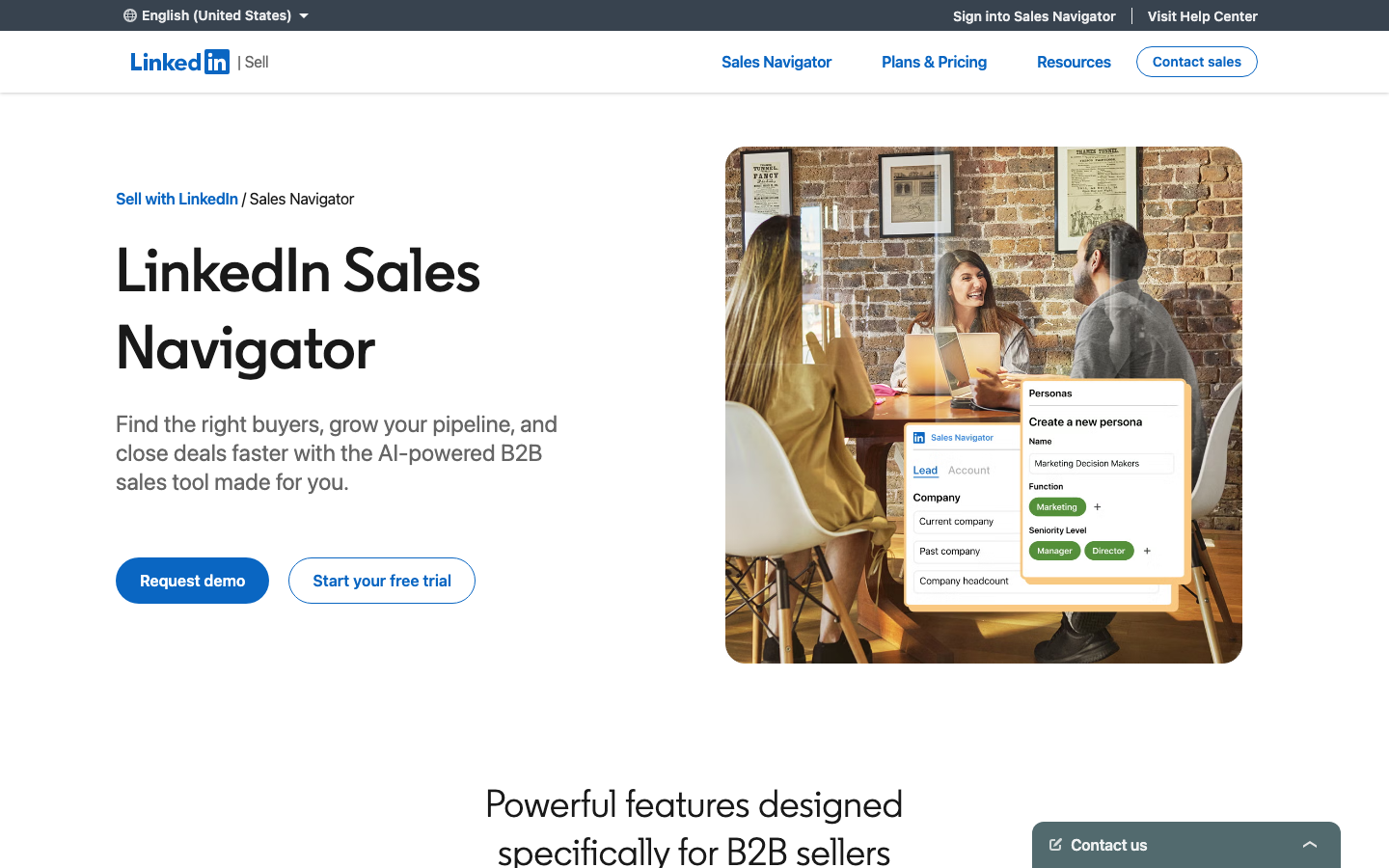
11. LinkedIn Sales Navigator: best for social-selling and warm research
Ratings: Capterra 4.6/5
Reviewers value Sales Navigator most for its unmatched LinkedIn-based search and real-time prospect insights, while the recurring complaints are high per-seat pricing and occasional sync issues (Source: Capterra).
Pros
- Powerful advanced search to pinpoint decision-makers by role, industry and activity (Source: Capterra)
- Real-time alerts on job changes, company growth and prospect activity (Source: Capterra)
- Solid CRM integrations plus relationship-mapping tools like TeamLink (Source: Capterra)
Cons
- High pricing, especially for smaller teams (Source: Capterra)
- Bugs, syncing problems and occasional platform instability (Source: Capterra)
- Customer support responsiveness can be poor (Source: Capterra)
Pricing
- Core: about 99 dollars per month billed annually
- Advanced: about 149 dollars per month billed annually
- Advanced Plus: custom enterprise quote, all tiers include 50 InMail credits monthly (Source: Vendor)
Best For
B2B sales and SDR teams that live on LinkedIn and need precise prospect targeting plus real-time buying and job-change signals.
LinkedIn Sales Navigator turns LinkedIn’s network into a prospecting surface. You can build lead lists with advanced filters, track accounts, get relationship-based intros and see real-time job changes that signal a buying moment. Because the data is self-maintained by professionals, titles and roles tend to be current.
The limitation is that Sales Navigator does not hand you verified work emails or direct dials. It is excellent for research and warm outreach inside LinkedIn, and many teams pair it with a contact-data tool that supplies the verified emails to take the conversation off-platform.
- Best for: social sellers who research and engage prospects inside LinkedIn.
- Standout features: advanced lead filters, job-change alerts, account tracking, warm-intro paths.
- Pricing: per-seat subscription, typically a few hundred dollars per user per year.
How to choose the right Crunchbase alternative
Start with the job, not the tool. The right choice depends on what Crunchbase was failing to do for you.
- If you need contacts to sell to, choose a verified prospecting database like UpLead, where the data is checked before it lands in your pipeline. This is the most common reason teams leave Crunchbase.
- If you have enterprise budget and need depth, ZoomInfo brings the broadest intelligence layer, with the cost to match.
- If you want data and outreach in one place, Apollo bundles both, with the understanding that you trade some accuracy for convenience.
- If your need is investment research, PitchBook goes far deeper on deals and valuations than Crunchbase ever did.
- If you mostly want free monitoring, Owler covers company news and competitor alerts without a contract.
- If your work is procurement, market mapping or technographics, Veridion and HG Insights cover ground a venture database cannot.
A practical pattern many teams settle on is two tools instead of one: a contact-data platform for the sales pipeline and a research tool for deep intelligence, which together often cost less than a single enterprise suite. For most go-to-market teams, the contact-data half of that pair is where the real money gets made, and it is the gap Crunchbase leaves widest.
Frequently asked questions
What is the best free alternative to Crunchbase?
Owler is the best free alternative for the company-monitoring side of Crunchbase, with free company overviews, competitor maps and news alerts. For free prospecting data, tools like UpLead and Apollo offer free trials or limited free credits so you can pull verified contacts before committing to a plan. The free monitoring tools and the free prospecting trials serve different needs, so the right pick depends on whether you want to watch companies or contact them.
Who are Crunchbase’s main competitors?
Crunchbase’s main competitors fall into three groups. For sales prospecting and contact data, the leaders are UpLead, ZoomInfo and Apollo. For private-market and investment research, PitchBook is the primary rival. For company monitoring and broader market intelligence, Owler, D&B Hoovers, Veridion and HG Insights compete depending on whether you need free alerts, established-company data, supplier discovery or technographics.
What is better, PitchBook or Crunchbase?
PitchBook is better for deep private-market research and Crunchbase is better for quick, accessible startup lookups. PitchBook covers far more deal records, valuations and investor and fund detail, verified by a large research team, which suits investors and analysts. Crunchbase is lighter, cheaper and faster for a simple profile check, which suits sales and general business research. The better tool depends on whether you need institutional-grade depth or a fast, affordable overview.
Does Crunchbase provide verified email addresses?
Crunchbase provides limited contact data and is not built primarily for verified email prospecting at scale. Its focus is company profiles and funding information rather than ready-to-use contact lists. If verified work emails and direct dials are what you need, a dedicated prospecting platform like UpLead is a stronger fit, since it verifies emails in real time and only charges for contacts that pass verification.
How much does Crunchbase cost compared to alternatives?
Crunchbase offers a limited free tier with paid plans that unlock exports and richer data, sitting in the mid-range of this category. Free monitoring tools like Owler cost nothing, prospecting platforms like UpLead and Apollo offer transparent per-credit or per-seat pricing, and enterprise options like ZoomInfo and PitchBook run well into five figures per year. Your cost depends on whether you need monitoring, prospecting or deep research.





